Wix is one of the easiest ways for a small business to get a professional website, an online store or a booking system without hiring a full development team. But “easy to start” is not the same as “easy to get right”. This complete Wix guide brings together everything you need in one place: how to build a Wix website, how Wix eCommerce and Wix Bookings work, how to use Velo, the CMS and apps, how to get found on Google, and when it makes sense to let a specialist handle the work for you.
Every section below gives you the essentials and links to an in-depth, step-by-step article. Bookmark this page and use it as your Wix handbook.
Key takeaways
- Wix suits small businesses, service providers, creators and small to mid-sized stores that want an all-in-one platform with hosting, security and updates handled for them.
- Choose your editor (Wix Editor or Wix Studio), template and plan before you build: these decisions shape everything that follows.
- Wix Stores, Wix Bookings, Events, Pricing Plans and the CMS cover most business needs; Velo and apps fill the gaps.
- Wix sites can rank well on Google when titles, structure, content, speed and indexing are set up properly.
- MIVAQ designs, builds and optimises Wix websites, stores and booking systems, and builds custom Wix apps, for a fixed price.
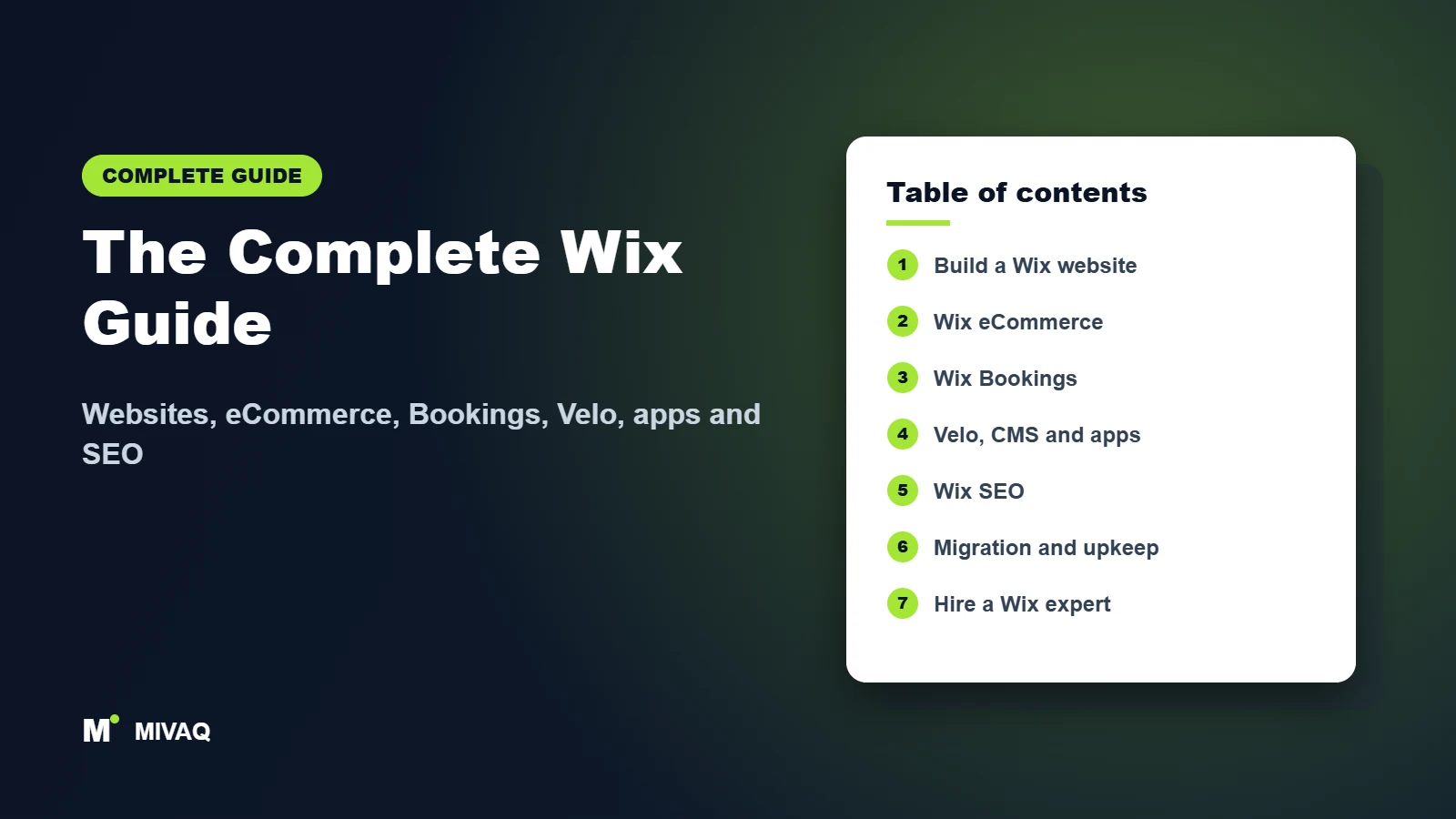
In this guide
- What is Wix and who is it for?
- How to build a Wix website
- Wix eCommerce: selling online with Wix Stores
- Wix Bookings and business features
- Velo, CMS, apps and integrations
- Wix SEO: getting found on Google
- Migrations, comparisons and maintenance
- Which Wix setup fits your business?
- DIY or hire a Wix expert?
- Frequently asked questions
What is Wix and who is it for?
Wix is a hosted website platform. You design pages visually, and Wix takes care of hosting, security certificates, software updates and much of the technical maintenance that comes with platforms like WordPress. On top of the website builder, Wix offers business solutions such as Wix Stores for online shops, Wix Bookings for appointments and classes, Wix Events, Pricing Plans for memberships, a built-in CRM and marketing tools.
Wix works best for:
- Service businesses such as consultants, salons, clinics, coaches, trades and agencies that need a professional site and online bookings.
- Small and mid-sized online stores that want products, payments, shipping and marketing in one dashboard.
- Creators and portfolios such as photographers, designers and artists who want strong visual design.
- Restaurants, venues and event organisers that need menus, ordering, reservations or ticketing.
If you are still deciding, read is Wix good for small business for an honest look at the pros and cons, and compare platforms in Wix vs Shopify, Wix vs Squarespace and Wix vs WordPress for SEO.
How to build a Wix website
A good Wix website starts with planning, not dragging elements around. Decide what your visitors need to do (call, book, buy or enquire), which pages you need and which Wix features support those goals. Then pick your editor and template, add your content, connect your domain and set up the basics for search engines and analytics.
- Plan your pages, goals and content.
- Choose the Wix Editor or Wix Studio, and a template close to your layout.
- Pick the plan that includes the features you need, such as eCommerce or bookings.
- Build your pages, then optimise the mobile version.
- Connect your domain and set up a business email.
- Add SEO titles, descriptions and Google Analytics, then launch.
These guides cover every step in detail:
- How to Build a Wix Website: Step-by-Step Guide for Beginners: The full beginner path: account, template, pages, content, SEO settings and launch.
- Wix Pricing Plans Explained: Which Plan Do You Need?: What each type of Wix plan includes and how to pick the right one for a website or store.
- Wix Editor vs Wix Studio: Which Should You Use?: The differences between the classic Wix Editor and Wix Studio, and who should use each.
- How to Choose the Best Wix Template for Your Business: How to pick a template that fits your content, brand and future growth.
- How to Make Your Wix Website Mobile-Friendly: How to check and fix the mobile version of your Wix site so it looks right on phones.
- How to Connect a Custom Domain to Wix: Connect a domain you already own, or buy one through Wix, without downtime.
- How to Set Up a Professional Business Email with Wix: Set up a branded email address that matches your Wix domain.
- Wix Website Design Tips: 15 Ways to Look More Professional: Fifteen practical design fixes that make a Wix site look more trustworthy.
- Wix AI Website Builder: How It Works and When to Use It: How the Wix AI site builder works, what it does well and where it needs a human touch.
- How to Hire a Wix Designer or Developer (and What It Costs): What to look for in a Wix designer or developer, what affects the cost and how to brief them.
Want a professional result without the learning curve? Our Wix website design service takes you from plan to launch.
Wix eCommerce: selling online with Wix Stores
Wix Stores lets you sell physical products, digital downloads and, with apps, print-on-demand or dropshipped products. The core setup always follows the same order: products and variants, payments, shipping, taxes, then marketing and optimisation. Getting tax and shipping right before launch saves you from refunds and unhappy customers later.
| Store task | What to set up | Read next |
|---|---|---|
| Products | Names, descriptions, images, options, variants, inventory | Product setup guide |
| Payments | Payment provider, cards, wallets, manual payments | Payments setup |
| Shipping | Regions, rates, free shipping rules, pickup | Shipping settings |
| Taxes | VAT or sales tax by region | Tax settings |
| Growth | SEO, abandoned cart emails, conversion improvements | Conversion tips |
All Wix eCommerce guides:
- How to Start an Online Store on Wix: Plan, build and launch a Wix online store, step by step.
- How to Add Products and Variants in Wix Stores: Add products, options, variants, inventory and collections in Wix Stores.
- How to Set Up Wix Payments and Other Payment Methods: Accept cards, wallets and other payment methods on your Wix store.
- Wix Shipping Settings: Rates, Regions and Delivery Options: Configure shipping regions, rates, free delivery rules and local pickup.
- How to Set Up Taxes on Your Wix Store (VAT and Sales Tax): Set up VAT and sales tax correctly for the regions you sell to.
- Dropshipping and Print on Demand on Wix: How It Works: How dropshipping and print on demand apps work with Wix Stores.
- Wix Abandoned Cart Recovery: How to Win Back Lost Sales: Win back shoppers who leave items in their cart with automated reminders.
- Wix eCommerce SEO: How to Rank Your Product and Category Pages: Help your Wix product and category pages rank on Google.
- Wix vs Shopify: Which Is Better for Your Online Store?: A fair comparison of Wix and Shopify for online stores of different sizes.
- How to Increase Sales on Your Wix Store: 12 Proven Tips: Twelve proven ways to turn more Wix store visitors into customers.
Wix Bookings and business features
For service businesses, Wix Bookings is often the main reason to choose Wix. You can list services, set staff and availability, take payments or deposits and send automatic reminders. Around it sit other business tools: Wix Events for tickets, Restaurants for ordering and reservations, Pricing Plans for memberships, Members Areas, online programs, forms and the Wix CRM with automations.
- Wix Bookings: How to Set Up Online Appointments: Set up services, staff, availability and online appointments with Wix Bookings.
- How to Take Payments and Deposits with Wix Bookings: Take full payments, deposits and packages for your booked services.
- Wix Events: How to Sell Tickets and Manage RSVPs: Sell tickets, collect RSVPs and manage guests with Wix Events.
- Wix Restaurants: Online Ordering and Table Reservations: Online ordering, menus and table reservations for restaurants on Wix.
- How to Sell Memberships and Subscriptions on Wix: Sell memberships, subscriptions and recurring plans on your Wix site.
- How to Create a Members Area on Your Wix Site: Create a members area with logins, profiles and members-only pages.
- How to Sell Online Courses on Wix: Package and sell online courses and programs on Wix.
- Wix Forms: How to Create Contact, Quote and Lead Forms That Convert: Build contact, quote and lead forms that people actually complete.
- Wix for Hotels and Vacation Rentals: Booking Setup Guide: Booking setup for hotels, guest houses and vacation rentals on Wix.
- Wix CRM and Automations: How to Save Time on Repetitive Tasks: Use the Wix CRM and automations to save hours of repetitive work.
Need a booking system that matches how your business really works? We set up Wix Bookings, Events and memberships for you.
Velo, CMS, apps and integrations
When standard features are not enough, Wix gives you three ways to extend your site. The Wix CMS stores structured content (for example listings, team members or products) and shows it on dynamic pages. Velo by Wix lets developers add custom code, database logic and API calls. And the Wix App Market adds ready-made functionality, from reviews to advanced forms. Businesses with unique needs can also commission a custom Wix app.
- Velo by Wix: A Beginner’s Guide to Custom Code on Wix: A beginner-friendly introduction to custom code on Wix with Velo.
- Wix CMS and Dynamic Pages Explained: Use the Wix CMS and dynamic pages to manage large amounts of content.
- Best Wix Apps for Small Businesses: The Wix App Market apps that are genuinely useful for small businesses.
- How to Build a Wix App for the Wix App Market: How Wix apps are built and published on the Wix App Market.
- How to Add Custom Code, Scripts and HTML to Wix: Add tracking scripts, embeds and custom HTML to Wix safely.
- How to Connect Google Analytics 4 and Google Tag Manager to Wix: Connect Google Analytics 4 and Google Tag Manager to measure your Wix site.
- Wix Marketing Tools: Email Campaigns, Social Posts and Ads: Email campaigns, social posts and ads from inside your Wix dashboard.
- How to Create a Multilingual Wix Website: Translate your Wix site and set it up for visitors in several languages.
- Wix Integrations: How to Connect Your CRM, Zapier and Other Tools: Connect Wix to your CRM, Zapier and other business tools.
- How to Build an Auto Parts Store on Wix with Year/Make/Model Search: Build an auto parts store on Wix with Year/Make/Model search.
MIVAQ is developing its own apps for the Wix App Market, starting with a Year/Make/Model parts finder, and builds custom Wix apps and Velo integrations for clients.
Wix SEO: getting found on Google
Wix handles many technical SEO basics automatically, but rankings still depend on the work you do: page titles, meta descriptions, headings, content quality, internal links, image alt text, site speed, structured data and correct indexing in Google Search Console. Our complete Wix and Squarespace SEO guide covers the full process. These articles go deeper into specific tasks:
- Wix SEO checklist and Wix SEO setup checklist for new sites
- How to audit a Wix site for SEO
- Wix eCommerce SEO for product and category pages
- Wix image SEO and Wix speed optimisation
- Wix local SEO and structured data on Wix
- Wix 301 redirects and Wix site not showing on Google
- Wix blog SEO
Prefer to hand it over? See our Wix SEO service.
Migrations, comparisons and maintenance
Moving to or from Wix, redesigning an existing site or simply keeping it healthy all need care: content has to be moved accurately, old URLs redirected and new pages checked before launch. Once your site is live, a simple maintenance routine keeps it fast, secure and accurate.
- How to Move Your Website from WordPress to Wix: Move a WordPress site to Wix while keeping content and rankings.
- How to Move Your Website from Wix to WordPress: Move a Wix site to WordPress with redirects and SEO intact.
- Wix vs Squarespace: Which Website Builder Is Right for You?: Wix vs Squarespace compared on design, features, SEO and ease of use.
- How to Redesign Your Wix Website Without Losing Traffic: Redesign your Wix site without losing traffic or enquiries.
- Wix Security and Backups: Site History, SSL and Safe Collaboration: How security, SSL, site history and roles work on Wix.
- How to Make Your Wix Website Accessible: Make your Wix website easier to use for everyone, including people with disabilities.
- Is Wix Good for Small Business? Pros, Cons and Best Uses: An honest look at when Wix is the right choice for a small business.
- How to Build a Photography Portfolio Website on Wix: Build a photography portfolio on Wix that wins clients.
- How to Build a Real Estate Website on Wix: Build a real estate website on Wix with listings and lead capture.
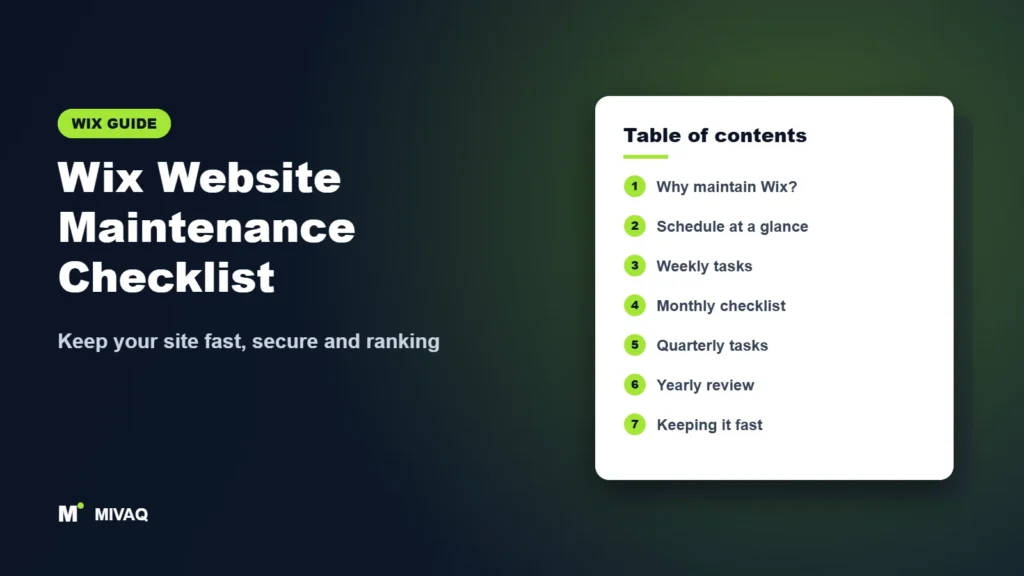
- Wix Website Maintenance Checklist: Keep Your Site Fast and Secure: A maintenance checklist to keep your Wix site fast, secure and up to date.
Which Wix setup fits your business?
| Business type | Key Wix features | Start with |
|---|---|---|
| Consultant, coach or agency | Website, Forms, CRM, Bookings | Build a Wix website |
| Salon, clinic or studio | Wix Bookings, payments, reminders, Pricing Plans | Wix Bookings guide |
| Online shop | Wix Stores, payments, shipping, taxes, marketing | Start a Wix store |
| Restaurant or cafe | Menus, online ordering, reservations | Wix Restaurants |
| Events or venue | Wix Events, tickets, RSVPs | Wix Events guide |
| Educator or creator | Online programs, Members Area, Pricing Plans | Sell courses on Wix |
| Hotel or rental | Booking setup, payments, multilingual site | Hotels and rentals |
| Auto parts or large catalogue | CMS, dynamic pages, filters, custom apps | Auto parts store |
| Photographer or real estate agent | Galleries, CMS listings, lead forms | Photography / Real estate |
DIY or hire a Wix expert?
You can absolutely build a Wix site yourself, and the guides above show you how. Hiring a specialist makes sense when your time is better spent running your business, when you need eCommerce, bookings or custom functionality set up correctly the first time, or when your existing site is not bringing in enquiries.
| Do it yourself | Hire MIVAQ | |
|---|---|---|
| Cost | Your plan and your time | Fixed-price quote agreed upfront |
| Time to launch | Depends on your learning curve | Planned timeline with clear milestones |
| Design | Template-based | Custom, on-brand design |
| Store, bookings, apps | Trial and error | Configured and tested |
| SEO | Basic settings | Keyword-led structure, titles, content and Search Console |
MIVAQ Wix services: Wix and Wix Studio website design, Wix eCommerce stores, Wix Bookings and Events, Velo custom code, custom Wix apps, Wix SEO, migrations and ongoing care. See our work and case studies. Every project starts with a free consultation and a fixed price.
- WhatsApp: message us for the quickest reply
- Email: hello@mivaq.com
- Form: send your project details
More complete guides
- Wix and Squarespace SEO: the complete guide
- How to start a Shopify store
- How to build a WordPress website
- SEO for small business
- Why your website is not on Google
Frequently asked questions
Is Wix good for small businesses?
Yes, for most small businesses. Wix combines hosting, security, design tools and business features like stores and bookings in one platform. Very large or highly customised stores may be better served by Shopify or WordPress.
Can a Wix website rank on Google?
Yes. Wix sites rank well when titles, content, structure, speed and indexing are handled properly. See our Wix SEO checklist.
Can I sell products and take bookings on the same Wix site?
Yes. Wix Stores and Wix Bookings can run on the same site, as long as your plan includes the features you need. Check the current plans on wix.com.
Can Wix do custom functionality?
Yes. The Wix CMS, Velo custom code and apps from the Wix App Market (or custom-built Wix apps) extend Wix well beyond its built-in features.
Can I move my site to or from Wix later?
Yes, but it needs planning. Content has to be rebuilt on the new platform and old URLs redirected to protect your rankings.
How much does it cost to hire a Wix designer?
It depends on the number of pages, features such as eCommerce or bookings, and content. Read how to hire a Wix designer, or ask us for a fixed-price quote.
Can MIVAQ build or improve my Wix website?
Yes. We design new Wix sites, redesign and optimise existing ones, set up stores and bookings, and build custom Wix apps. Message us on WhatsApp, email hello@mivaq.com or use our contact form.
Start building with confidence
Wix gives you everything you need to launch and grow online, as long as the foundations are right. Use this guide to plan your site, dive into the detailed articles as you build, and when you want expert help, get in touch with MIVAQ for a free consultation.