Most small businesses do not have a traffic problem. They have a visibility problem: the people who need exactly what you sell are searching on Google right now, and they are finding your competitors instead. SEO for small business is how you fix that without an enterprise budget. It is the work of making your website the clearest, most trustworthy answer for the searches your customers actually type, and then making sure Google can find, understand and show it.
This guide is for owners, managers and marketers of small and local businesses: trades, clinics, shops, studios, agencies, consultants and online stores. You will learn how Google ranks websites in 2026, how to choose the right keywords, how to optimise every page, how to fix the technical issues that quietly hold sites back, how local SEO and Google Business Profile work, how to measure results, what SEO really costs, and when it makes sense to do it yourself or bring in help. Every chapter links to a detailed step-by-step article if you want to go deeper.
Key takeaways
- Small business SEO is won on relevance and trust, not budget: one strong page per service and location beats dozens of thin pages.
- Start with keyword research built around buying intent (service + location + problem), then map one primary keyword to one page.
- Technical basics such as indexing, mobile usability, page speed and HTTPS decide whether your content can rank at all.
- For local businesses, a fully optimised Google Business Profile and a steady flow of genuine reviews are as important as the website.
- Expect early movement in 3 to 6 months and compounding results after 6 to 12 months; measure leads and calls, not just rankings.
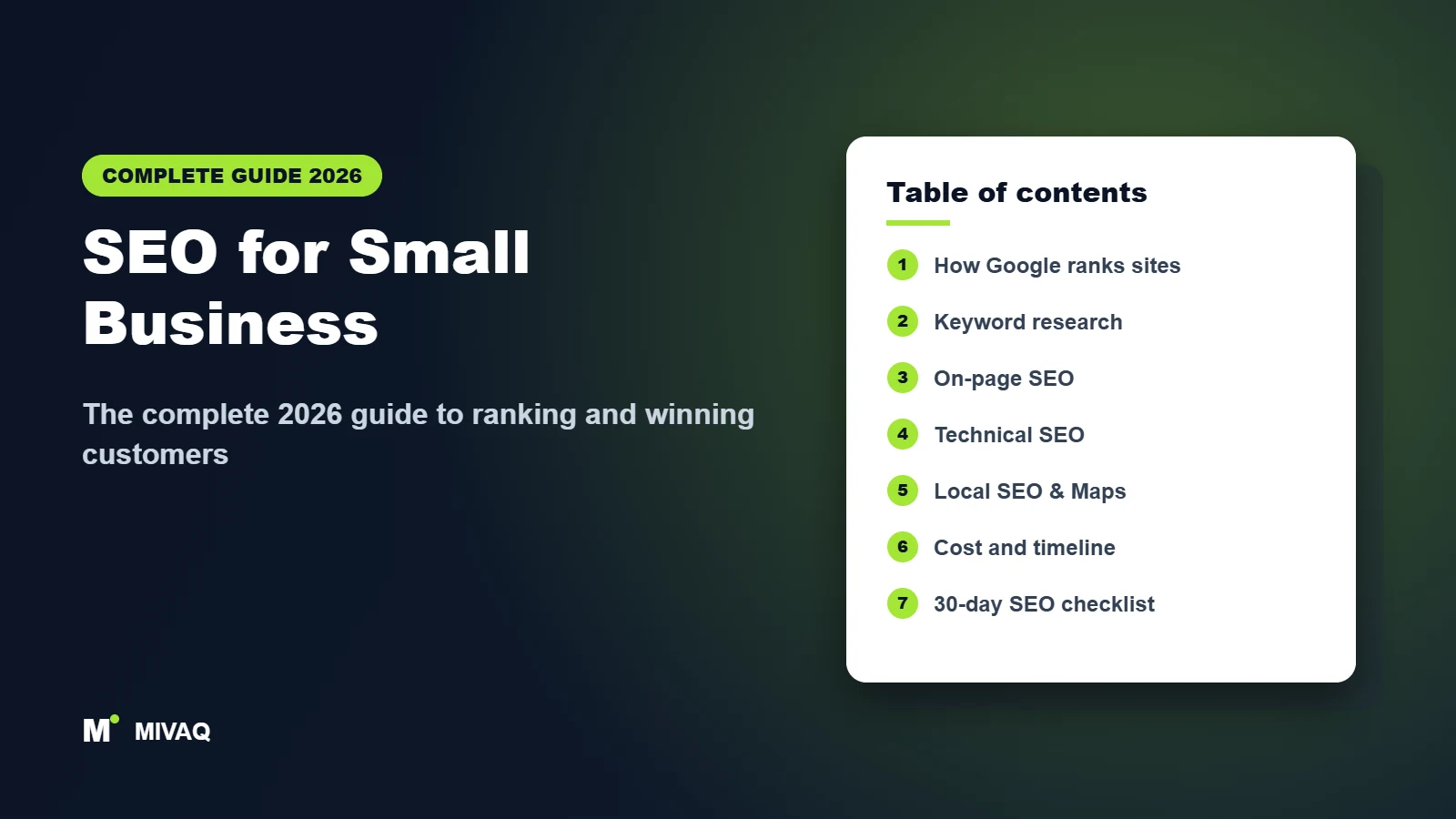
Table of contents
- What is SEO for small business (and does it still work in 2026)?
- How Google ranks small business websites
- How to do keyword research for a small business
- On-page SEO: titles, meta descriptions, headings and content
- What content should a small business website have?
- Technical SEO basics for small business websites
- Local SEO: how to rank in Google Maps and the local pack
- SEO for different types of small business
- How to measure SEO results
- How much does small business SEO cost and how long does it take?
- DIY SEO vs hiring an SEO professional
- Small business SEO checklist: your 30-day action plan
- More complete guides
- Frequently asked questions
What is SEO for small business (and does it still work in 2026)?
Search engine optimisation (SEO) is the process of improving your website and online presence so that it appears higher in unpaid (organic) search results. For a small business the goal is narrower and more practical than for a big brand: you do not need to rank for everything, you need to rank for the few hundred searches that turn into enquiries, bookings and sales.
Think of it in three layers:
- Can Google find and index your pages? This is technical SEO: crawling, indexing, site structure, speed and mobile usability.
- Does Google understand what each page is about and who it is for? This is keyword research and on-page SEO: titles, headings, content, internal links and structured data.
- Does Google trust you enough to show you above the alternatives? This is authority and reputation: links from other websites, reviews, mentions, a complete Google Business Profile and visible real-world expertise.
Does SEO still work with AI Overviews and AI search?
Yes, but the shape of the results page has changed. Google now shows AI Overviews for many informational questions, and people also ask tools such as ChatGPT, Gemini and Perplexity for recommendations. Two things matter for small businesses here. First, commercial and local searches (“emergency plumber near me”, “wedding photographer Leeds”, “iPhone screen repair price”) still show the map pack, business listings and ordinary organic results, and those clicks convert well. Second, AI answers are built from pages that search engines have already indexed and trust. The same fundamentals that help you rank (clear, specific, accurate pages from a business with real reviews and a consistent identity across the web) are what get you cited in AI answers. There is no separate trick; good SEO is the foundation of AI visibility.
Why SEO is worth it for small businesses
- High intent: someone searching “boiler repair in Croydon” wants to hire someone today. Organic visitors usually arrive with a problem you solve.
- Compounding returns: a page that ranks keeps bringing visitors every month without paying per click, unlike ads that stop the moment you stop paying.
- Trust: many people skip ads and trust businesses they find organically or in the map pack with strong reviews.
- A level playing field locally: in local results, a small business with a well-optimised profile and good reviews regularly outranks national brands.
How Google ranks small business websites
Google does not publish a formula, but its own documentation explains the process clearly. Every page goes through three stages: crawling (Googlebot discovers the URL, usually through links or your sitemap), indexing (Google renders the page, works out what it is about and decides whether to store it), and serving (when someone searches, Google selects and orders the most relevant, helpful indexed pages). If a page fails at stage one or two, nothing you do to the content will make it rank. Google’s SEO Starter Guide is the best free official overview of these basics.
The ranking signals that matter most for small businesses
| Signal | What it means in practice | Where to work on it |
|---|---|---|
| Relevance | The page clearly matches the search: the right service, location and intent, in the words customers use | Keyword research, titles, headings, content |
| Helpfulness and quality | Original, specific, people-first content that fully answers the question, written by someone who knows the subject | Service pages, guides, FAQs, case studies |
| Authority and trust | Other reputable sites link to and mention you; your business details are consistent everywhere | Links, citations, PR, partnerships |
| Page experience | Mobile-friendly, fast, secure (HTTPS), no intrusive pop-ups, stable layout | Hosting, theme, images, Core Web Vitals |
| Proximity and prominence (local) | How close the searcher is to your business, and how well known and well reviewed you are | Google Business Profile, reviews, local links |
E-E-A-T: experience, expertise, authoritativeness and trust
E-E-A-T is a framework Google’s quality raters use to judge whether content is trustworthy. It is not a single ranking factor or score, but the signals behind it are exactly what helps a small business stand out from generic content: real photos of your work, named authors or owners with genuine credentials, detailed case studies, accurate prices or price ranges, clear contact details, a physical address where relevant, and reviews. Google’s guide to creating helpful, reliable, people-first content includes a self-assessment checklist that is worth running against your key pages.
What does not work any more
- Stuffing a keyword into every sentence or adding lists of town names at the bottom of a page.
- Publishing large numbers of near-identical “service in [town]” pages with only the place name swapped.
- Mass-producing unedited AI articles with no original experience or information. Google’s spam policies target scaled content created mainly to manipulate rankings, however it is produced.
- Buying links from link farms or private blog networks. At best they are ignored; at worst they lead to a manual action.
How to do keyword research for a small business
Keyword research tells you what your customers type into Google, how many of them search for it, and what kind of page Google prefers to show. For a small business, the most valuable keywords are rarely the biggest. “Accountant” is vague and dominated by directories; “accountant for contractors in Bristol” or “how much does an accountant cost for a sole trader” is specific, lower competition and much closer to a paying customer.
The four types of search intent
- Transactional / commercial: “book a dog groomer Leeds”, “Shopify developer for hire”. Target with service and product pages.
- Local: “electrician near me”, “dentist open Saturday Manchester”. Target with your Google Business Profile, service pages and location pages.
- Informational: “why is my boiler losing pressure”, “how long does a kitchen fitting take”. Target with helpful guides and blog posts that link to your services.
- Navigational: searches for your brand name. Make sure your homepage, profile and reviews own these results.
Always type your keyword into Google before you write. If the first page is full of map listings and service pages, write a service page. If it is full of how-to articles, write a guide. Matching the format Google already rewards is half the battle.
Step-by-step keyword research process
- List your services, products and locations. Write down every service you want more of and every town, city or area you serve.
- Brainstorm how customers describe them. Use the words from phone calls, emails, reviews and quote requests. Customers say “fix a leaking tap”, not “plumbing remediation services”.
- Expand with free tools. Use Google autocomplete, “People also ask”, related searches, Google Search Console (the Performance report shows queries you already appear for), Google Keyword Planner and Bing Webmaster Tools. Paid tools such as Ahrefs, Semrush or SE Ranking add volume and difficulty estimates.
- Combine modifiers. Service + location (“roof repair Glasgow”), service + qualifier (“emergency”, “same day”, “affordable”, “24 hour”), problem + question (“why does my laptop overheat”).
- Check intent and competition. Search each candidate. Note who ranks: national brands, directories, or other small businesses like you. Prioritise terms where small businesses already appear on page one.
- Group keywords into topics. Synonyms and close variants (“logo designer”, “logo design service”, “hire a logo designer”) belong on one page, not three.
- Map one primary keyword group to one URL. Create a simple spreadsheet: keyword group, intent, target URL, status. This map prevents duplicate pages and guides your content plan.
Read next: our full walkthrough of keyword research for small businesses shows how to find the searches that bring customers, with free tools and worked examples.
Avoid keyword cannibalisation
When two or more of your pages target the same keyword, Google has to choose between them, and often ranks neither well. It is one of the most common problems we see on small business sites that have been blogging for a few years. The fix is usually to merge the weaker page into the stronger one and redirect it, or to re-focus one of them on a different keyword. Our guide to finding and fixing keyword cannibalisation explains how to spot it in Search Console.
On-page SEO: titles, meta descriptions, headings and content
On-page SEO is everything on the page itself that helps search engines and people understand it. It is the area where a small business can make the fastest gains, because most small sites leave obvious opportunities on the table: generic titles like “Home” or “Services”, missing descriptions, several H1 headings, or pages with only a few lines of text.
| Element | Best practice in 2026 | Common mistake |
|---|---|---|
| Title tag | Unique per page; primary keyword near the start; roughly 50 to 60 characters so it is not cut off; brand at the end | “Home | Company Name” or the same title on every page |
| Meta description | Unique summary of the page with a benefit and a call to action, around 140 to 160 characters | Missing, duplicated or stuffed with keywords |
| URL slug | Short, readable, lowercase, hyphens: /boiler-repair-croydon/ | /page-id-123/ or long dated URLs |
| H1 heading | One clear H1 that states the topic of the page | No H1, or the logo and slider both set as H1 |
| H2 / H3 subheadings | Logical outline covering sub-questions customers have | Headings used only for styling |
| Body content | Answers the query fully: what, how, price, area, process, proof, FAQs | Thin pages of 100 words or copied manufacturer text |
| Images | Compressed, descriptive file names, meaningful alt text | 3 MB photos called IMG_0042.jpg with no alt text |
| Internal links | Descriptive links between related services, locations and guides | Orphan pages that nothing links to |
Title tags and meta descriptions
Your title tag is the blue headline in search results and remains one of the strongest on-page signals. Write it for a human scanning ten results: what you do, where, and why you. For example, “Emergency Plumber in Croydon | 60-Minute Call-Out | Smith and Sons” says more than “Plumbing Services”. Google may rewrite titles that are too long, vague or stuffed, so keep them accurate and specific. Our title tag SEO guide covers formulas and examples.
The meta description does not directly affect rankings, but it is your sales pitch in the results and influences click-through rate. Google often shows its own snippet instead when it thinks another part of the page answers the query better, which is another reason to write clear opening paragraphs. See how to write meta descriptions that get more clicks for 20 real examples.
Headings and page structure
Use exactly one H1 per page, then H2s for main sections and H3s for sub-points. Many WordPress themes and page builders accidentally create missing or duplicate H1s, for example by marking the site logo as H1 on every page. Here is how to fix missing or multiple H1 tags in WordPress, Elementor and other builders.
Content depth and thin content
A service page that ranks usually answers everything a customer would ask before calling: what is included, who it is for, the process, typical price ranges or what affects price, the areas you cover, how fast you can help, proof (reviews, photos, case studies) and short FAQs. Pages with a few lines of text, auto-generated tag pages and near-duplicate location pages are classed as thin content and can drag down how Google sees the whole site. Learn how to find and fix thin content by improving, merging or removing it.
Images and alt text
Images help people trust you and can bring visitors from Google Images, but large files slow the page down. Resize photos to the size they are displayed, serve WebP or AVIF where possible, lazy-load images below the fold, and write alt text that describes the image for someone who cannot see it (“Rewired consumer unit in a Victorian terrace in Bristol” rather than “electrician electrician Bristol”). Our guide to image alt text for SEO and accessibility has examples for every type of business.
Internal linking
Internal links tell Google which pages are most important and how topics relate to each other, and they guide visitors towards an enquiry. A simple system works best: link from the homepage to every main service, from each service to its related services and locations, and from every blog post to the service it supports, using descriptive anchor text. Follow our internal linking strategy for small business websites to set it up in an afternoon.
Want a ready-made list of everything to check? Use our on-page SEO audit checklist, based on a real project for a luxury real estate website. If your site runs on WordPress, our comparison of Rank Math vs Yoast will help you choose the plugin that handles titles, descriptions, sitemaps and schema.
What content should a small business website have?
A small business website does not need hundreds of pages. It needs the right pages, each built for a specific group of searches. Here is the structure that consistently performs best for service businesses and local shops.
1. A homepage that targets your main service and area
Your homepage usually has the most authority on the site. Use it to rank for your core service plus location (“Wedding photographer in the Lake District”) and to route visitors to everything else. Include a clear headline, what you do, where, proof, and a strong call to action above the fold.
2. One dedicated page per service
This is the single biggest win for most small businesses. If you list ten services on one “Services” page, you are asking one page to rank for ten different searches. Give every important service its own page with its own title, H1, content, FAQs and call to action. A page called “Boiler Installation” can rank for boiler installation; a bullet point on a general page usually cannot.
3. Location pages, but only where you genuinely serve
If you serve several towns, a page for each main area can work well, as long as each page is genuinely useful: local projects you have done there, local reviews, response times, parking or access notes, pricing differences or regulations that differ. Do not create dozens of copies with only the town name changed; those are doorway pages and Google treats them as spam.
4. Proof pages: portfolio, case studies and reviews
Case studies with before-and-after details, photos and results are some of the most persuasive and most linkable content a small business can publish. They also demonstrate first-hand experience, which supports E-E-A-T.
5. A blog or resource section that answers real questions
Write about the questions customers ask before buying: costs, comparisons, how long things take, how to choose a provider, problems and fixes. One genuinely helpful article per month, linked to the relevant service page, beats daily filler posts. Use your keyword map so each article targets a different query.
6. About, contact and trust pages
Clear contact details, your address or service area, opening hours, team photos, qualifications, insurance, memberships and policies all help visitors and quality raters trust you. Keep your business name, address and phone number identical to your Google Business Profile.
Planning a new site or a redesign? Changing URLs, removing pages or switching platforms without a redirect plan is one of the fastest ways to lose rankings you have built over years. Follow our website redesign checklist before you launch anything new.
Technical SEO basics for small business websites
Technical SEO makes sure search engines can crawl, render and index your pages, and that visitors get a fast, secure, mobile-friendly experience. Most small business sites on modern platforms are not badly broken, but a handful of technical issues are extremely common and can block rankings completely.
Indexing: make sure Google can see your pages
Set up Google Search Console on day one. It is free and it is the only place where Google tells you directly which pages are indexed, which are excluded and why, which queries you appear for, and whether there are security or manual action problems. Then:
- Verify your domain property in Search Console (DNS verification covers http, https, www and non-www versions).
- Submit your XML sitemap (for WordPress with Rank Math or Yoast it is usually /sitemap_index.xml). Here is how to submit a sitemap to Google Search Console.
- Open the Page indexing report and check the reasons pages are not indexed, such as “Excluded by noindex tag”, “Blocked by robots.txt”, “Crawled – currently not indexed” or “Duplicate without user-selected canonical”.
- Use the URL Inspection tool on your most important pages to confirm they are indexed and that Google sees the right canonical URL.
- Fix the cause, then use Validate Fix in the report.
If your site, or important pages, are missing from Google entirely, start with our guide to why Google is not indexing all your pages.
Mobile usability and Core Web Vitals
Google uses mobile-first indexing, so it evaluates the mobile version of your site. Core Web Vitals measure real-user experience. The thresholds for a “good” score, measured at the 75th percentile of visits, are:
| Metric | What it measures | Good | Poor |
|---|---|---|---|
| Largest Contentful Paint (LCP) | How quickly the main content loads | 2.5 s or less | Over 4 s |
| Interaction to Next Paint (INP) | How quickly the page responds to taps and clicks | 200 ms or less | Over 500 ms |
| Cumulative Layout Shift (CLS) | How much the layout jumps while loading | 0.1 or less | Over 0.25 |
You can check them in Search Console’s Core Web Vitals report and in PageSpeed Insights, and Google explains each metric on web.dev. Page experience is not a magic ranking boost, but a slow, jumpy site loses visitors before they ever contact you. The usual fixes for small sites are better hosting, a lightweight theme, fewer plugins and third-party scripts, compressed images and page caching. WordPress users can follow our guide to speeding up WordPress with LiteSpeed Cache.
Other technical essentials
- HTTPS everywhere with one preferred version of the domain and permanent (301) redirects from the others.
- A clean robots.txt that does not block CSS, JavaScript or important sections.
- Canonical tags pointing to the preferred URL of each page, especially for online shops with filters and product variants.
- No broken links or redirect chains; fix 404 pages that have links or traffic by redirecting them to the closest relevant page.
- Structured data (schema markup) for your business, products, reviews and articles so Google can understand key facts.
- Security: keep your CMS, theme and plugins updated. Hacked sites often get spam pages injected that destroy rankings; learn the signs your WordPress site has been hacked and follow a WordPress security checklist to prevent it.
For a full, step-by-step review, use our technical SEO audit checklist with 40 checks for small business websites. Running an online shop? Our WooCommerce SEO guide covers product, category and filter pages in detail.
Local SEO: how to rank in Google Maps and the local pack
If customers come to you, or you go to them within an area, local SEO is likely to be your biggest source of leads. For searches with local intent, Google shows a map with three business listings (the local pack) above or among the organic results. Google says local ranking is based on three things: relevance (how well your profile matches the search), distance (how far you are from the searcher or the location in the query) and prominence (how well known you are, including reviews, links and mentions).
Optimise your Google Business Profile
- Claim and verify your profile at business.google.com. Use your real business name, with no added keywords, which breaks Google’s guidelines and risks suspension.
- Choose the most specific primary category (“Emergency locksmith service” rather than just “Locksmith” if it fits). The primary category is one of the strongest local ranking factors. Add relevant secondary categories.
- Set your address or service area correctly. Service-area businesses that do not serve customers at their premises should hide the address and list the areas they cover.
- Complete every field: hours, holiday hours, phone, website, services with descriptions, products, attributes and a business description written for customers.
- Add real photos regularly: exterior, interior, team, vehicles and finished work.
- Ask every happy customer for a review using your review link, and reply to every review, positive or negative, politely and specifically.
- Post updates and offers and answer common questions so the profile looks active and helpful.
Our detailed guide to Google Business Profile optimisation shows how to rank higher in the map pack, and Google’s own guidelines for representing your business are essential reading to avoid suspensions.
Reviews, citations and local links
- Reviews: the number, recency, rating and content of reviews all influence local visibility and click-through. Never buy reviews or offer incentives for them; it is against Google’s policies and consumer protection law in the UK, EU and US.
- Citations: list your business with consistent name, address and phone number (NAP) on major platforms: Apple Business Connect, Bing Places, Facebook, Yelp, and the leading directories and trade bodies in your country and industry.
- Local links: sponsorships, local news coverage, suppliers, partner businesses, chambers of commerce and community events all produce relevant local links.
Local business schema markup
Adding LocalBusiness structured data (in JSON-LD format) to your website confirms your name, address, phone, opening hours, geo-coordinates and service area in a machine-readable way, consistent with your profile. It does not guarantee rich results, but it removes ambiguity. Our practical guide to local business schema markup includes copy-and-paste JSON-LD examples.
Read next: what actually works in local SEO for service businesses.
SEO for different types of small business
The fundamentals are the same everywhere, but what wins differs by industry: how people search, how far they will travel, how much proof they need and which directories matter. Here is a quick comparison, with a dedicated guide for each.
| Business type | How customers search | Biggest SEO priorities |
|---|---|---|
| Trades (plumbers, electricians, builders) | Urgent, local, on mobile: “emergency electrician near me” | Google Business Profile, service-area pages, reviews, click-to-call |
| Repair shops (phone, laptop, devices) | Device + fault + location: “iPhone 15 screen repair Leeds” | Model and repair-type pages, prices, turnaround time, map pack |
| Photographers | Niche + location, then browse portfolios | Niche landing pages, image SEO, blog posts per venue or shoot |
| Home care providers | Families researching carefully: “home care for elderly parents in [town]” | Trust content, regulator ratings, clear service explanations, local pages |
| Video production companies | Service type + city: “corporate video production London” | Service pages per video type, showreel and case studies, links from clients |
- Local SEO for tradespeople: how plumbers, electricians and builders win more local jobs.
- SEO for repair shops: how phone, laptop and device repair businesses win local searches.
- SEO for photographers: how to get found by clients on Google.
- SEO for home care providers: how care agencies reach families and carers online.
- SEO for video production companies: how SmartVideo ranked for its core services.
Built your site on Wix or Squarespace? The same principles apply, but the settings live in different places; see SEO for Wix websites and our Squarespace SEO guide.
How to measure SEO results
Rankings are a means, not the goal. The goal is more enquiries, calls, bookings and sales from people who found you through search. Measure at three levels.
1. Visibility: Google Search Console
The Performance report shows impressions (how often you appeared), clicks, click-through rate and average position for every query and page. Compare the last three months with the previous three months and the same period last year to account for seasonality. Rising impressions usually come before rising clicks; a page with many impressions but a low click-through rate needs a better title and description.
2. Behaviour and conversions: Google Analytics 4
In GA4, filter to organic search traffic and set up key events (conversions) for the actions that matter: contact form submissions, clicks on phone numbers and email links, WhatsApp clicks, bookings and purchases. Without conversion tracking you cannot tell whether SEO is paying for itself.
3. Local performance: Google Business Profile
The Performance section of your profile shows how many people viewed it, searched for you, called, asked for directions or clicked through to your website. Add a UTM-tagged link as your profile’s website URL so these visits are labelled correctly in GA4.
The SEO KPIs a small business should track monthly
| KPI | Where to find it | Why it matters |
|---|---|---|
| Organic leads (forms, calls, bookings) | GA4 key events, call tracking | The number that pays the bills |
| Organic clicks to service pages | Search Console, filtered by page | Shows whether money pages are gaining traffic |
| Non-branded impressions and clicks | Search Console, excluding your brand name | Measures new customers who did not already know you |
| Positions for 10 to 20 priority keywords | Search Console or a rank tracker | Early signal of progress on target terms |
| Calls and direction requests | Google Business Profile Performance | Local visibility turning into contact |
| Indexed pages and errors | Search Console Page indexing report | Catches technical problems before they cost traffic |
How much does small business SEO cost and how long does it take?
How long SEO takes
For a small business with a reasonably healthy website, a typical pattern looks like this. Quick technical and on-page fixes can lift existing pages within weeks, once Google recrawls them. New pages and noticeable improvements in competitive terms usually take 3 to 6 months. Strong, stable positions in competitive local markets often take 6 to 12 months or more, depending on competition, the age and authority of your site and how consistently the work is done. Anyone guaranteeing first place in a fixed timeframe is promising something no one can control; Google itself warns against SEOs who guarantee rankings.
What SEO costs
Prices vary widely by country, provider and scope, so treat the ranges below as a rough market guide rather than a quote. What you are really paying for is hours of skilled work, so compare scope and deliverables, not just the monthly figure.
| Option | Typical scope | Rough cost range | Best for |
|---|---|---|---|
| DIY | Your time plus free tools (Search Console, GA4, Business Profile) and perhaps a paid tool | Free to about 150 USD per month for tools | Very small budgets, owners with time to learn |
| One-off SEO audit | Technical, on-page and local review with a prioritised fix list | A few hundred to a few thousand USD | Finding out what is holding the site back |
| Fixed-price SEO project | Audit plus implementation: fixes, service pages, titles, schema, Business Profile setup | Commonly 500 to 5,000 USD depending on site size | Getting the foundations right once |
| Monthly SEO retainer (local small business) | Ongoing content, links, reviews strategy, reporting | Commonly 500 to 3,000 USD per month | Competitive markets and steady growth |
| Freelancer vs agency | Freelancers are often more affordable and hands-on; agencies offer more capacity | Varies | Depends on scope and communication needs |
The cheapest SEO is usually the most expensive in the end. Packages that promise hundreds of backlinks for a small monthly fee typically rely on low-quality links that can harm your site. Ask exactly what will be done each month and how results will be reported.
DIY SEO vs hiring an SEO professional
Many small business owners can and should handle part of their SEO themselves, especially the things only they know: answering reviews, adding photos, writing about real projects. The question is which parts are worth your time and which are faster, safer and cheaper to hand to a specialist.
| Task | DIY-friendly? | Why bring in a professional |
|---|---|---|
| Google Business Profile updates, photos and review replies | Yes | Initial setup, category strategy, suspension recovery |
| Writing about your work and answering customer questions | Yes | Keyword mapping, structure and editing for search |
| Titles, meta descriptions and headings | Mostly | Doing it consistently across the whole site, fast |
| Technical audit and indexing problems | Hard | Diagnosing crawl, canonical, redirect and speed issues correctly |
| Site migration or redesign | Risky | Redirect mapping and launch checks to protect rankings |
| Schema markup and site speed | Hard | Code-level changes and testing |
| Hacked site or spam pages in Google | No | Malware cleanup and removal of spam URLs from the index |
How to choose an SEO freelancer or agency
Ask to see results for businesses similar to yours, ask exactly what will be done in the first 90 days, insist that you own every account (Search Console, Analytics, Business Profile, website), and walk away from guaranteed rankings, secret methods or bulk link packages. Our guide on how to choose an SEO freelancer or agency lists the questions to ask and the red flags to avoid.
How MIVAQ can help
At MIVAQ Creative Solutions we do hands-on SEO for small businesses: technical audits and fixes, on-page optimisation, service and location pages, Google Business Profile setup, schema markup, site speed and indexing problems, on WordPress, WooCommerce, Shopify, Wix and Squarespace. You get a clear scope and a fixed-price quote before any work starts, plain-English reporting, and full ownership of everything we set up.
- See our SEO services for small businesses and what is included.
- Browse recent work and read detailed SEO case studies.
- Book a free consultation: we will look at your site and tell you honestly what would make the biggest difference, even if it is something you can do yourself.
Get in touch the way that suits you:
- WhatsApp: message us on WhatsApp
- Email: hello@mivaq.com
- Or use our contact form to request your fixed-price SEO quote
Small business SEO checklist: your 30-day action plan
If you only do one thing after reading this guide, work through this list in order. Each step builds on the one before.
- Day 1: Set up and verify Google Search Console, Google Analytics 4 and Bing Webmaster Tools. Submit your XML sitemap.
- Day 2: Claim and verify your Google Business Profile, choose the right primary category and complete every field.
- Days 3 to 5: Do keyword research and build a keyword map: one primary keyword group per page.
- Days 6 to 7: Check the Page indexing report and fix noindex, robots.txt, redirect and canonical problems on important pages.
- Days 8 to 10: Rewrite title tags and meta descriptions for the homepage and every service page.
- Days 11 to 12: Fix heading structure so every page has one descriptive H1.
- Days 13 to 17: Create or expand a dedicated page for each core service, with process, pricing guidance, areas, proof and FAQs.
- Days 18 to 19: Compress and rename images and write useful alt text.
- Day 20: Run PageSpeed Insights on key pages and fix the biggest speed problems (images, caching, heavy scripts).
- Day 21: Add internal links from the homepage, related services and blog posts to each service page.
- Day 22: Add LocalBusiness or Organization schema and test it with Google’s Rich Results Test.
- Days 23 to 25: Make your name, address and phone consistent on Apple Business Connect, Bing Places, Facebook and key directories.
- Days 26 to 27: Set up a simple review request process (email or text with your review link) and reply to all existing reviews.
- Day 28: Find and merge or improve thin and cannibalising pages.
- Days 29 to 30: Set up conversion tracking for calls, forms and bookings, record your baseline numbers and plan one helpful article per month.
For a deeper check of your existing pages, combine the on-page audit with the technical SEO checklist.
More complete guides
- How to Build a WordPress Website for Your Business (2026 Guide)
- How to Start a Shopify Store: The Complete Guide (2026)
- Why Is My Website Not on Google? The Complete Indexing Guide
- WordPress Security and Malware Removal: The Complete Guide
- Wix and Squarespace SEO: The Complete Guide (2026)
Frequently asked questions
Is SEO worth it for a small business?
For most small businesses, yes. Organic and local search bring people who are already looking for your service, and a well-ranked page keeps producing leads without a cost per click. It is less suitable if you need customers this week only, in which case pair SEO with ads.
Can I do SEO for my small business myself?
Yes, a lot of it. Setting up Search Console and your Google Business Profile, writing good service pages, improving titles and collecting reviews are all realistic for an owner. Technical problems, migrations, schema and speed optimisation are where a specialist saves time and mistakes.
How long does SEO take to work for a small business?
Fixes to existing pages can show results within weeks. New pages and competitive keywords usually take 3 to 6 months, and strong positions often 6 to 12 months, depending on competition and consistency.
How much should a small business spend on SEO?
It depends on competition and goals. Many small businesses start with a one-off audit and fixed-price implementation, then decide whether ongoing monthly work is justified by the leads it produces. Judge cost against the value of a new customer, not against rankings.
What is the difference between local SEO and regular SEO?
Regular SEO focuses on ranking your website in organic results. Local SEO also covers the map pack and Google Maps, driven by your Google Business Profile, reviews, proximity and local citations. Most local businesses need both.
Do I need a blog for SEO?
Not necessarily. Strong service and location pages matter more. A blog helps when you use it to answer real customer questions and link those articles to your services.
Does Google penalise AI-written content?
Google rewards helpful content however it is produced, but its spam policies target content mass-produced mainly to manipulate rankings. Use AI as a drafting aid, then add your own experience, facts, examples and editing.
Are backlinks still important for small business SEO?
Yes, but quality beats quantity. A handful of relevant links from local organisations, suppliers, industry bodies and press is worth more than hundreds of low-quality links, which can harm you.
Why is my website not showing on Google?
The most common reasons are that the site or page is not indexed yet, it is blocked by a noindex tag or robots.txt, or it is too thin or new to rank. Check the URL Inspection tool in Search Console, then see why a website is not showing on Google.
SEO for a small business is not about tricks. It is about being the clearest, most trustworthy answer for the people already searching for what you do, and making it easy for Google to see that. Start with the 30-day checklist above, measure leads rather than vanity metrics, and keep improving month by month. If you would rather spend your time running the business, contact MIVAQ for a free consultation and a fixed-price SEO quote.


