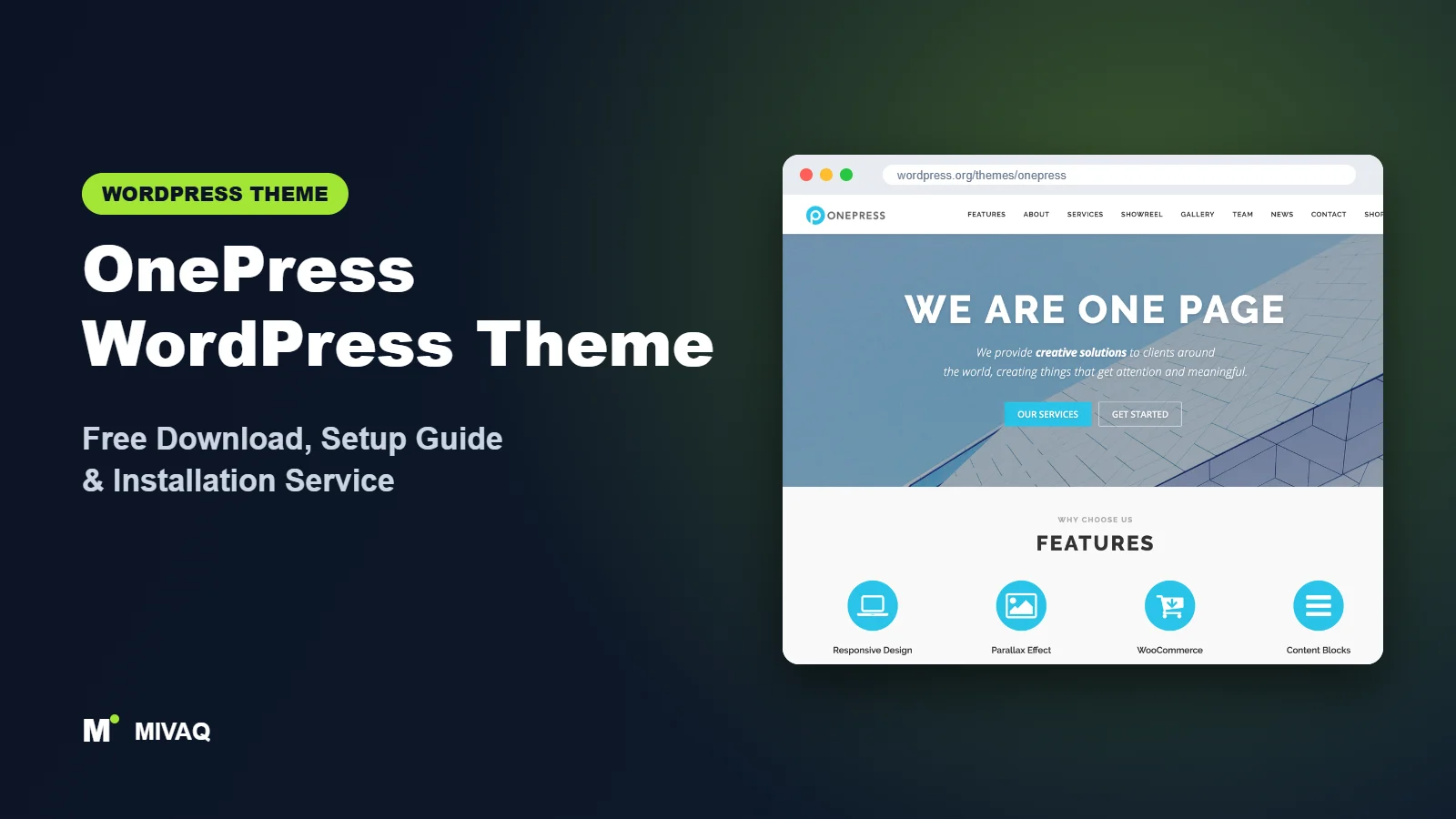
Some businesses do not need twenty pages. A consultant, a freelance designer, a new app or a local studio can often say everything on one well-structured, scrolling page: who you are, what you offer, proof that you are good, and how to get in touch. OnePress was built for exactly that. This guide covers the OnePress WordPress theme free download, installation, and a practical section-by-section setup.
This article is part of our complete guide: How to Build a WordPress Website for Your Business (2026 Guide).
OnePress is developed by FameThemes and has been a popular one-page theme for years. It is 100% free and legal to download from WordPress.org, actively maintained, and simple enough that you can build a complete one-page site without a page builder. Below you will find the official facts, how the free and Plus versions differ, and the mistakes that most often make one-page sites feel cluttered.
What is the OnePress WordPress theme?
OnePress is a classic theme built on the Bootstrap 4 framework. Its homepage is made of predefined sections that you switch on, fill in and style from the WordPress Customizer. Menu links can point to those sections, so clicking “Services” smoothly scrolls the visitor down to the services block instead of loading a new page. Normal pages and a blog still work as usual, so you can add a few extra pages later if needed.
| Detail | OnePress |
|---|---|
| Developer | FameThemes |
| Latest version | 2.3.23 |
| Active installs | 60,000+ |
| Rating | 4.6/5 (154 reviews) |
| Requires WordPress | Not specified on WordPress.org (use the latest WordPress) |
| Requires PHP | 7.4 or higher |
| Last updated | 11 September 2026 |
| Theme type | Classic one-page theme (Customizer, Bootstrap 4) |
| Price | Free (OnePress Plus optional) |
Because everything lives in the Customizer, you edit with a live preview on the right and settings on the left. That makes OnePress approachable even if you have never touched a page builder.
Key features of OnePress
- Section-based homepage: hero, about, features, services, counter, team, gallery, video, news and contact sections ready to fill in.
- One-page navigation: menu items scroll smoothly to each section on the homepage.
- Bootstrap 4 grid: a reliable, responsive layout system that behaves predictably on phones and tablets.
- Customizer editing: all homepage content and styling are controlled with a live preview.
- Section visibility toggles: hide any section you do not need with a single checkbox.
- Blog support: the news section pulls in your latest posts, and the blog has sidebar options.
- WooCommerce compatibility: run a small shop alongside the one-page layout.
- Translation ready: works with multilingual plugins for sites in more than one language.
The hero section sets the tone
The hero is the first screen visitors see. OnePress lets you add a large headline, a short supporting line and up to two buttons over a background image. A clear headline such as “Brand identity design for small businesses in Manchester” plus a “See my work” button will outperform a vague slogan every time.
Sections that tell a story in order
The default section order follows a natural sales path: introduce yourself, explain services, show numbers and team, prove it with work or news, then invite contact. If you fill the sections thoughtfully, the structure does a lot of the persuasion for you.
No page builder required
Because the sections are built into the theme, there is no builder plugin to load. That keeps the site lean and reduces the number of plugins you need to update and secure.
OnePress free vs Plus: what do you get?
FameThemes offers OnePress Plus as a paid plugin that extends the free theme. You keep the same theme and add extra sections and controls.
| Area | OnePress (free) | OnePress Plus |
|---|---|---|
| Homepage sections | Core sections such as hero, about, services, team, counter, news, contact | Additional sections, for example pricing, testimonials, projects and clients |
| Section order | Fixed default order | Reorder sections to suit your story |
| Hero options | Image background with headline and buttons | More hero styles and media options |
| Styling | Main colours and basic options | Finer typography and colour control |
| Support | WordPress.org forum | Direct developer support |
Check the developer’s site for current Pro pricing and the full feature list, as offerings can change. For many freelancers, the free sections are enough.
Who should use OnePress?
- Freelancers and consultants who want a single persuasive page rather than a large site.
- Startups and app launches that need a clean product landing page.
- Small agencies and studios showing services, team and contact details on one screen flow.
- Event or campaign sites with a short lifespan where speed of setup matters.
- Beginners who are nervous about page builders and prefer filling in fields.
Who should not use OnePress? Content-heavy sites such as magazines, large blogs or e-commerce stores with many categories will outgrow a one-page structure. Businesses that rely on ranking many separate service pages in Google also need a multi-page structure; a flexible theme such as Zakra or Customify suits them better.
OnePress WordPress theme free download (official and safe)
- Official page: wordpress.org/themes/onepress
- Direct ZIP download: downloads.wordpress.org/theme/onepress.zip
MIVAQ does not distribute theme files; always download from WordPress.org. Avoid “OnePress Plus nulled” downloads from file-sharing or “free premium themes” sites. Modified premium plugins are a classic way for attackers to plant backdoors, redirect your visitors or inject spam links, and they do not receive updates. If your site has already been affected, read our WordPress malware removal guide.
How to install OnePress in WordPress (step by step)
Method 1: from the dashboard
- Go to Appearance › Themes › Add New Theme.
- Search for “OnePress”.
- Click Install on the theme by FameThemes.
- Click Activate.
Method 2: upload the ZIP
- Download onepress.zip from WordPress.org.
- Open Appearance › Themes › Add New Theme › Upload Theme.
- Choose the file, click Install Now, then Activate.
Tip: if you want to change the markup of a section or add custom styles, use a OnePress child theme. Section content entered in the Customizer is stored in the database and stays safe during updates, but edits to the theme’s own files would be overwritten.
How to set up OnePress after installation
OnePress shows its sections only when a static front page is set, so start there.
- Create a homepage. Add a new page called “Home”, choose the theme’s frontpage template in the page attributes, and publish it.
- Set it as the front page. In Settings › Reading, select “A static page”, choose Home as the homepage, and create a “Blog” page for posts if you want a blog.
- Optional demo import. FameThemes offers a demo importer plugin from the theme’s dashboard page if you would like sample content to edit.
- Open the Customizer. Go to Appearance › Customize › Theme Options to set the primary colour, header behaviour (such as a sticky or transparent header) and layout.
- Fill the hero section. Write a specific headline, add a background image of at least 1600px width (compressed), and link your buttons to sections or pages.
- Complete each section. About can pull content from a page you choose; services, features and team items are added as repeatable fields. Hide any section you will not use.
- Build the one-page menu. In Appearance › Menus, add custom links pointing to the section anchors, for example a link to #services or #contact, and assign it to the primary location.
- Set up the contact section. Install a form plugin such as Contact Form 7 and paste its shortcode into the contact section, then add your address, phone and email.
Finally, scroll the whole homepage on a phone. One-page sites live or die by rhythm: alternating background colours between sections and keeping each section short helps visitors keep scrolling.
Writing content for a one-page site
Every section should answer one question. About answers “who are you?”, services answers “what can you do for me?”, counter and team answer “can I trust you?”, and contact answers “how do I start?”. Keep each section to a few sentences and one action. If you find yourself writing a long essay in a section, that content probably deserves its own page linked from the menu.
OnePress speed and SEO checklist
- Compress the hero image and every gallery image; on a one-page site, all images load on the same URL.
- Enable caching using our LiteSpeed speed guide if your host supports it.
- Write one strong title tag for the homepage that includes your main service and location, using our title tag SEO guide.
- Use the blog for extra keywords. A single page can only rank for a few searches; posts let you target more. Set up SEO after reading Rank Math vs Yoast.
- Describe images with meaningful alt text (see our alt text guide).
- Back up before big Customizer changes with a reliable WordPress backup strategy.
Common mistakes when setting up OnePress
- Not setting a static front page, then wondering why the sections do not appear.
- Leaving every section switched on with half-finished content. Hide sections you cannot fill well.
- Menu links that load pages instead of scrolling, because anchors were not used in custom links.
- A vague hero headline that does not say what you do or where.
- Adding a heavy page builder to a theme designed to work without one.
OnePress vs similar free WordPress themes
| Theme | Homepage approach | Best for |
|---|---|---|
| OnePress | Built-in one-page sections in the Customizer | Simple, focused one-page business sites |
| Total | Customizer homepage with slider, portfolio, counters and more | Businesses wanting a richer homepage with portfolio and testimonials |
| Colibri WP | Drag-and-drop sections | People who want to design sections visually |
| Spacious | Widget-based business homepage | Small multi-page business sites |
Pick OnePress for a clean one-page site with minimal plugins, Total if you want more homepage blocks for free, and Colibri WP if you want full drag-and-drop freedom.
OnePress pros and cons
What we like
- Fast to set up, with no page builder required.
- Clear, persuasive section structure.
- Bootstrap 4 base gives predictable responsive behaviour.
- Actively maintained with a 2026 update.
What to consider
- Design flexibility is limited compared with builder-based themes.
- Reordering sections and some popular sections need Plus.
- One-page structure limits how many keywords you can target.
Our verdict: OnePress remains one of the easiest ways to launch a polished one-page business site for free. If your story fits on one page, it is hard to beat for simplicity.
Website design with OnePress: our design service
Many businesses choose OnePress because it looks professional out of the box, yet the demo alone rarely says what makes your business different. Through our website design service, MIVAQ turns OnePress into a complete, on-brand business website: clear service pages, persuasive landing pages, trust signals and contact paths that make it easy for visitors to get in touch.
What our OnePress website design package includes:
- Brand-matched design with your logo, colours and typography
- Service pages, landing pages and a homepage structured around your offers
- Starter site import cleaned of demo content and rebuilt with your text and images
- Lead capture: contact and quote forms, WhatsApp, click-to-call and maps
- On-page SEO, speed tuning and Search Console setup
You can see examples in our recent work and case studies, and read more about our WordPress development and SEO services. Every project starts with a free consultation and a fixed price, so you know exactly what you get before we begin.
Want a website designed with OnePress? Contact MIVAQ: WhatsApp +880 1723-189847, email hello@mivaq.com or use our contact form. We usually reply the same day.
OnePress installation and setup service
Want your one-page site live this week? MIVAQ Creative Solutions installs and customises OnePress for freelancers, startups and small businesses. We take care of:
- Installation from WordPress.org and a child theme
- Optional demo import and clean-up
- Branding with your logo, colours and fonts
- Copy for each section: hero, about, services, team and contact
- WooCommerce if you also need to sell products
- Speed and SEO basics with caching, image compression and Rank Math
We work to a fixed quote. Visit our WordPress services page or contact us:
- WhatsApp: message us about OnePress
- Email: hello@mivaq.com
- Form: send your project details
Related WordPress theme guides
- Total WordPress theme guide
- Colibri WP WordPress theme guide
- Spacious WordPress theme guide
- Vantage WordPress theme guide
- 50 best free WordPress themes
Frequently asked questions
Is OnePress free?
Yes. OnePress is free on WordPress.org and can be used on unlimited sites. OnePress Plus is an optional paid extension.
Is OnePress good for SEO?
It is lightweight and clean, which helps. Because it is a one-page design, pair the homepage with blog posts or a few extra pages to target more search terms.
Does OnePress work with Elementor?
You can use Elementor on regular pages, but the homepage sections are built into the theme. For a fully Elementor-designed site, choose an Elementor-focused theme.
Can I use OnePress for WooCommerce?
Yes, OnePress is compatible with WooCommerce and works well for a small product range alongside a one-page homepage.
Can MIVAQ install OnePress for me?
Yes. We install, customise and optimise OnePress for a fixed price. Message us on WhatsApp or email hello@mivaq.com.


