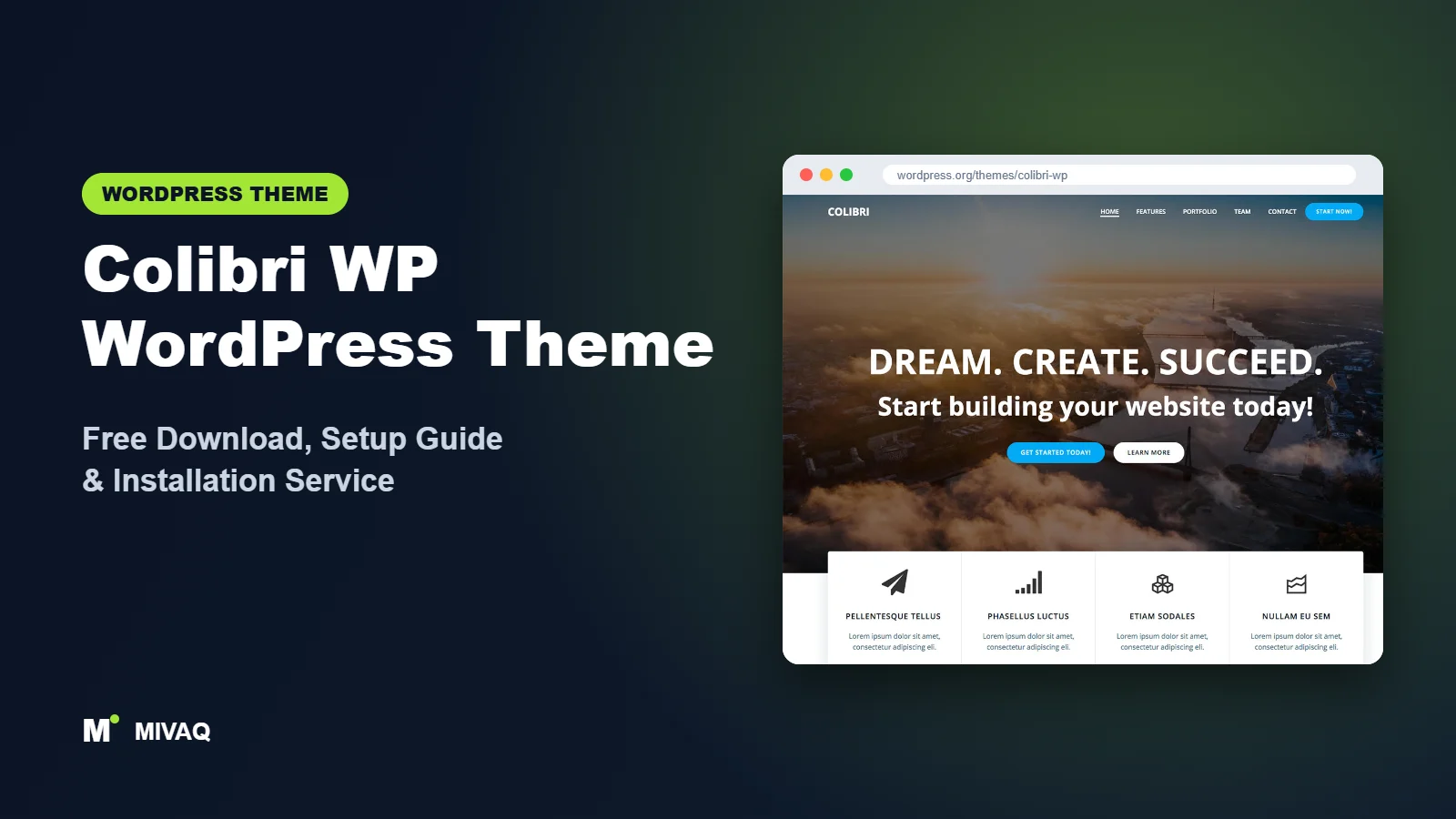
Most themes ask you to fill in a long list of Customizer boxes and hope the result looks good. Colibri WP takes a different route: you drag sections and components around in a visual editor and see your homepage change in real time. If that sounds like the way you want to work, this guide walks you through the Colibri WP WordPress theme free download, installation and a practical setup routine.
This article is part of our complete guide: How to Build a WordPress Website for Your Business (2026 Guide).
Colibri WP is developed by Extend Themes, the team also known for Mesmerize and the newer Kubio block builder. It is 100% free and legal to download from the official WordPress.org theme directory. We will look at what the theme actually includes, where the free version stops, who it suits, and how to avoid the clean-up headaches we often see on drag-and-drop sites.
What is the Colibri WP WordPress theme?
Colibri WP is a classic multipurpose theme whose main idea is visual, drag-and-drop page design. It ships with a pre-designed homepage, five header designs and more than 35 ready-made content blocks, which you can mix with over 25 drag-and-drop components to create your own sections. Header backgrounds can be a video, a slideshow or an image, which makes it popular for restaurants, events and creative portfolios.
| Detail | Colibri WP |
|---|---|
| Developer | Extend Themes |
| Latest version | 1.0.169 |
| Active installs | 50,000+ |
| Rating | 4.8/5 (266 reviews) |
| Requires WordPress | Not specified on WordPress.org (use the latest WordPress) |
| Requires PHP | 5.6 or higher (we recommend PHP 8.x) |
| Last updated | 19 August 2026 |
| Theme type | Classic theme with visual drag-and-drop editing |
| Price | Free (Colibri Pro optional) |
The minimum PHP version is low, but that is a compatibility floor, not a recommendation. Run your site on a currently supported PHP version for security and speed.
Key features of Colibri WP
- Drag-and-drop sections: add, move, duplicate and delete homepage sections visually instead of using fixed theme options.
- 35+ ready-made content blocks: about, services, team, testimonials, pricing, contact and more, ready to drop in.
- 25+ components: headings, buttons, icons, images, counters and other building pieces for custom blocks.
- Five header designs: starting points for hero areas with text, buttons and media.
- Video and slideshow backgrounds: make the hero section move without a separate slider plugin.
- Responsive editing: layouts are designed to work on phones and tablets out of the box.
- Theme options in the Customizer: colours, fonts, blog layout and footer settings.
- Translation ready: suitable for multilingual sites with the usual translation plugins.
Visual editing powered by a companion plugin
Colibri WP’s drag-and-drop editor is provided by its companion plugin, Colibri Page Builder, which the theme recommends after activation. Without it you still get a working theme, but the visual section editing that makes Colibri special is not available. Plan to install it on day one.
Hero sections that grab attention
The header area is where Colibri shines. You can choose a layout, add a title, subtitle and buttons, and set a background video or slideshow. For a restaurant or event venue, a short muted video background can communicate atmosphere better than any paragraph of text. Just keep the file small.
Reusable content blocks
Once you design a section you like, you can reuse the same block pattern on other pages. This keeps a consistent look across services pages without rebuilding each one from scratch.
Colibri WP free vs Pro: what do you get?
The free theme plus the free Colibri Page Builder plugin is enough for a complete brochure site. The Pro version extends the same editor with more of everything.
| Area | Colibri WP (free) | Colibri Pro |
|---|---|---|
| Content blocks | 35+ predesigned blocks | Larger block library |
| Components | 25+ drag-and-drop components | Additional advanced components |
| Headers | Five header designs | More header and menu options |
| Demo sites | Limited free demos | Full demo library |
| Support | WordPress.org forum | Direct support from Extend Themes |
The exact Pro feature set and plans change over time, so check the developer’s site for current Pro pricing. Start with free and upgrade only if you hit a specific limit.
Who should use Colibri WP?
- Visual thinkers: beginners who prefer moving things on screen rather than reading option panels.
- Restaurants, cafes and event venues: the video and slideshow hero backgrounds suit businesses that sell an experience.
- Freelancers and small agencies: quick one-page or few-page sites with a modern landing-page feel.
- Portfolio owners: image-heavy layouts and grid sections work well for photographers and designers.
Who should not use Colibri WP? If you already pay for Elementor Pro, you do not need another visual builder on top of it; a lightweight base like Hello Elementor is cleaner. Large content sites and big WooCommerce stores are also better served by a theme designed around blog or shop performance.
Colibri WP WordPress theme free download (official and safe)
Download the free theme only from WordPress.org:
- Official page: wordpress.org/themes/colibri-wp
- Direct ZIP download: downloads.wordpress.org/theme/colibri-wp.zip
MIVAQ does not distribute theme files; we always point you to the official source. Stay away from “nulled” Colibri Pro copies on random download sites. They are a common route for malware, hidden spam links and admin backdoors, and they cannot receive updates. If you suspect a compromised site, our WordPress malware removal guide explains what to do.
How to install Colibri WP in WordPress (step by step)
Method 1: from the WordPress dashboard
- Go to Appearance › Themes › Add New Theme.
- Search for “Colibri WP”.
- Click Install on the Colibri WP card by Extend Themes.
- Click Activate.
- Accept the prompt to install the recommended Colibri Page Builder plugin.
Method 2: upload the ZIP
- Download colibri-wp.zip from WordPress.org.
- Open Appearance › Themes › Add New Theme › Upload Theme.
- Select the file, click Install Now and then Activate.
Tip: a child theme is only needed if you will edit PHP templates or add a lot of custom CSS. Layouts built in the Colibri editor are stored in the database, so they survive theme updates either way.
How to set up Colibri WP after installation
- Install the companion plugin. Activate Colibri Page Builder so the visual editor and blocks are available.
- Choose a starting point. Use the pre-designed homepage or import one of the free demos from the theme’s welcome screen.
- Set global colours and fonts first. Define your brand colour palette and font pair before editing sections, so new blocks inherit the right style.
- Design the header. Pick one of the five header layouts, add your logo, menu and a clear call-to-action button, then choose an image, slideshow or video background.
- Arrange homepage sections. Drag in blocks for services, about, testimonials and contact. Delete demo sections you do not need rather than hiding them.
- Create inner pages. Build About, Services and Contact pages with the same blocks for a consistent look.
- Configure menus and footer. Set the primary menu under Appearance › Menus and add contact details to the footer.
- Check every page on mobile. Use the responsive preview to adjust spacing and text size on phones.
Keep the number of sections focused. A homepage with six strong sections almost always converts better than one with fifteen.
A simple homepage plan for Colibri WP
If you are unsure where to start, try this order: a hero with one clear promise and a single button, a three-column services block, a short about section with a real photo of you or your team, two or three testimonials, and a contact block with a map or form. Five or six sections like this cover what most visitors need to decide. You can always add a gallery or pricing block later once you see which pages people actually visit.
Colibri WP speed and SEO checklist
- Keep hero videos short and compressed, or use a poster image on mobile. Large background videos are the most common speed problem on Colibri sites.
- Cache your pages: on LiteSpeed servers, follow our guide to speed up WordPress with LiteSpeed.
- Use one heading hierarchy: make sure each page has a single main heading and logical subheadings, not decorative headings everywhere.
- Set up an SEO plugin after comparing Rank Math vs Yoast.
- Describe images with helpful alt text, as explained in our image alt text SEO guide.
- Back up before big layout changes using a solid WordPress backup strategy.
Common mistakes when setting up Colibri WP
- Skipping the companion plugin and then wondering why the drag-and-drop editor is missing.
- Adding a second page builder such as Elementor on top of Colibri, which doubles the code loaded on every page.
- Uploading huge background videos straight from a phone or camera.
- Styling each section by hand instead of using global colours, which makes later rebranding painful.
- Forgetting mobile spacing: large paddings that look elegant on desktop can push content far down on phones.
Colibri WP vs similar free WordPress themes
| Theme | Editing style | Pick it if |
|---|---|---|
| Colibri WP | Drag-and-drop sections via companion plugin | You want visual editing without Elementor |
| OnePress | Fixed one-page sections in the Customizer | You want a simple one-page site with less freedom but less to manage |
| PopularFX | Pagelayer page builder | You want hundreds of templates built for Pagelayer |
| Total | Customizer homepage sections | You want a ready business homepage with sliders and counters |
From the same developer, Kubio is the block-based successor approach, worth a look if you prefer the WordPress block editor.
Colibri WP pros and cons
What we like
- Genuine visual, drag-and-drop editing in the free version.
- Video and slideshow hero backgrounds without extra plugins.
- Good selection of ready-made blocks.
- Strong 4.8/5 rating and regular updates.
What to consider
- Depends on the companion plugin for its main feature.
- Moving away later means rebuilding pages made in the Colibri editor.
- Many demos and advanced blocks sit in the Pro version.
Our verdict: Colibri WP is a strong choice for beginners who want to design visually and like bold hero sections. Keep the design focused, compress your media, and it will serve a small business site very well.
Website design with Colibri WP: our design service
Many businesses choose Colibri WP because it looks professional out of the box, yet the demo alone rarely says what makes your business different. Through our website design service, MIVAQ turns Colibri WP into a complete, on-brand business website: clear service pages, persuasive landing pages, trust signals and contact paths that make it easy for visitors to get in touch.
What our Colibri WP website design package includes:
- Brand-matched design with your logo, colours and typography
- Service pages, landing pages and a homepage structured around your offers
- Starter site import cleaned of demo content and rebuilt with your text and images
- Lead capture: contact and quote forms, WhatsApp, click-to-call and maps
- On-page SEO, speed tuning and Search Console setup
You can see examples in our recent work and case studies, and read more about our WordPress development and SEO services. Every project starts with a free consultation and a fixed price, so you know exactly what you get before we begin.
Want a website designed with Colibri WP? Contact MIVAQ: WhatsApp +880 1723-189847, email hello@mivaq.com or use our contact form. We usually reply the same day.
Colibri WP installation and setup service
If you would rather have the drag-and-drop work done for you, MIVAQ Creative Solutions can install and customise Colibri WP. We handle:
- Installation from WordPress.org, the companion plugin and a child theme
- Starter site or homepage import and clean-up
- Branding with your logo, colours, fonts and hero media
- Home, about, services, contact and blog pages
- WooCommerce setup when you need to sell online
- Speed and SEO basics, including compression, caching and Rank Math
Every project comes with a fixed quote. Browse our WordPress services or reach us here:
- WhatsApp: message us about Colibri WP
- Email: hello@mivaq.com
- Form: send your project details
Related WordPress theme guides
- OnePress WordPress theme guide
- PopularFX WordPress theme guide
- Total WordPress theme guide
- Zakra WordPress theme guide
- 50 best free WordPress themes
Frequently asked questions
Is Colibri WP free?
Yes. Colibri WP and its Colibri Page Builder companion plugin are free on WordPress.org. A Pro version is available if you need more blocks and demos.
Is Colibri WP good for SEO?
It produces a responsive, crawlable site. Good SEO still comes from your content, headings, page speed and an SEO plugin, so keep media light and structure headings carefully.
Does Colibri WP work with Elementor?
Elementor will run on it, but using both builders on the same site is rarely a good idea. Choose either Colibri’s editor or Elementor to keep the site lean.
Can I use Colibri WP for WooCommerce?
You can run WooCommerce with it for a small catalogue. For a large store with many filters, a shop-focused theme is usually the better foundation.
Can MIVAQ install Colibri WP for me?
Yes. We install and customise Colibri WP for a fixed price. Send us a WhatsApp message or email hello@mivaq.com to get started.


