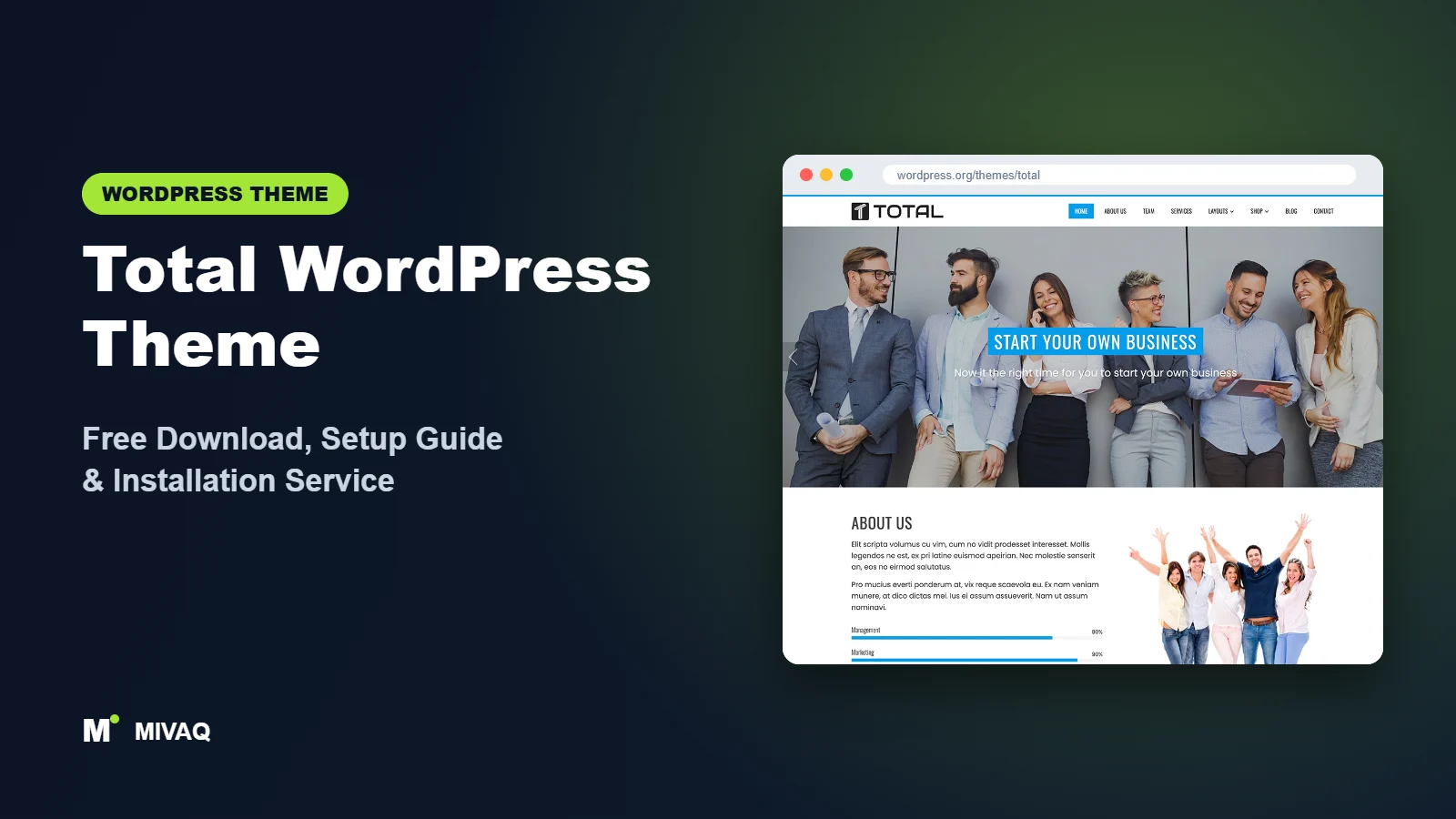
Search for “Total WordPress theme” and you will quickly run into some confusion, because two different products share the name. This guide is about the free Total theme by HashThemes, the one listed on WordPress.org. We will cover the Total WordPress theme free download from the official directory, explain how it differs from the similarly named premium theme, and walk you through setting up its feature-packed homepage.
This article is part of our complete guide: How to Build a WordPress Website for Your Business (2026 Guide).
The HashThemes Total theme is 100% free and legal to download from WordPress.org. It is aimed at businesses, agencies and freelancers who want a complete homepage, with slider, services, about section, portfolio, team, testimonials, counters, blog and client logos, all controlled from the WordPress Customizer. It received an update in October 2026, so it is actively maintained.
What is the Total WordPress theme?
Total is a classic, Customizer-driven business theme from HashThemes. Its homepage is made of ready-made sections that you enable and fill in with live preview: a slider, featured sections with icons, an about section with progress bars, a masonry portfolio, team and testimonial sections, counters, a blog section, a client logo carousel and a call-to-action area. The design uses clean layouts with parallax sections and vibrant colour options. It is SEO-friendly, translation ready, WooCommerce compatible and supports popular page builders for inner pages.
| Detail | Total |
|---|---|
| Developer | HashThemes |
| Latest version | 2.3.0 |
| Active installs | 30,000+ |
| Rating | 4.8/5 (64 reviews) |
| Requires WordPress | Not specified on WordPress.org (use the latest WordPress) |
| Requires PHP | 7.2 or higher |
| Last updated | 1 October 2026 |
| Theme type | Classic theme (Customizer homepage sections) |
| Price | Free (Total Plus optional) |
Total by HashThemes vs the premium “Total” theme
There is also a well-known premium theme called Total sold by a different developer, WPExplorer, on a marketplace. The two are unrelated products with different code, features and support. Everything in this article refers to the free HashThemes theme on WordPress.org. If you see a “Total theme free download” link on a random website offering the premium marketplace theme, that is almost certainly an illegal, nulled copy, and you should avoid it.
Key features of Total
- Complete business homepage: slider, featured services, about, portfolio, team, testimonials, counters, blog, clients and call to action.
- Customizer editing with live preview: every homepage section is configured in real time without a page builder.
- Masonry portfolio: showcase projects in a filterable, staggered grid.
- Progress bars and counters: present skills, experience or achievements visually.
- Parallax sections: add depth with background images that move as visitors scroll.
- Client logo carousel: display brands you have worked with as social proof.
- WooCommerce compatible: add a shop to a business site.
- Page builder support: use major builders like Elementor for inner pages.
An agency homepage without a builder
Most agency-style homepages need the same building blocks: services, about, portfolio, team, testimonials and clients. Total includes all of them as theme sections. You fill in fields and choose pages or posts to pull content from, and the layout is handled for you. That keeps the site lighter than a builder-based homepage and easier for non-technical staff to update.
Social proof built in
Counters, testimonials and a client logo carousel give you three different ways to show credibility. Used honestly, with real numbers and real clients, these sections can make a small studio look established and trustworthy.
Flexible inner pages
While the homepage uses theme sections, inner pages can be built with the block editor or a page builder. This combination is practical: a structured homepage that is hard to break, with creative freedom on landing pages.
Total free vs Pro: what do you get?
HashThemes sells a premium version called Total Plus. It builds on the same concept with more sections, layouts and design control.
| Area | Total (free) | Total Plus |
|---|---|---|
| Homepage sections | Ten core sections | More sections and section layouts |
| Section order | Default order with visibility toggles | More control over ordering and styling |
| Header and footer | Standard options | Additional header and footer layouts |
| Demo imports | Free demo | Multiple premium demos |
| Support | WordPress.org forum | Premium support from HashThemes |
For current details, check the developer’s site for current Pro pricing and the full feature comparison. The free version already covers what most small agencies need.
Who should use Total?
- Creative and digital agencies that need services, portfolio, team and client logos on one homepage.
- Freelancers who want a professional “studio” feel with skills bars and testimonials.
- Corporate and consulting firms that want a structured, conventional business homepage.
- Training and education businesses; the theme is tagged for education and portfolio sites.
- Teams where non-technical people update the site, since Customizer fields are harder to break than builder layouts.
Who should not use Total? If you want a minimalist personal blog or a pure online store, the business sections will go mostly unused; a lighter blog theme or a shop-focused theme like Storefront is a better match. Designers who want pixel-level control of every section should choose a builder-based theme.
Total WordPress theme free download (official and safe)
- Official page: wordpress.org/themes/total
- Direct ZIP download: downloads.wordpress.org/theme/total.zip
MIVAQ does not distribute theme files. Because the name “Total” is shared with a popular premium theme, nulled copies circulate widely under titles like “Total theme free download latest version”. These files can contain malware, spam links and backdoors, and never receive updates. Use the WordPress.org links above for the free HashThemes theme. If you have already installed a suspicious copy, see our WordPress malware removal guide.
How to install Total in WordPress (step by step)
Method 1: from the dashboard
- Go to Appearance › Themes › Add New Theme.
- Search for “Total”.
- Check the author is HashThemes, then click Install.
- Click Activate.
Method 2: upload the ZIP
- Download total.zip from WordPress.org.
- Go to Appearance › Themes › Add New Theme › Upload Theme.
- Upload the file, click Install Now, then Activate.
Tip: a child theme is helpful if you want to adjust the markup of homepage sections or add custom CSS for brand styling. Content entered in the Customizer stays in the database through updates.
How to set up Total after installation
- Import the demo (optional). From the theme’s welcome page you can install HashThemes’ demo importer and import the free demo to see how sections are configured.
- Set a static front page. Create a “Home” page and set it in Settings › Reading so the homepage sections display.
- Configure general settings. In Appearance › Customize, set your logo, site icon, primary colour and typography.
- Build the slider. Total’s slider pulls from pages you choose. Create two or three short pages with a title, short text and featured image, then select them as slides.
- Fill the featured and about sections. Choose pages for your services and pick icons. Add progress bars for skills or processes that matter to clients.
- Set up the portfolio. Assign categories to projects and choose which categories to show in the masonry portfolio.
- Add team, testimonials, counters and clients. Use real names, real numbers and permission-approved client logos only.
- Configure the blog and call-to-action sections, then hide any section you do not need.
- Set menus and footer widgets, including contact details and a short company description.
Keep the homepage honest and focused
Total gives you many sections, but you do not have to use them all. A section with weak content does more harm than no section. If you do not yet have testimonials, hide that section and add it later. If your counters would show tiny numbers, use the space for a strong call to action instead. Visitors notice padding, and so do potential clients.
Making the portfolio section work harder
The masonry portfolio looks impressive, but it only helps if each item leads somewhere useful. Give every project its own page with a short description of the brief, your approach and the outcome, and link the portfolio thumbnails to those pages. Group projects into a few clear categories, such as Branding, Web Design and Print, so the filter buttons stay readable. Six to nine strong projects are better than thirty average ones.
Total speed and SEO checklist
- Compress slider and parallax images; large background images are the main weight on Total homepages.
- Turn off sections you hide rather than leaving them empty, so no unnecessary queries or assets load.
- Enable caching following our LiteSpeed speed guide.
- Write strong page titles for the homepage and service pages using our title tag SEO guide.
- Add alt text to portfolio and team images as shown in our image alt text guide.
- Pick your SEO plugin with Rank Math vs Yoast.
Common mistakes when setting up Total
- Installing the wrong “Total”. Always confirm the author is HashThemes, and never install a nulled premium copy.
- No static front page, so the homepage sections never appear.
- Using every section with thin placeholder content.
- Uploading client logos without permission, which can cause legal and trust issues.
- Heavy parallax images on mobile that slow down the first screen.
Total vs similar free WordPress themes
| Theme | Homepage style | Pick it if |
|---|---|---|
| Total | Feature-rich Customizer sections incl. portfolio and clients | You want an agency-style homepage without a builder |
| OnePress | One-page sections | You want a simpler one-page site |
| Spacious | Widget-based business homepage | You prefer a calm, conservative design |
| Phlox | Portfolio-first with elements | Your portfolio is the main focus |
Choose Total for a complete business homepage out of the box, OnePress for simplicity, Spacious for a quieter look, and Phlox when your portfolio is the star.
Total pros and cons
What we like
- Ten useful homepage sections in the free version.
- No page builder needed for the homepage.
- Strong 4.8/5 rating and an October 2026 update.
- Good fit for agencies and corporate sites.
What to consider
- The shared name with a premium theme causes confusion and attracts nulled copies.
- Section layouts are fixed unless you upgrade or add custom CSS.
- Fewer reviews than some older themes in this group.
Our verdict: The HashThemes Total theme is one of the most complete free business homepages available. Use the sections you can fill with genuine content and you will have an agency-quality site with very little effort.
Website design with Total: our design service
Many businesses choose Total because it looks professional out of the box, yet the demo alone rarely says what makes your business different. Through our website design service, MIVAQ turns Total into a complete, on-brand business website: clear service pages, persuasive landing pages, trust signals and contact paths that make it easy for visitors to get in touch.
What our Total website design package includes:
- Brand-matched design with your logo, colours and typography
- Service pages, landing pages and a homepage structured around your offers
- Starter site import cleaned of demo content and rebuilt with your text and images
- Lead capture: contact and quote forms, WhatsApp, click-to-call and maps
- On-page SEO, speed tuning and Search Console setup
You can see examples in our recent work and case studies, and read more about our WordPress development and SEO services. Every project starts with a free consultation and a fixed price, so you know exactly what you get before we begin.
Want a website designed with Total? Contact MIVAQ: WhatsApp +880 1723-189847, email hello@mivaq.com or use our contact form. We usually reply the same day.
Total installation and setup service
MIVAQ Creative Solutions can install and configure the free Total theme for you, making sure you have the genuine HashThemes version and a polished homepage:
- Installation from WordPress.org and a child theme
- Demo import and section-by-section setup
- Branding: logo, colours, typography, slider and footer
- Services, portfolio, team and contact pages
- WooCommerce setup if you sell products or services online
- Speed and SEO basics: caching, image compression and Rank Math
We quote a fixed price. Visit our WordPress services page or contact us:
- WhatsApp: message us about Total
- Email: hello@mivaq.com
- Form: send your project details
Related WordPress theme guides
- OnePress WordPress theme guide
- Spacious WordPress theme guide
- Phlox WordPress theme guide
- Colibri WP WordPress theme guide
- 50 best free WordPress themes
Frequently asked questions
Is Total free?
Yes. The Total theme by HashThemes is free on WordPress.org. Total Plus is its optional premium version. The unrelated premium “Total” theme from another developer is not free.
Is Total good for SEO?
Total is SEO-friendly and cross-browser compatible. For good rankings, compress images, write unique titles and use an SEO plugin such as Rank Math.
Does Total work with Elementor?
Yes. Total supports major page builders including Elementor, which you can use for inner pages and landing pages.
Can I use Total for WooCommerce?
Yes. Total integrates with WooCommerce, so you can add an online shop to your business site.
Can MIVAQ install Total for me?
Yes. We install, customise and optimise Total at a fixed price. Message us on WhatsApp or email hello@mivaq.com.


