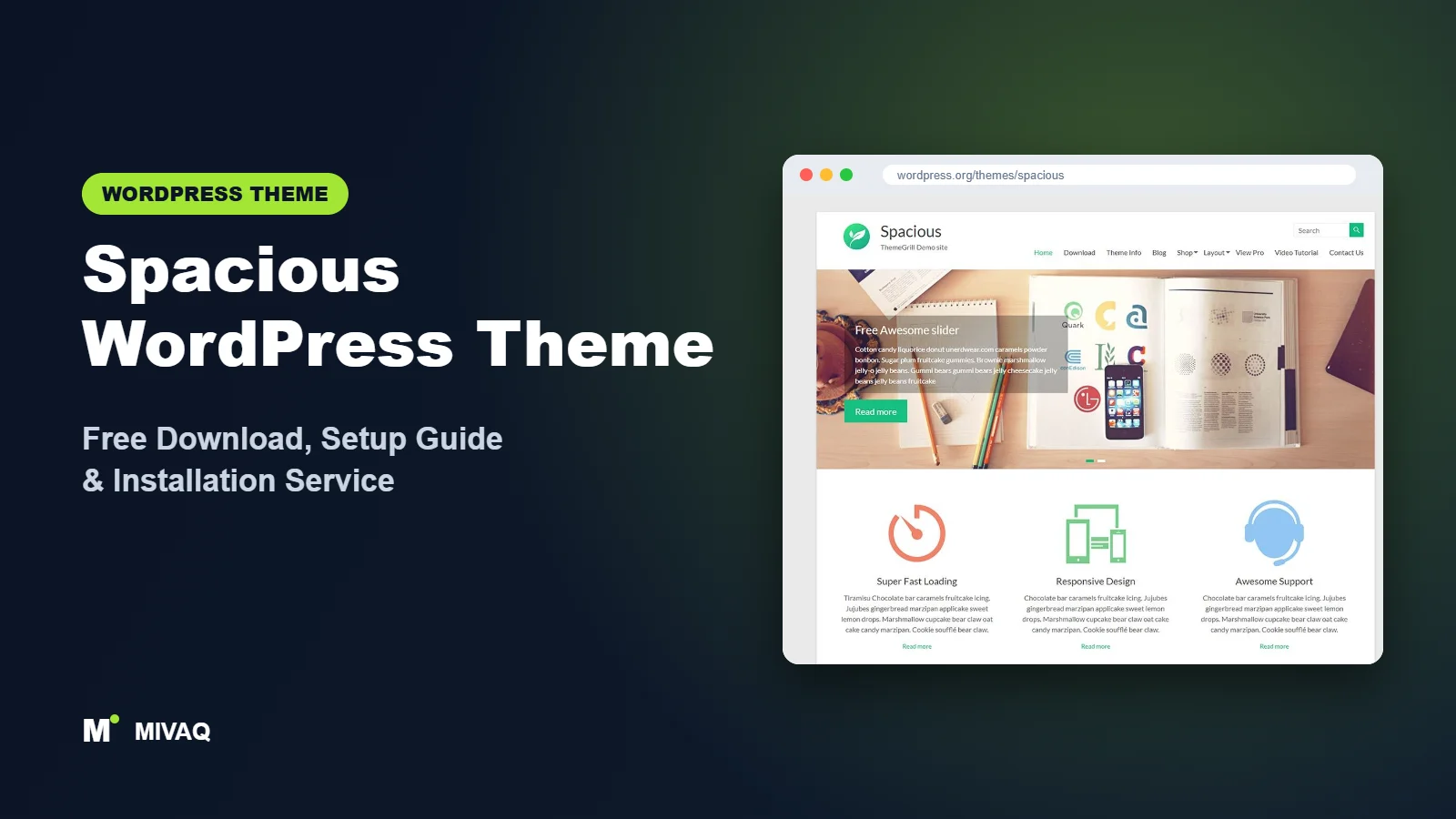
Not every business wants the latest design trend. Many small companies simply want a clean, trustworthy website that loads quickly, explains their services and has been proven on thousands of sites over many years. Spacious is that kind of theme. In this guide we cover the Spacious WordPress theme free download, how to install it, and how to set up its widget-based business homepage without frustration.
This article is part of our complete guide: How to Build a WordPress Website for Your Business (2026 Guide).
Spacious is made by ThemeGrill and has been part of the WordPress.org directory for a long time. It is 100% free and legal to download, still actively updated (the latest release arrived in late September 2026) and holds one of the best review records in this series: 4.9 out of 5 from more than 850 reviews. Here is what it offers, who it suits, and how to make it look professional.
What is the Spacious WordPress theme?
Spacious is a classic business theme aimed at small and medium businesses. It uses the Customizer for global options and WordPress widgets for its business homepage sections, which is a traditional but very stable way of building a site. ThemeGrill offers 16 free starter demos, and the theme supports the block editor plus page builders such as Elementor, Brizy, Beaver Builder and SiteOrigin. It is also WooCommerce compatible for businesses that want to sell online.
| Detail | Spacious |
|---|---|
| Developer | ThemeGrill |
| Latest version | 1.10.0 |
| Active installs | 20,000+ |
| Rating | 4.9/5 (851 reviews) |
| Requires WordPress | Not specified on WordPress.org (use the latest WordPress) |
| Requires PHP | 7.4 or higher |
| Last updated | 29 September 2026 |
| Theme type | Classic theme (Customizer and widgets) |
| Price | Free (Spacious Pro optional) |
Its active install count is lower than in its peak years, as many newer multipurpose themes have arrived. However, the combination of a long history, continued updates and an outstanding rating makes it a safe, low-risk choice.
Key features of Spacious
- 16 free starter demos: one-click imports for business, corporate, portfolio and other site types.
- Widget-based business homepage: build homepage sections such as services, call to action, featured pages and testimonials using theme widgets.
- Homepage slider: a built-in slider for headline messages and offers.
- Wide or boxed layout: choose a full-width modern look or a boxed classic look.
- Sticky menu: keep navigation visible while visitors scroll.
- Multiple widget areas: sidebars, business sections and footer columns.
- Page builder support: Elementor, Brizy, Beaver Builder, SiteOrigin and the block editor.
- WooCommerce, translation and RTL ready: suitable for shops and multilingual sites.
Widgets as homepage building blocks
Spacious uses a “business” page template with dedicated widget areas. You drop ThemeGrill’s widgets into those areas to create sections: a featured page block for your about text, a services block, a call-to-action strip and so on. It is less flashy than drag-and-drop editing but extremely predictable, and it keeps working across updates.
Starter demos for a quicker start
If you do not want to assemble widgets yourself, the starter demos give you a finished layout to edit. Many of them are built with Elementor or the block editor, so you can choose the editing style you prefer.
A calm, uncluttered look
True to its name, Spacious uses generous white space and a simple grid. That calm look suits professional services such as accountants, consultants, law firms and clinics, where clarity and trust matter more than animation.
Spacious free vs Pro: what do you get?
The free version is complete for a typical small business website. Spacious Pro adds more design freedom and extra business widgets.
| Area | Spacious (free) | Spacious Pro |
|---|---|---|
| Starter demos | 16 free demos | Additional Pro demos |
| Business widgets | Core widgets for homepage sections | More widgets, such as extra testimonial, team or client styles |
| Colours and fonts | Primary colour and basic typography | Wider colour and font controls |
| Header and footer | Standard layouts | More layout options and footer copyright editing |
| Support | WordPress.org forum | Priority support from ThemeGrill |
Please check the developer’s site for current Pro pricing and the exact feature list, as ThemeGrill updates its plans from time to time.
Who should use Spacious?
- Professional service firms: accountants, solicitors, consultants and clinics that want a clean, trustworthy site.
- Small local businesses that need a simple homepage, services pages and a contact form.
- Owners who prefer stability over trends: a long-running, well-reviewed theme is a safe base for years.
- Beginners comfortable with WordPress widgets who do not want to learn a page builder.
- Small shops adding WooCommerce to an existing business site.
Who should not use Spacious? Designers who want bold, highly custom layouts will find it restrained. If you want a large library of modern niche demos from the same developer, ThemeGrill’s newer Zakra is the better pick.
Spacious WordPress theme free download (official and safe)
- Official page: wordpress.org/themes/spacious
- Direct ZIP download: downloads.wordpress.org/theme/spacious.zip
MIVAQ does not distribute theme files; we always send you to WordPress.org. Avoid “Spacious Pro free download” or nulled copies on third-party sites. They can contain malware, inject spam into your pages and leave you without updates. If you suspect your site is infected, follow our WordPress malware removal guide.
How to install Spacious in WordPress (step by step)
Method 1: from the dashboard
- Go to Appearance › Themes › Add New Theme.
- Search for “Spacious”.
- Click Install on the theme by ThemeGrill.
- Click Activate.
Method 2: upload the ZIP
- Download spacious.zip from WordPress.org.
- Go to Appearance › Themes › Add New Theme › Upload Theme.
- Choose the file, click Install Now, then Activate.
Tip: Spacious is a mature theme with lots of template files. If you want to change how posts or pages are displayed, make those edits in a child theme so updates do not overwrite them.
How to set up Spacious after installation
You can either import a starter demo or build the business homepage by hand. Here are both paths combined into one routine.
- Option A: import a demo. Install the ThemeGrill Demo Importer plugin from the welcome notice, choose one of the 16 free demos, and import it on a fresh or backed-up site.
- Option B: build manually. Create a page called “Home” and select the business page template in page attributes. Set it as your homepage under Settings › Reading.
- Configure the slider. In Appearance › Customize, open the slider settings, enable it, and add your slide images, titles and button links. Keep it to two or three slides.
- Add business widgets. In Appearance › Widgets (or the Customizer’s widgets panel), add Spacious widgets to the business top and bottom areas: featured single page for “About”, services, call to action and testimonials.
- Set layout and colour. Choose wide or boxed layout, default sidebar position and your primary brand colour.
- Upload your logo and set the header. Add a logo and site icon, and enable the sticky menu if you have a longer homepage.
- Fill footer widget areas with contact details, a short about text and useful links.
- Add WooCommerce if needed and check product and shop pages in the default sidebar layout.
Planning a services section that works
Before adding widgets, write down your three to six core services, each with a one-sentence benefit and a dedicated page. In the services section, link each item to its page. This gives visitors a clear path and gives Google separate pages to rank for each service, instead of one page trying to cover everything.
Refreshing an older Spacious site
Because Spacious has been around for so long, many businesses already have a site built on it years ago. You do not need to switch themes to make it feel current. Update the theme and WordPress, switch to a modern PHP version, replace dated slider images with one strong hero photo, tighten the menu to the pages people actually visit, and rewrite the homepage text so the first sentence says what you do and where. Then review the footer and contact page for old phone numbers or addresses. A refresh like this often takes a day and gives a noticeably more modern result without the risk of a full redesign.
Spacious speed and SEO checklist
- Limit slider images to a few compressed files, or replace the slider with a single strong image.
- Enable page caching using our LiteSpeed speed guide.
- Write descriptive titles for every service page with our title tag SEO guide.
- Choose an SEO plugin after reading Rank Math vs Yoast.
- Keep plugins and theme updated and follow our WordPress security checklist.
- Set automatic backups as described in our WordPress backup strategy.
Common mistakes when setting up Spacious
- Forgetting the business page template, so homepage widget sections never appear.
- Putting too many slides in the slider, slowing the page and diluting the message.
- Using low-resolution images in a layout with lots of white space, where blurry photos stand out.
- Mixing widget sections with a page builder on the same homepage, causing inconsistent spacing.
- Leaving default footer text instead of adding your own contact details.
Spacious vs similar free WordPress themes
| Theme | Approach | Best for |
|---|---|---|
| Spacious | Widget-based business homepage, calm design | Professional services wanting stability |
| Zakra | Niche starter sites, multiple builders | Businesses that want a modern niche design |
| Total | Feature-rich Customizer homepage | Businesses wanting portfolio, team and counters on the homepage |
| OnePress | One-page sections | Freelancers and startups with a single-page site |
In short, Spacious is the quiet, dependable option; Zakra is its more modern sibling, Total offers more homepage sections, and OnePress fits one-page projects.
Spacious pros and cons
What we like
- Outstanding 4.9/5 rating from over 850 reviews.
- Long track record with continued updates in 2026.
- Clean, professional design that suits service businesses.
- 16 free starter demos and broad page builder support.
What to consider
- Design style is conservative compared with newer themes.
- Widget-based homepage feels dated to some users.
- Advanced colour and typography control needs Pro.
Our verdict: Spacious is an excellent free choice for small businesses that value reliability and a clean presentation over trendy effects. Set up the business template carefully and it will serve you well for years.
Website design with Spacious: our design service
Many businesses choose Spacious because it looks professional out of the box, yet the demo alone rarely says what makes your business different. Through our website design service, MIVAQ turns Spacious into a complete, on-brand business website: clear service pages, persuasive landing pages, trust signals and contact paths that make it easy for visitors to get in touch.
What our Spacious website design package includes:
- Brand-matched design with your logo, colours and typography
- Service pages, landing pages and a homepage structured around your offers
- Starter site import cleaned of demo content and rebuilt with your text and images
- Lead capture: contact and quote forms, WhatsApp, click-to-call and maps
- On-page SEO, speed tuning and Search Console setup
You can see examples in our recent work and case studies, and read more about our WordPress development and SEO services. Every project starts with a free consultation and a fixed price, so you know exactly what you get before we begin.
Want a website designed with Spacious? Contact MIVAQ: WhatsApp +880 1723-189847, email hello@mivaq.com or use our contact form. We usually reply the same day.
Spacious installation and setup service
MIVAQ Creative Solutions can install and customise Spacious so your business site is ready quickly. Our service includes:
- Installation from WordPress.org and a child theme
- Starter demo import or a custom widget-based homepage
- Branding: logo, colours, slider and footer
- Service pages, about, contact and blog
- WooCommerce setup if you want to sell online
- Speed and SEO basics, including caching and Rank Math
We give you a fixed quote. See our WordPress services or contact us:
- WhatsApp: message us about Spacious
- Email: hello@mivaq.com
- Form: send your project details
Related WordPress theme guides
- Zakra WordPress theme guide
- Total WordPress theme guide
- OnePress WordPress theme guide
- Customify WordPress theme guide
- 50 best free WordPress themes
Frequently asked questions
Is Spacious free?
Yes. Spacious is free on WordPress.org and can be used on unlimited sites. Spacious Pro is an optional upgrade.
Is Spacious good for SEO?
ThemeGrill describes Spacious as optimised for SEO and speed. It gives you clean, responsive markup; your content, titles and page speed do the rest.
Is Spacious still maintained?
Yes. ThemeGrill released version 1.10.0 in September 2026, so the theme continues to receive updates and compatibility fixes.
Does Spacious work with Elementor?
Yes. Spacious supports Elementor as well as Brizy, Beaver Builder, SiteOrigin and the block editor.
Can I use Spacious for WooCommerce?
Yes. Spacious is WooCommerce compatible and works well for small businesses adding an online shop.
Can MIVAQ install Spacious for me?
Yes. We install and customise Spacious at a fixed price. Message us on WhatsApp or email hello@mivaq.com.


