This article is part of our complete Wix guide and our list of best Wix apps.
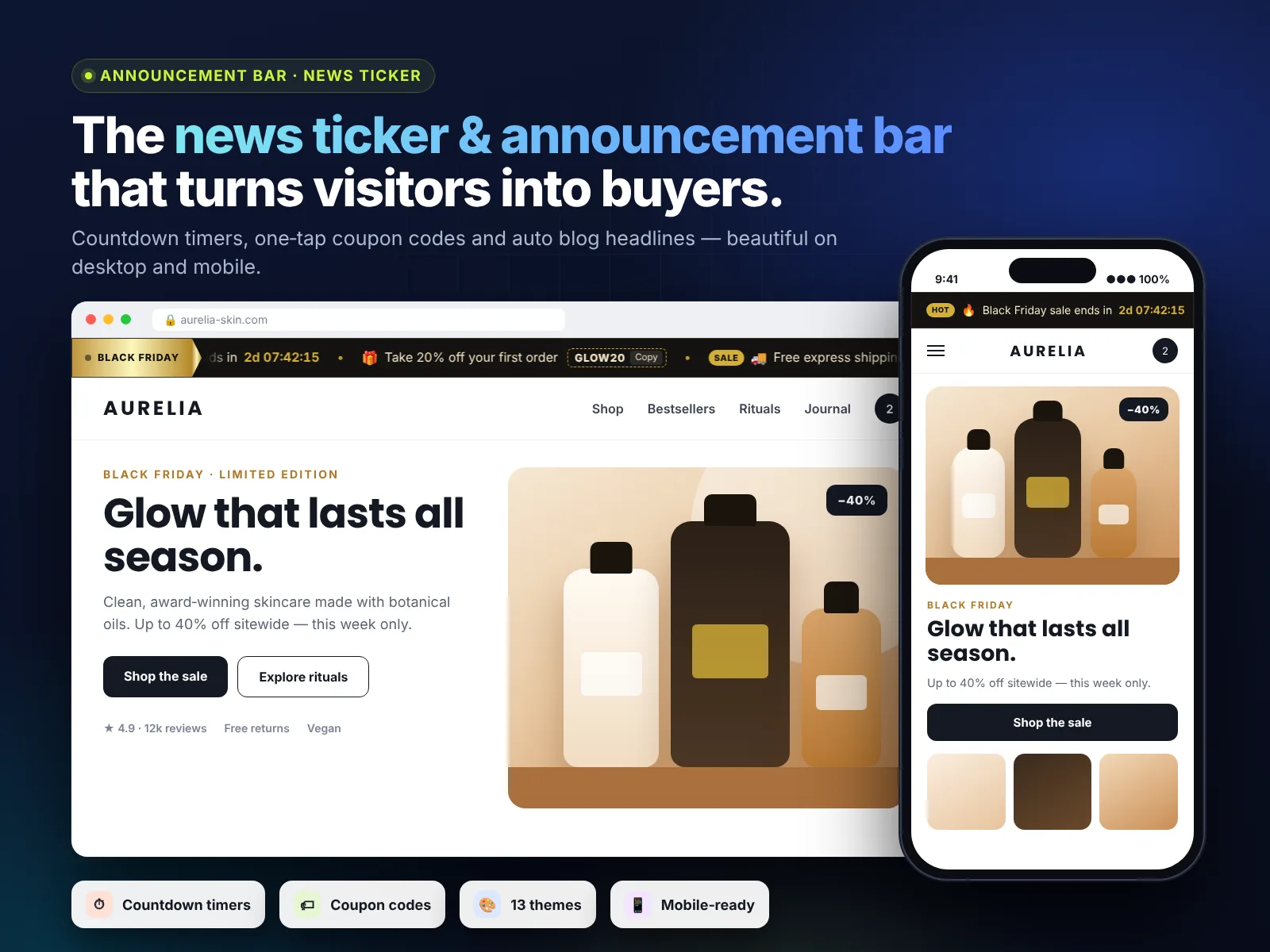
Most visitors who like your offer still leave with the thought “I will buy later”. Later rarely comes. A Wix countdown timer bar changes that: a live clock at the top of every page that says “Sale ends in 03:12:45” gives people a clear, honest reason to act today.
In this guide you will learn why countdowns work, which type of timer fits your business, how to add a countdown bar to Wix in a few minutes with News Ticker & Announcement Bar, and the top 10 ways store owners, event organisers and service businesses use it to boost sales.
Add News Ticker & Announcement Bar to your Wix site →
Key takeaways
- Countdowns work because of real deadlines: visitors decide faster when an offer has a clear end time.
- The best place for a countdown is a slim bar at the top of every page, not a popup.
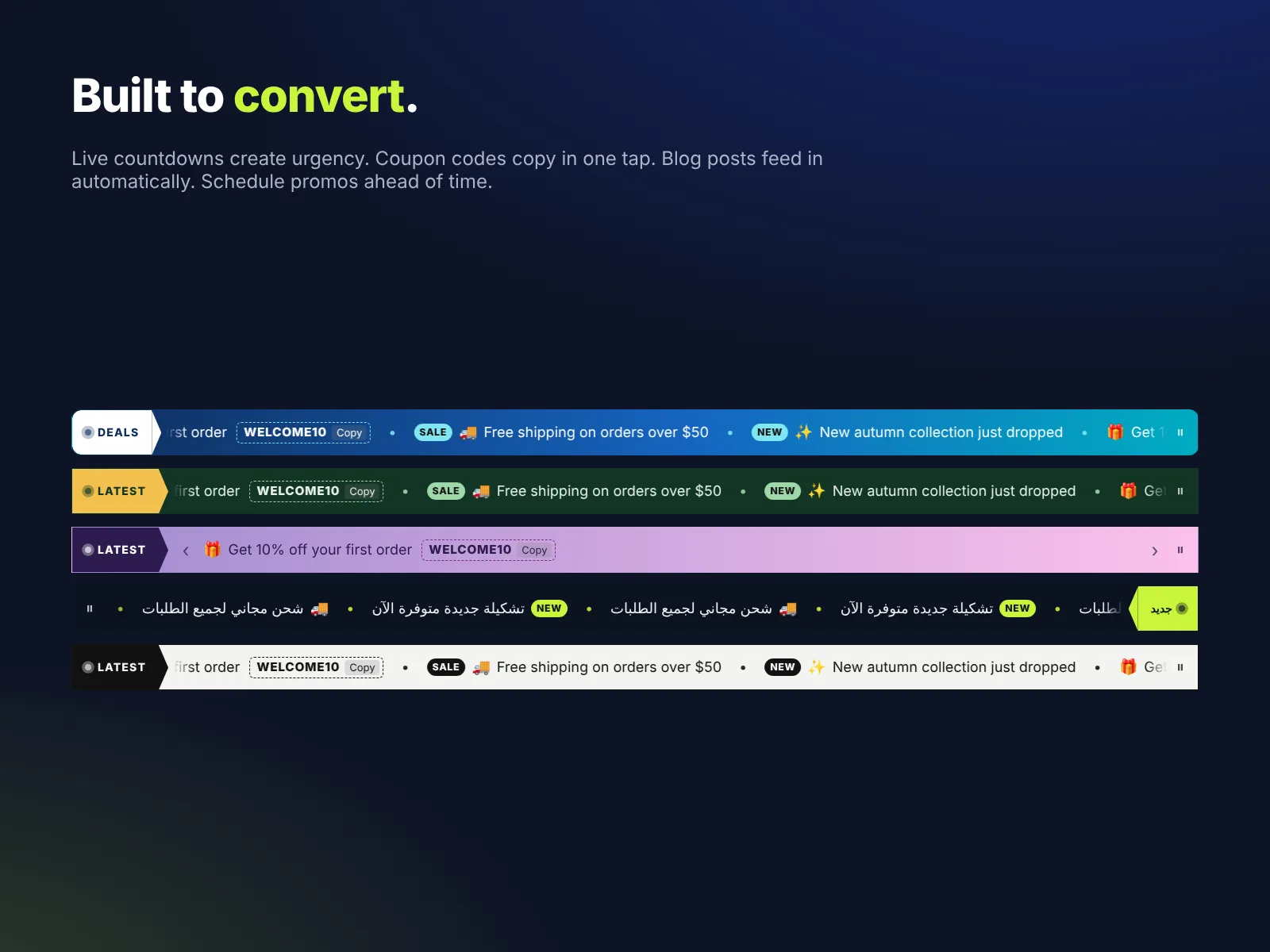
- News Ticker & Announcement Bar shows live countdowns and copyable coupon codes next to your other messages.
- Countdown and coupon items are part of Pro: $2.99 a month, or $2.49 a month billed yearly.
- Always use honest deadlines. Fake timers that reset damage trust and can break consumer rules.
In this guide
- Why countdown timers increase sales
- The best types of countdown timers
- Bar, popup or page: where should the timer go?
- How to add a countdown timer bar to Wix
- Combine a countdown with a coupon code
- Top 10 countdown ideas that boost sales
- Countdown wording templates you can copy
- 7 mistakes to avoid
- How to measure the results
- Install and leave a review
- Frequently asked questions
Why countdown timers increase sales
A countdown works on three simple ideas that every shopper understands:
- Deadlines help people decide. Without an end date, there is no reason to choose now instead of next week.
- Loss feels stronger than gain. Missing a 20% discount feels worse than the joy of saving the same amount.
- Visible time is believable time. “Ends Sunday” is easy to ignore. A clock that ticks every second is not.
The key word is real. A countdown should point at an actual end: a sale, a launch, a booking deadline, a delivery cut-off. Used honestly, it is one of the simplest ways to lift conversions without spending more on ads.
The best types of countdown timers
| Timer type | Best for | Example |
|---|---|---|
| Sale end | Online stores | “Summer sale ends in 1d 04:22:10” |
| Launch | New products, courses, apps | “New collection drops in 06:15:00” |
| Delivery cut-off | Shops with daily dispatch | “Order in 02:41:05 for same-day dispatch” |
| Event start | Webinars, concerts, classes | “Doors open in 3 days” |
| Early-bird | Tickets, courses, memberships | “Early-bird price ends in 12:00:00” |
| Holiday deadline | Gift shops | “Order by Dec 18 for Christmas delivery” |
Bar, popup or page: where should the timer go?
You can put a countdown in three places. Each has a role, but for most sites the bar wins.
- Announcement bar (recommended): visible on every page, never blocks content, and reminds visitors again and again as they browse.
- Popup: very visible once, but many visitors close it immediately, and too many popups annoy people.
- Inside a page: good on a product or landing page, but people who never visit that page never see it.
A bar at the top of the page combines the reach of a popup with the calm of a page element. That is why we built countdowns directly into our Wix announcement bar app.
How to add a countdown timer bar to Wix
- Install News Ticker & Announcement Bar from the Wix App Market and click Add to Site.
- In the Editor, drag the bar into your header so it shows on every page.
- Open Settings → Content and click Add item. Choose Countdown.
- Write the text before the timer, for example “Spring sale ends in”, and pick the end date and time.
- Add a link, such as your sale collection page, and an optional badge like SALE or HOT.
- Choose a theme with strong contrast, set the motion style (Fade or Slide work well for countdowns) and publish.
The countdown uses the end time you set, so every visitor sees the same real deadline. When the time is up, the item disappears, which keeps your site tidy without manual work.
Combine a countdown with a coupon code
A coupon item shows a code with a Copy button. Put it right after the countdown item and you get a complete offer in one strip: what the deal is, the code and how long it lasts. For example:
- “Black Friday: 25% off everything — ends in 1d 06:30:12”
- “Use code BF25 at checkout” [Copy]
Create the matching discount in your Wix dashboard first (Marketing → Coupons) so the code works at checkout. If your sale uses reduced prices instead of a code, set them all at once with Bulk Product & Price Editor.
Top 10 countdown ideas that boost sales
- Weekend flash sale: Friday to Sunday, 48 hours, one clear discount.
- Free shipping deadline: “Free shipping ends at midnight.”
- Same-day dispatch cut-off: a daily timer to 2 pm for faster orders.
- Product launch: build excitement before a new collection goes live.
- Early-bird tickets: for events, workshops and courses.
- Booking deadline: “Last places for July tours – booking closes in 3 days.” Works well with an online booking calendar.
- Holiday shipping: the last day to order for delivery before a holiday.
- Membership price rise: “Prices go up on the 1st – lock in today’s rate.” Combine with a clear pricing table.
- Birthday or anniversary sale: celebrate your store and create a reason to buy.
- Clearance: “Final clearance ends Sunday – up to 50% off.”
Countdown wording templates you can copy
Good countdown text is short, specific and tells people what they get. Use these templates and replace the details:
| Goal | Text before the timer | Link to |
|---|---|---|
| Sale | “Spring sale: 20% off ends in” | Sale collection |
| Free shipping | “Free shipping on every order ends in” | Shop page |
| Dispatch | “Order now for same-day dispatch –” | Best sellers |
| Launch | “The new collection goes live in” | Launch page or waitlist |
| Event | “Early-bird tickets end in” | Ticket or booking page |
| Course | “Enrollment closes in” | Course page |
| Price change | “Today’s membership price ends in” | Pricing page |
Keep the most important words at the start. On phones only the first few words may be visible before the timer, so “20% off ends in” works better than “Do not miss our wonderful spring promotion which ends in”. Add a badge such as SALE or LIVE to make the item stand out even more, and use the same wording in your emails and social posts so customers recognise the offer everywhere.
7 mistakes to avoid
- Fake deadlines. A timer that restarts on every visit is dishonest and can break consumer protection rules in many countries.
- Timers on everything. If every week is a “last chance”, nobody believes it.
- Missing link. The bar should send people straight to the offer.
- Wrong time zone. Set the end time in your store’s time zone and say “midnight ET” if your customers are spread out.
- Unreadable colors. Use strong contrast between the bar and the timer digits.
- Code that does not work. Test the coupon in checkout before you publish.
- Forgetting mobile. Preview on a phone: shorter text works better.
How to measure the results
Compare the sales of a campaign with a countdown bar to a similar campaign without one. In Google Analytics check visits to the linked page and the conversion rate during the countdown. In Wix, check orders and coupon usage. Small changes in wording often make a big difference, so test one new headline each campaign.
How to install News Ticker & Announcement Bar and leave a review
- Open the News Ticker & Announcement Bar listing on the Wix App Market.
- Click Add to Site, choose your Wix site and approve the permissions.
- Set it up from your Wix dashboard or the Editor (the steps above take a few minutes).
- Once it is working for you, go back to the app page, scroll to Reviews and click Write a Review. Choose your stars and share one or two sentences about how you use it.
Reviews help other Wix users find tools that work, and they help us, a small team, decide what to build next. If something is not working the way you expect, please tell us first and we will fix it fast.
More top Wix apps from MIVAQ Apps
MIVAQ Apps is the app studio of MIVAQ Creative Solutions. Every app is made for Wix, priced fairly and supported by real people. You can see all of them on our MIVAQ Apps developer page on the Wix App Market and on our Wix apps page.
- Bulk Product & Price Editor: bulk edit prices, sales, stock, ribbons and SEO for many products at once.
- Smart Booking & Payment: a booking calendar with online payments, deposits, Stripe and PayPal.
- Smart Price Table: 50 premium pricing table designs with built-in checkout.
- YMM Parts Finder: a Year / Make / Model parts finder and fit check for any kind of parts store.
Need help with your Wix site?
MIVAQ designs, builds and manages Wix websites and builds Wix apps. If you want help with planning a sale, setting up coupons or designing your header, we are happy to help. See our Wix solutions, then contact us:
- WhatsApp: message us
- Email: hello@mivaq.com
- Form: send your project details
Install News Ticker & Announcement Bar →
Related Wix guides
- Best Wix announcement bar app
- Wix news ticker and announcement bar guide
- How to run a sale on Wix Stores
- Wix abandoned cart recovery
- Wix marketing tools
Frequently asked questions
Can I add a countdown timer to Wix?
Yes. With News Ticker & Announcement Bar you can add a live countdown item to a bar at the top of your site. Countdowns are part of the Pro plan.
Does the countdown reset for each visitor?
No. It counts down to the date and time you set, so every visitor sees the same real deadline.
What happens when the countdown ends?
The countdown item hides automatically, and your other messages keep showing.
Can I show a coupon code with the timer?
Yes. Add a coupon item next to the countdown. Visitors can copy the code with one tap.
Will a countdown bar work on mobile?
Yes. The bar is responsive. Keep the text short so the timer fits on small screens.
How much does it cost?
Pro is $2.99 a month or $2.49 a month billed yearly. The Free plan includes up to 5 scrolling messages without countdowns.


