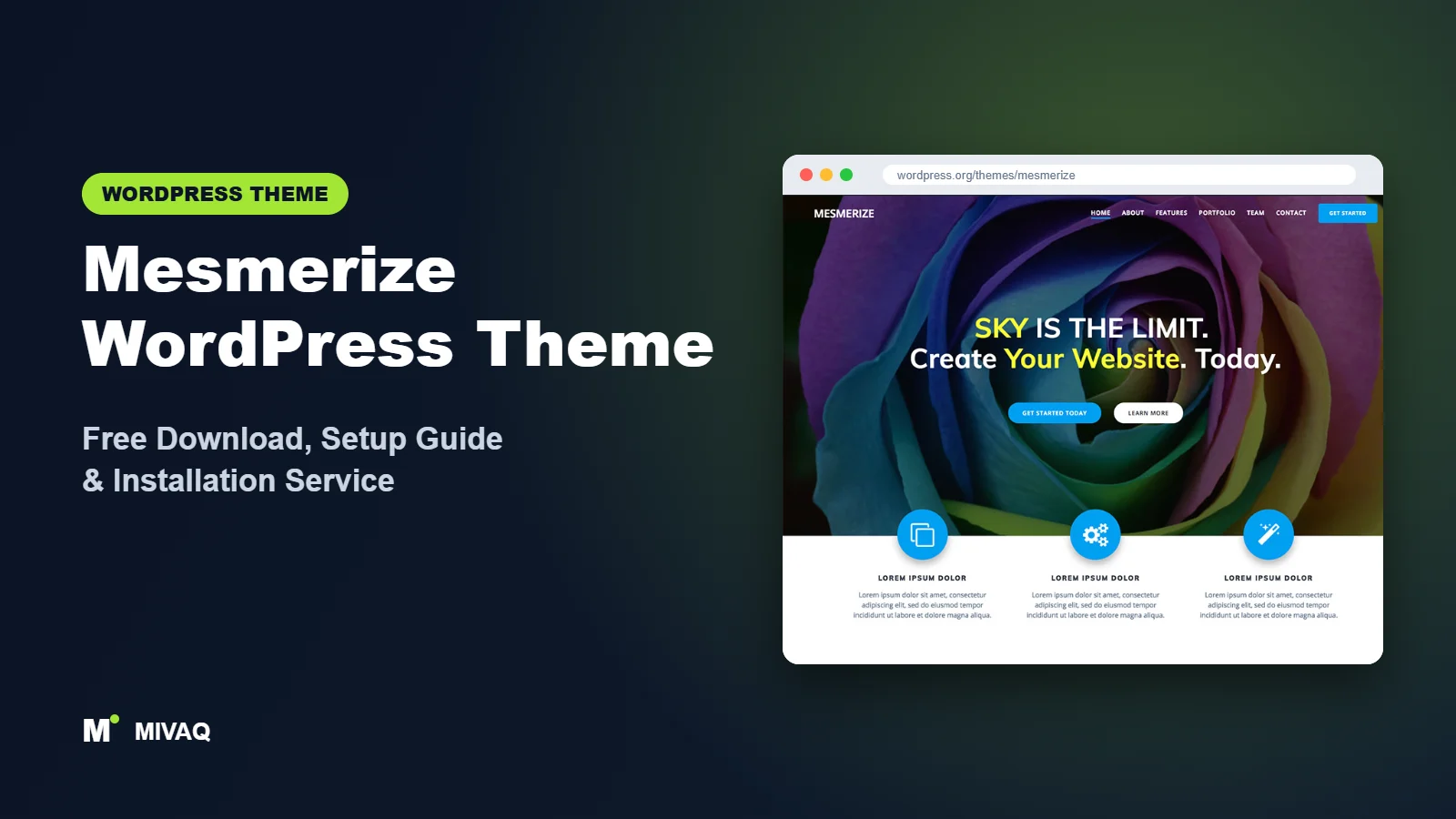
Mesmerize is the theme many small business owners discover when they want to build a good-looking one-page or multi-page site without learning a page builder. It lets you assemble the home page by dragging ready-made sections around inside the WordPress Customizer, and it is famous for eye-catching headers with video, slideshow and gradient backgrounds. If you are after the Mesmerize WordPress theme free download, it is 100% free and legal on WordPress.org, published by Extend Themes.
This article is part of our complete guide: How to Build a WordPress Website for Your Business (2026 Guide).
In this guide we focus on how Mesmerize really works day to day: the role of the companion plugin, how the section-based home page is built, what the Pro version adds, and how Mesmerize relates to Kubio, the newer block-based product from the same team. That last point matters if you are choosing a theme for the next few years.
What is the Mesmerize WordPress theme?
Mesmerize is a flexible, multipurpose classic theme. Extend Themes describes it as a drag-and-drop theme with a predesigned home page, five header designs and over 30 ready-to-use content sections, plus header options such as video background, slideshow background and gradient overlays. It is responsive and WooCommerce ready. Facts from WordPress.org:
| Detail | Mesmerize |
|---|---|
| Developer | Extend Themes |
| Latest version | 1.6.187 |
| Active installs | 10,000+ |
| Rating | 4.8/5 from 348 reviews |
| Requires WordPress | Not listed on WordPress.org (use a current version) |
| Requires PHP | 5.6 or higher |
| Last updated | 12 August 2026 |
| Theme type | Classic theme (Customizer with drag-and-drop sections) |
| Price | Free (Mesmerize Pro optional) |
348 reviews and a 4.8 average show that Mesmerize has served a lot of people well over the years. The version number (1.6.187) also tells you it has had a long history of small, regular releases.
Key features of Mesmerize
- Drag-and-drop home page sections: add, remove and reorder content blocks live in the Customizer preview.
- 30+ ready-made sections: about, services, features, team, testimonials, call to action, contact and more.
- Five header designs: different arrangements of title, text, buttons and media for the hero area.
- Video and slideshow backgrounds: bring motion to the first screen without extra plugins.
- Gradient overlays: modern colour gradients over images keep text readable and on brand.
- Header content types: show text, an image or a media box alongside your headline.
- WooCommerce ready: basic shop support for small catalogues.
- Translation ready and responsive out of the box.
Building a home page without a page builder
The most distinctive part of Mesmerize is how you edit the front page. Open the Customizer, and the page preview becomes editable: you can add a section from a list of predesigned blocks, drag it into place, then click text or images to change them. For someone who finds Elementor overwhelming, this is a gentle way to create a modern landing page.
Headers that grab attention
The hero area supports image, video, slideshow and gradient backgrounds. A gym could show a short training clip; a bakery could rotate three photos of fresh products; a SaaS startup could use a clean gradient. Each header design arranges the headline, subtitle and buttons differently.
Ready sections that look consistent
Because the sections are designed together, a page built from them looks coherent even if you are not a designer. You still need to pick a sensible colour palette, but spacing and typography stay consistent.
Mesmerize free vs Pro: what do you get?
The free theme with its companion plugin gives you the drag-and-drop home page, the predesigned sections and the header designs. Mesmerize Pro from Extend Themes adds more sections, more header options, extra styling control and premium support. Check the developer’s site for current Pro pricing and the exact feature list, as these change.
| Area | Mesmerize Free | Mesmerize Pro |
|---|---|---|
| Drag-and-drop sections | 30+ sections | More sections and variations |
| Header designs | 5 designs, video and slideshow | Additional designs and options |
| Styling controls | Core colours and fonts | More detailed per-section styling |
| WooCommerce | Ready | Additional shop options |
| Support | WordPress.org forum | Premium support |
Who should use Mesmerize?
- Local businesses such as gyms, salons, cafés and trades that need an attractive one-page site.
- Beginners who want visual editing without installing a separate page builder.
- Existing Mesmerize users who are happy with their site and want to keep it maintained.
- Event and entertainment sites that benefit from a video or slideshow hero.
Who should not: if you are starting a brand-new site in 2026 and want the most future-proof option, look closely at Kubio, the block-based successor from the same developer. Large stores should choose a dedicated shop theme like Woostify.
Example: a one-page site for a local gym
To see how Mesmerize fits a real business, picture a small independent gym. The header uses a short, muted training video with a dark gradient overlay, the headline “Strength training for real life” and two buttons: “Book a free session” and “View timetable”. Underneath, a three-column features section explains personal training, small group classes and open gym access. A team section introduces the coaches with photos, followed by a testimonials section, a simple pricing section and a contact section with the address, opening hours and a map link.
Every one of those blocks comes from the ready-made sections, so the owner can build the whole page in an afternoon inside the Customizer. The menu links jump to each section, and when the timetable changes the owner simply clicks the text in the preview and edits it. That is exactly the kind of project where Mesmerize is at its best: a clear, attractive single page that a non-technical owner can keep up to date without calling a developer for every small change.
Mesmerize WordPress theme free download (official and safe)
- Official theme page: wordpress.org/themes/mesmerize
- Direct ZIP file: downloads.wordpress.org/theme/mesmerize.zip
Do not install “Mesmerize Pro nulled” copies. Pirated premium themes are a common route for malware, SEO spam and stolen admin access, and they cannot be updated safely. If you suspect an infection, our malware removal service can clean and secure your site. MIVAQ does not distribute theme files; WordPress.org is the official free source.
How to install Mesmerize in WordPress (step by step)
Method 1: from the dashboard
- Go to Appearance › Themes › Add New Theme.
- Search for “Mesmerize”.
- Click Install, then Activate.
Method 2: upload the ZIP
- Download mesmerize.zip from WordPress.org.
- Open Appearance › Themes › Add New Theme › Upload Theme.
- Select the file, click Install Now, then Activate.
Child theme tip: most Mesmerize customisation happens in the Customizer and is stored in the database, so a child theme is only needed if you edit template files or add PHP. If you do, set it up before you start building sections.
How to set up Mesmerize after installation
- Install the Mesmerize Companion plugin when the theme recommends it. The drag-and-drop sections and predesigned front page depend on it.
- Create the front page using the theme’s prompt, or set a static home page in Settings › Reading.
- Open Appearance › Customize. Click on the front page preview to start editing sections.
- Choose a header design, then set the background: image, video, slideshow or gradient. Write a short headline and one or two buttons.
- Add sections in a logical order: what you do, why choose you, services, testimonials, call to action, contact.
- Set global colours and fonts so every section matches your brand.
- Configure menus. On a one-page site, link menu items to section anchors.
- Edit inner pages (About, Services, Blog) with the block editor; Mesmerize styles them to match.
Planning for the long term
Extend Themes now actively develops Kubio, its block-based builder and theme. Mesmerize continues to receive updates (the latest in August 2026), but if you are starting fresh, compare both before committing. Existing Mesmerize sites do not need to be rebuilt just because a newer product exists; keep them updated and backed up.
Mesmerize speed and SEO checklist
- Keep the hero video short and compressed, or use a single optimised image on mobile.
- Use a caching plugin; on LiteSpeed hosting follow our LiteSpeed speed guide.
- Remove unused sections rather than hiding them, so less content loads.
- Set SEO titles and descriptions with one SEO plugin; see Rank Math vs Yoast and our title tag guide.
- Make sure the home page has exactly one main heading and that section headings follow a logical order.
- Add alt text to section images using our image alt text guide.
Common mistakes when setting up Mesmerize
- Skipping the companion plugin: without it the drag-and-drop sections are not available.
- Too many sections on one page: a ten-section home page with animations everywhere is slow and tiring. Five or six focused sections are better.
- Low-contrast hero text: use a gradient overlay to keep the headline readable.
- Leaving demo text in place: placeholder copy such as “lorem ipsum” damages credibility.
- Never updating: keep theme, companion plugin and WordPress updated, and back up first using our backup strategy.
Mesmerize vs similar free WordPress themes
Mesmerize vs Kubio: same developer, different generation. Mesmerize uses Customizer sections; Kubio uses an advanced block-based builder. New projects usually suit Kubio better, while existing Mesmerize sites can stay where they are.
Mesmerize vs Inspiro: both offer video headers. Inspiro relies on starter sites and Elementor or blocks; Mesmerize relies on its own section system. Pick Inspiro for portfolios and Mesmerize for quick local business landing pages.
Mesmerize vs Futurio: Futurio is built to pair with Elementor. If you already like Elementor, Futurio may feel more natural.
From another group, Colibri WP is also from Extend Themes and offers a similar drag-and-drop approach with a more modern editor.
Mesmerize pros and cons
What we like
- Visual drag-and-drop editing without a separate page builder.
- Attractive video, slideshow and gradient headers for free.
- Strong review history: 4.8/5 from 348 reviews.
- Still maintained in 2026.
What to consider
- Relies on a companion plugin for its main features.
- Older Customizer-based approach compared with block-based tools.
- Advanced section and styling options require Pro.
Our verdict: Mesmerize is still a pleasant, beginner-friendly way to build a business landing page. For new builds, compare it with Kubio first; for existing Mesmerize sites, keep it updated and it will keep working well.
Website design with Mesmerize: our design service
Whether you want an online shop, a portfolio or a product landing page, Mesmerize can carry it, but the results depend on design decisions. MIVAQ offers a full website design service on Mesmerize: we design your homepage, product or project pages and checkout journey, prepare images that keep the site fast, and set up the details that help visitors buy or enquire.
What our Mesmerize website design package includes:
- Store, portfolio or landing page design tailored to your products or projects
- Product, category and checkout pages set up for easy buying (WooCommerce where needed)
- Image preparation and layout that keep pages fast on mobile
- Payment, shipping and email setup for shops; galleries and enquiry forms for portfolios
- Product and page SEO, analytics and Search Console at launch
You can see examples in our recent work and case studies, and read more about our WordPress development and SEO services. Every project starts with a free consultation and a fixed price, so you know exactly what you get before we begin.
Want a website designed with Mesmerize? Contact MIVAQ: WhatsApp +880 1723-189847, email hello@mivaq.com or use our contact form. We usually reply the same day.
Mesmerize installation and setup service
MIVAQ can install, customise or maintain Mesmerize for you: installation, child theme, companion plugin, front page sections, branding, video header optimisation, contact forms, WooCommerce basics, and speed and SEO setup. We also help existing Mesmerize users decide whether to stay or move to Kubio. Fixed quote every time. See our WordPress services or contact us:
- WhatsApp: message us about Mesmerize
- Email: hello@mivaq.com
- Form: send your project details
Related WordPress theme guides
- Kubio WordPress theme free download and setup
- Inspiro WordPress theme free download and setup
- Futurio WordPress theme free download and setup
- Colibri WP WordPress theme free download and setup
- 50 best free WordPress themes
Frequently asked questions
Is Mesmerize free?
Yes. Mesmerize and its companion plugin are free on WordPress.org. Mesmerize Pro is an optional paid upgrade.
Is Mesmerize still updated?
Yes. The theme was last updated on 12 August 2026 according to WordPress.org.
Does Mesmerize work with Elementor?
You can use Elementor on individual pages, but Mesmerize is designed around its own Customizer sections, so most users build the home page with those instead.
Can I use Mesmerize for WooCommerce?
Yes, it is WooCommerce ready and fine for a small shop. For a large catalogue a store-focused theme is better.
Can MIVAQ install Mesmerize for me?
Yes. We install and customise Mesmerize for a fixed price. Message us on WhatsApp or email hello@mivaq.com.


