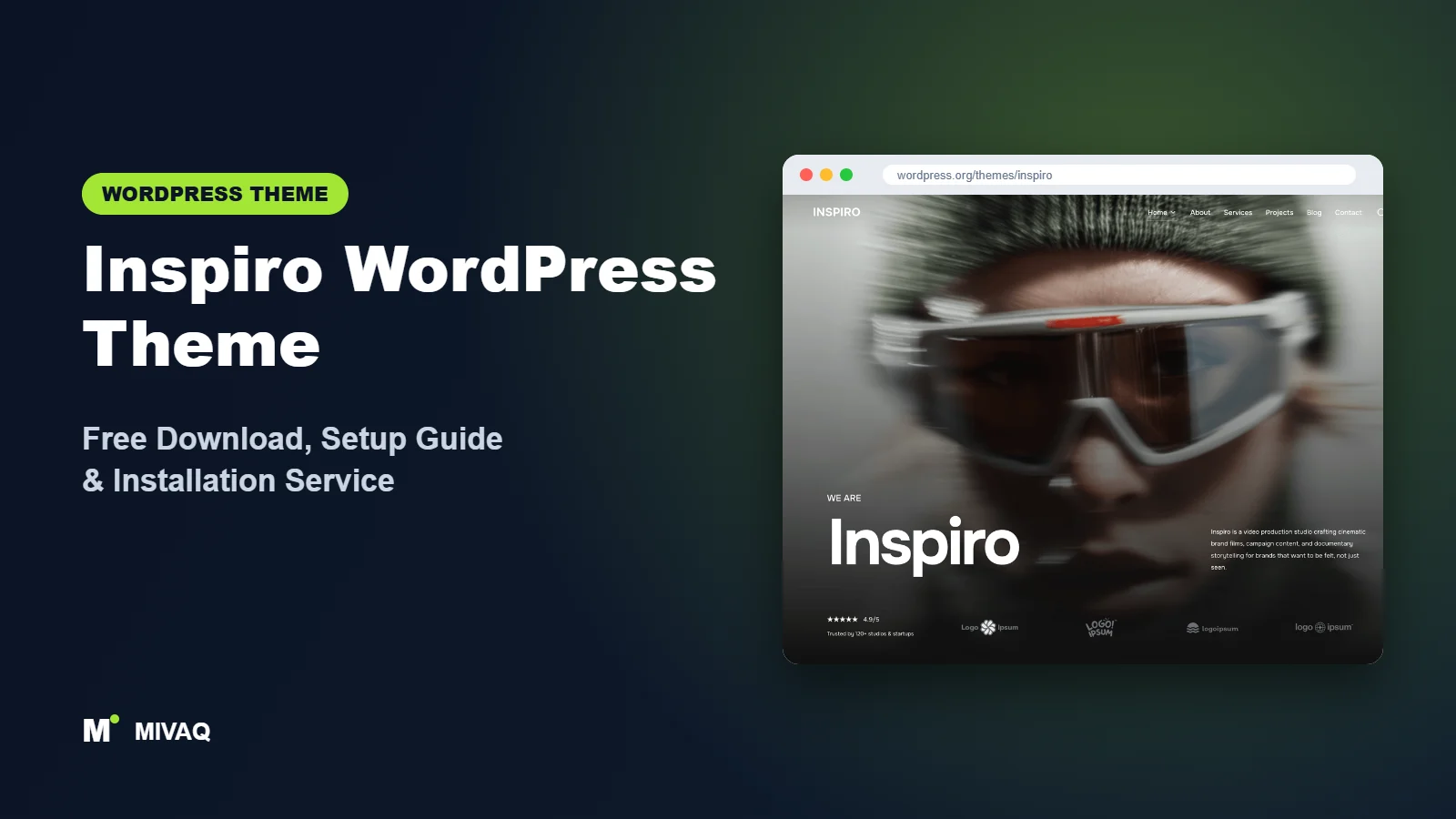
Some websites need to sell products; others need to make a strong first impression in the first three seconds. Inspiro belongs to the second group. Built by WPZOOM, it is known for its big, cinematic fullscreen header that can play a background video, which is why photographers, videographers, wedding studios, architects and creative agencies keep coming back to it. If you are looking for the Inspiro WordPress theme free download, you can get it 100% free and legally from the official WordPress.org directory.
This article is part of our complete guide: How to Build a WordPress Website for Your Business (2026 Guide).
In this guide we walk through what Inspiro actually offers in its free version, how it compares with the premium edition, how to install it, and how to set up a portfolio or small business site with the Inspiro Starter Sites plugin, including the newer AI demo generator.
What is the Inspiro WordPress theme?
Inspiro is a lightweight, versatile WordPress theme for small businesses, creative professionals and visual portfolios. According to WPZOOM it offers 20+ ready-made starter sites for both Elementor and the block editor, supports the Elementor Theme Builder for headers and footers, and includes WooCommerce integration. Current WordPress.org facts:
| Detail | Inspiro |
|---|---|
| Developer | WPZOOM |
| Latest version | 2.2.4 |
| Active installs | 60,000+ |
| Rating | 4.7/5 from 127 reviews |
| Requires WordPress | 6.4 or higher |
| Requires PHP | 7.4 or higher |
| Last updated | 29 September 2026 |
| Theme type | Classic theme (Customizer) with block patterns |
| Price | Free (Inspiro Premium/PRO optional) |
With 60,000+ active installs, Inspiro is the most widely used theme in this part of our series, and it is actively maintained, with an update at the end of September 2026.
Key features of Inspiro
- Fullscreen hero header: show a large image or a background video on the front page to set the mood immediately.
- Starter sites for two editors: 20+ starter sites designed either for Elementor or for the block editor, covering business, agency, portfolio, shop and blog niches.
- AI Demo Generator: included in the free Inspiro Starter Sites plugin; you describe your website and it builds a custom demo with pages, photos, menu and colours.
- Elementor Theme Builder support: design your own header and footer in Elementor if you prefer.
- Block patterns and editor styles: the theme registers patterns and styles so block-editor pages match the front end.
- WooCommerce integration: sell prints, presets or services without switching themes.
- Portfolio-friendly layouts: clean typography and generous white space let images do the talking.
- Translation and RTL ready.
The video header that made Inspiro popular
Inspiro’s signature feature is the fullscreen header on the home page. You can upload a hero image or set a background video, add a headline, a short line of text and a call-to-action button. For a wedding videographer or a drone filming business, a 15-second loop of their best footage says more than any paragraph of text. Keep the clip short and compressed so it does not hurt loading time.
Starter sites plus an AI demo generator
The free Inspiro Starter Sites plugin lets you import complete demo websites. The newer AI Demo Generator goes a step further: you type a description of your business and it assembles a demo built with native blocks in about two minutes, according to WPZOOM. Treat the result as a first draft; you still need to replace photos with your own and rewrite text in your voice.
Choose your editor
Many themes force you into one builder. Inspiro offers starter sites for Elementor and for the block editor, so you can stay with the tool you already know.
Inspiro free vs Pro: what do you get?
The free Inspiro theme on WordPress.org is enough for a polished portfolio or small business site. WPZOOM also sells a premium edition (Inspiro Premium/PRO) with more demos, more portfolio layouts and additional customisation options, plus premium support. Exact features and prices change over time, so check the developer’s site for current Pro pricing.
| Area | Inspiro Free | Inspiro Premium |
|---|---|---|
| Hero header with video | Yes | Yes, with extra options |
| Starter sites | 20+ via Inspiro Starter Sites plugin | Additional premium demos |
| Portfolio features | Basic portfolio styling | More advanced portfolio and gallery layouts |
| Elementor and blocks | Supported | Supported |
| Support | WordPress.org forum | Premium support from WPZOOM |
If you are a photographer with a large archive of galleries and client projects, premium portfolio features may be worth it. For most small businesses, the free version is plenty.
Who should use Inspiro?
- Photographers and videographers who want a dramatic first screen and image-led pages.
- Creative agencies and studios showing case studies and brand work.
- Architects, interior designers and property developers where large visuals sell the project.
- Restaurants, venues and travel businesses that rely on atmosphere.
- Small businesses that want to launch quickly from a starter site or the AI generator.
Who should not: large WooCommerce catalogues will be better served by a shop theme like Botiga, and news or magazine sites need a theme built for dense content, such as ColorMag.
Inspiro WordPress theme free download (official and safe)
Download Inspiro only from WordPress.org or install it directly from your dashboard:
- Official theme page: wordpress.org/themes/inspiro
- Direct ZIP file: downloads.wordpress.org/theme/inspiro.zip
Be careful with “Inspiro PRO free download” offers on random sites. Nulled premium themes often hide malicious code that injects spam or redirects visitors, and you lose access to updates and support. If you already installed one and see odd redirects, our WordPress malware removal team can help. MIVAQ never distributes theme files; get the free version from WordPress.org and premium versions from WPZOOM only.
How to install Inspiro in WordPress (step by step)
Method 1: dashboard install
- In your admin area open Appearance › Themes › Add New Theme.
- Search for “Inspiro”.
- Click Install on Inspiro by WPZOOM.
- Click Activate.
Method 2: upload the ZIP
- Download inspiro.zip from the official link.
- Go to Appearance › Themes › Add New Theme › Upload Theme.
- Select the file, click Install Now, then Activate.
Inspiro requires WordPress 6.4 and PHP 7.4 or newer. If the installer complains, update WordPress or ask your host to switch to a newer PHP version first.
Child theme tip: photographers often ask for small layout changes such as hiding the post date or changing gallery spacing. Do that in a child theme or Additional CSS so a future Inspiro update does not undo it.
How to set up Inspiro after installation
- Install Inspiro Starter Sites: after activation, the theme prompts you to install its free companion plugin. Accept it.
- Choose your path: import a starter site (Elementor or block editor version) or try the AI Demo Generator with a short description of your business.
- Set up the hero: in Appearance › Customize, open the header/hero settings to choose an image or video, write a headline under eight words and add one clear button.
- Branding: upload your logo (a light version often works best over a dark hero), set accent colours and fonts.
- Menus: create a short primary menu (Work, About, Services, Contact) and assign it.
- Portfolio content: create pages or posts for each project with a short story, the client, and 8 to 15 strong images rather than 60 average ones.
- Headers and footers in Elementor (optional): if you use Elementor Pro, build a custom header and footer in the Theme Builder; Inspiro supports it.
- Contact page: add a form, your service area and booking information.
After setup, check the home page on a phone. Background videos may be replaced by images on some mobile devices, so make sure your fallback image looks good.
Inspiro speed and SEO checklist
- Keep hero videos short, muted and compressed, and host long videos on YouTube or Vimeo rather than your server.
- Resize and convert gallery photos to WebP; image-heavy sites benefit most from our LiteSpeed speed guide.
- Add descriptive alt text to portfolio images using our image alt text SEO guide; it helps image search traffic.
- Write a unique title for every project page, for example “Lake District Wedding Film” rather than “Project 7”; see our title tag guide.
- Pick one SEO plugin with our Rank Math vs Yoast comparison.
- Back up regularly, especially large media libraries, using our backup strategy.
Common mistakes when setting up Inspiro
- Uploading a huge video file: a 200 MB hero video will make the site feel broken on mobile data.
- Using text that cannot be read over the hero: add an overlay or choose a darker section of the image.
- Keeping AI or demo text: generic placeholder copy hurts trust and SEO. Rewrite everything.
- Mixing Elementor and block starter content: pick one editor and stay consistent.
- No clear call to action: beautiful portfolios still need a “Book a call” or “Get a quote” button.
Inspiro vs similar free WordPress themes
Inspiro vs Rife Free: both target photographers. Rife Free offers albums, a bricks gallery and a writing effect; Inspiro offers the video hero, more starter sites and the AI generator. Pick Rife Free for gallery-heavy photography, Inspiro for a modern studio or business site.
Inspiro vs Mesmerize: Mesmerize also offers video and slideshow headers with drag-and-drop sections in the Customizer. Inspiro is newer in approach and more actively developed for the block editor.
Inspiro vs Kubio: Kubio is built around its own block-based page builder. Choose Kubio if you like designing visually with blocks; choose Inspiro if you want a ready-made creative look fast.
Inspiro pros and cons
What we like
- Stunning fullscreen image or video hero for free.
- 20+ starter sites for Elementor and the block editor.
- AI Demo Generator in the free companion plugin.
- Large user base and active development.
What to consider
- Advanced portfolio layouts are in the premium edition.
- Video headers need careful optimisation for speed.
- Rating (4.7/5) is good but slightly below some peers in this group.
Our verdict: Inspiro is one of the best free themes for visual brands. If your work looks great on a big screen, Inspiro lets it shine, and the starter sites get you live quickly.
Website design with Inspiro: our design service
Whether you want an online shop, a portfolio or a product landing page, Inspiro can carry it, but the results depend on design decisions. MIVAQ offers a full website design service on Inspiro: we design your homepage, product or project pages and checkout journey, prepare images that keep the site fast, and set up the details that help visitors buy or enquire.
What our Inspiro website design package includes:
- Store, portfolio or landing page design tailored to your products or projects
- Product, category and checkout pages set up for easy buying (WooCommerce where needed)
- Image preparation and layout that keep pages fast on mobile
- Payment, shipping and email setup for shops; galleries and enquiry forms for portfolios
- Product and page SEO, analytics and Search Console at launch
You can see examples in our recent work and case studies, and read more about our WordPress development and SEO services. Every project starts with a free consultation and a fixed price, so you know exactly what you get before we begin.
Want a website designed with Inspiro? Contact MIVAQ: WhatsApp +880 1723-189847, email hello@mivaq.com or use our contact form. We usually reply the same day.
Inspiro installation and setup service
MIVAQ can set up Inspiro for your studio or business: installation from WordPress.org, child theme, starter site import, branding, hero video optimisation, portfolio pages, WooCommerce for prints or bookings, plus speed and SEO basics, all for a fixed quote. See our WordPress services or contact us:
- WhatsApp: message us about Inspiro
- Email: hello@mivaq.com
- Form: send your project details
Related WordPress theme guides
- Rife Free WordPress theme free download and setup
- Mesmerize WordPress theme free download and setup
- Kubio WordPress theme free download and setup
- Solace WordPress theme free download and setup
- 50 best free WordPress themes
Frequently asked questions
Is Inspiro free?
Yes. Inspiro is free on WordPress.org, including the free Inspiro Starter Sites plugin. WPZOOM sells an optional premium edition.
Can Inspiro play a video in the header?
Yes. The front page hero can show a background video as well as an image, which is Inspiro’s best-known feature.
Does Inspiro work with Elementor?
Yes. It offers Elementor starter sites and supports the Elementor Theme Builder for custom headers and footers.
Can I use Inspiro for WooCommerce?
Yes, it includes WooCommerce integration, which suits selling prints, presets or a small range of products.
Can MIVAQ install Inspiro for me?
Yes. We install, configure and brand Inspiro sites for a fixed price. Message us on WhatsApp or email hello@mivaq.com.


