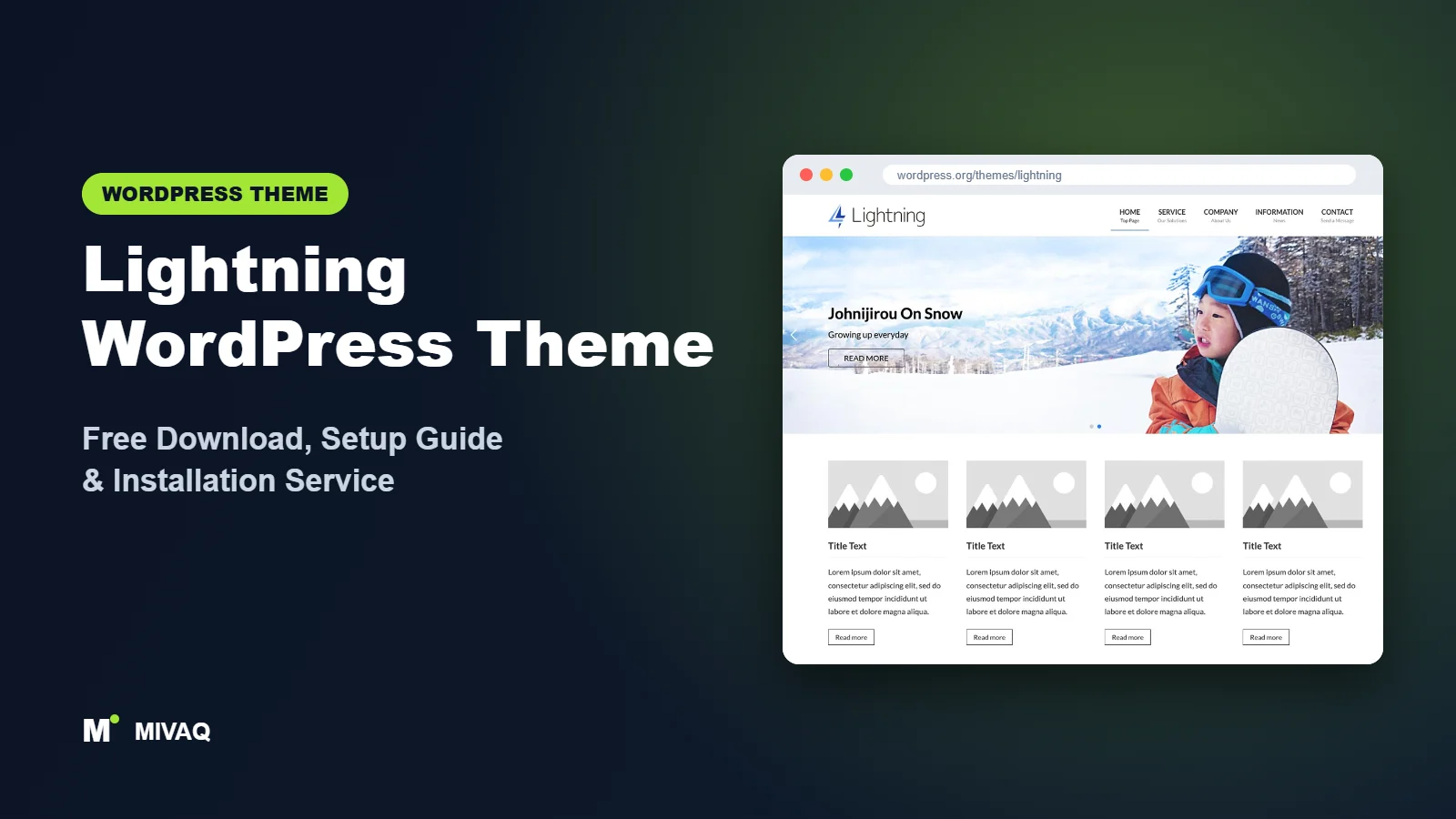
Lightning is one of the quiet giants of the WordPress theme directory. It does not chase flashy demos; instead it gives you a clean, fast, business-friendly layout and handles the structural details that many themes get wrong, especially custom post types, taxonomies and breadcrumbs. It is hugely popular in Japan and is used by companies, clinics, schools and local organisations. This guide covers the official Lightning WordPress theme free download, how its free plugins fit together and how to set it up for a professional company website.
This article is part of our complete guide: How to Build a WordPress Website for Your Business (2026 Guide).
Lightning is 100% free and legal on WordPress.org. It is developed by Vektor, Inc. (the WordPress.org listing names Hidekazu Ishikawa as author), has 100,000+ active installs, a 4.8/5 rating and frequent updates. The version at the time of writing is 15.42.0, released on 9 September 2026.
What is the Lightning WordPress theme?
Lightning is a classic WordPress theme originally based on the Bootstrap framework. It focuses on simplicity and a clean corporate look: a header with logo and menu, a page header band with the page title, breadcrumbs, a content area and an optional sidebar. Its standout technical strength is how it deals with custom post types. When you add a new post type, for example “Products”, “Case studies” or “Events”, Lightning automatically adjusts breadcrumbs, archive pages and post layouts so they look right without extra template files.
| Detail | Lightning |
|---|---|
| Developer | Vektor, Inc. (Hidekazu Ishikawa) |
| Latest version | 15.42.0 |
| Active installs | 100,000+ |
| Rating | 4.8/5 (12 reviews) |
| Requires WordPress | 6.6 or higher |
| Requires PHP | 7.4 or higher |
| Last updated | 9 September 2026 |
| Theme type | Classic theme (Customizer, block editor styles) |
| Price | Free (paid extensions from Vektor optional) |
Data is from WordPress.org at the time of writing. The small number of reviews on WordPress.org does not reflect the theme’s real popularity; much of its community is Japanese-speaking and discusses it elsewhere.
Key features of Lightning
- Custom post type and taxonomy friendly: breadcrumbs, archives and layouts adapt automatically to new post types.
- Clean corporate design: a calm, professional layout that suits companies and organisations.
- Page header and breadcrumbs: every page gets a title band and breadcrumb trail, good for navigation and SEO.
- Block editor styles and wide blocks: pages built with Gutenberg look consistent with the theme.
- Lightweight and fast: a lean base that loads quickly on modest hosting.
- Layout control per page: choose one column or content plus sidebar for individual pages and post types.
- Free companion plugins: VK All in One Expansion Unit and VK Blocks add business features and extra blocks.
- Frequent updates: Vektor releases new versions regularly, keeping it compatible with current WordPress.
Why custom post type support matters
Many business sites eventually need more than posts and pages: a product catalogue, a staff directory, job listings or events. In most themes, a new post type shows up with a broken or generic layout until a developer writes templates. Lightning handles this gracefully. Create a “Services” post type with a plugin such as a custom post type manager, and Lightning gives it a proper archive, single page and breadcrumbs immediately.
The VK plugin ecosystem
Lightning is designed to work with Vektor’s free plugins. VK All in One Expansion Unit (often called ExUnit) adds features such as call-to-action sections, social sharing, a contact section, page lists and more. VK Blocks adds business-oriented blocks like alerts, balloons (speech bubbles), buttons, FAQ blocks and staff profiles. Together they turn a simple theme into a capable business site toolkit.
Lightning free vs Pro: what do you get?
The Lightning theme itself is free, and so are its main companion plugins, VK All in One Expansion Unit and VK Blocks. With those three you can build a complete company website.
Vektor also sells paid extensions, such as a Pro version of VK Blocks with additional blocks and a Pro unit for Lightning that adds extra layout and design options. Product names, bundles and prices change, so check Vektor’s site for the current paid options and pricing. Many sites never need them.
Who should use Lightning?
- Company and corporate websites that want a calm, trustworthy design.
- Organisations with structured content such as clinics, schools, associations and local government projects.
- Sites using custom post types for products, case studies, events or recruitment.
- Developers and agencies who want a stable, frequently updated base that respects WordPress conventions.
- Japanese or bilingual sites, where Lightning has a strong community.
Lightning is less suitable if you want a dramatic, design-heavy site with animated sections; a page builder theme would be easier. It is also not a magazine theme; for news, see ColorMag.
Lightning WordPress theme free download (official and safe)
Download Lightning from the official sources:
- Official theme page: wordpress.org/themes/lightning
- Direct ZIP file: downloads.wordpress.org/theme/lightning.zip
MIVAQ does not distribute theme files; the free download always comes from WordPress.org.
Do not download cracked versions of Vektor’s paid extensions from third-party sites. Nulled plugins and themes are a leading cause of malware infections, spam pages and hacked admin accounts. If you think your site has been affected, read our WordPress malware removal guide.
How to install Lightning in WordPress (step by step)
Method 1: From the dashboard
- Go to Appearance › Themes and click Add New Theme.
- Search for “Lightning”.
- Click Install on Lightning by Vektor.
- Click Activate.
Method 2: Upload the ZIP
- Download lightning.zip from the official link.
- Go to Appearance › Themes › Add New Theme › Upload Theme.
- Choose the ZIP, click Install Now, then Activate.
Tip: Lightning updates often, so put any template overrides or custom functions in a child theme. Check that your server meets the WordPress 6.6 and PHP 7.4 minimums before activating.
How to set up Lightning after installation
Lightning uses the Customizer for design settings and its companion plugins for extra features. Follow this order:
- Install the companion plugins. After activation, install VK All in One Expansion Unit and VK Blocks from Plugins › Add New Plugin.
- Site identity. In Appearance › Customize, upload your logo and site icon.
- Design settings. Set the key colour (Lightning applies it to headings, buttons and accents) and choose fonts.
- Layout. Choose default column layouts for pages, posts and archives, and enable or disable the sidebar per content type.
- Header and menu. Create your main menu (Home, Services, About, News, Contact) and assign it to the header location.
- Homepage. Create a Home page with VK Blocks: a hero section, service cards, a short company introduction, recent news and a call to action. Set it as the front page in Settings › Reading.
- ExUnit features. Switch on only the ExUnit modules you need, such as the call-to-action, contact section and social sharing.
- Custom post types. If you need them, register post types (for example “Case studies”) and check how Lightning displays the archive and breadcrumbs.
- Footer. Add company address, contact details and a footer menu with privacy and legal pages.
Example: a small clinic website on Lightning
Here is how we would structure a dental or physiotherapy clinic. The homepage opens with a calm hero image, a one-line promise and a “Book an appointment” button, followed by service cards built with VK Blocks. A custom post type called “Treatments” holds one entry per treatment, each with a description, typical duration and an FAQ block; Lightning automatically gives it a tidy archive page and breadcrumbs such as Home › Treatments › Root canal. A second post type, “Team”, introduces each practitioner with a staff profile block. The ordinary blog becomes “News” for opening hours, holiday notices and health tips. Finally, an ExUnit call-to-action appears at the bottom of every treatment page, so patients always have a clear next step. The result is a site that is easy for staff to update and easy for patients and search engines to navigate.
Lightning speed and SEO checklist
- Enable only the ExUnit modules you use. Every module you switch off reduces code. Then add server caching using our LiteSpeed speed guide.
- Use one SEO plugin. ExUnit contains some SEO-related options; avoid duplicating meta tags if you also use Rank Math or Yoast. Our Rank Math vs Yoast guide helps you choose.
- Write unique title tags for each service page with our title tag SEO guide.
- Keep breadcrumbs on. They help users and search engines understand site structure.
- Secure and back up the site with our security checklist and backup strategy.
Common mistakes when setting up Lightning
- Running two SEO tools. ExUnit’s SEO features plus another SEO plugin can output duplicate meta tags. Disable one.
- Turning on every ExUnit module. Only enable what you need to keep the site lean.
- Old WordPress or PHP. Lightning needs WordPress 6.6 and PHP 7.4 or newer; update first.
- Hard-coding templates for custom post types. Try Lightning’s automatic handling before writing custom templates.
- Using a page builder for everything. VK Blocks covers most business sections; heavy builders add unnecessary weight.
Lightning vs similar free WordPress themes
- Lightning vs Customizr: both suit small business sites, but Lightning is actively maintained while Customizr was last updated in December 2024. For new business sites, Lightning is the safer choice.
- Lightning vs Variations: Variations is a block theme edited in the Site Editor with many style variations. Lightning is a classic theme with stronger custom post type handling.
- Lightning vs BlogHash: BlogHash is built for bloggers; Lightning for organisations with structured content.
If you need a multipurpose theme with starter templates, also look at GeneratePress.
Lightning pros and cons
What we like
- Excellent handling of custom post types, taxonomies and breadcrumbs.
- Clean, professional design that suits companies.
- Large install base and very frequent updates.
- Free companion plugins add many business features.
What to consider
- Much of the documentation and community is in Japanese.
- Design is deliberately simple; creative sites may find it plain.
- Requires a modern WordPress (6.6+) and PHP 7.4+.
Our verdict: Lightning is a dependable, fast and well-engineered theme for company and organisation websites, especially those with structured content. Combined with VK Blocks and ExUnit, it covers most business needs without paying for anything.
Website design with Lightning: our design service
A blog or news site lives or dies by readability, structure and speed. With our website design service, MIVAQ builds your publication on Lightning: a homepage that surfaces the right stories, clear category structure, author pages, newsletter sign-up areas and ad placements that do not ruin the reading experience.
What our Lightning website design package includes:
- Magazine or blog homepage with featured, latest and category sections
- Category, tag and author structure planned for readers and search engines
- Readable typography, dark-mode friendly colours and fast-loading layouts
- Newsletter sign-up, social sharing and tasteful ad placements
- Article SEO templates, schema basics and Search Console setup
You can see examples in our recent work and case studies, and read more about our WordPress development and SEO services. Every project starts with a free consultation and a fixed price, so you know exactly what you get before we begin.
Want a website designed with Lightning? Contact MIVAQ: WhatsApp +880 1723-189847, email hello@mivaq.com or use our contact form. We usually reply the same day.
Lightning installation and setup service
MIVAQ Creative Solutions installs and customises Lightning for businesses and organisations. Our service includes:
- Installation from WordPress.org with a child theme
- VK Blocks and ExUnit setup with only the modules you need
- Branding: logo, key colour, fonts and menus
- Homepage, service pages, contact page and custom post types
- WooCommerce setup if you sell online
- Speed and SEO basics: caching, image optimisation and Rank Math
We work with a fixed quote. Learn more about our WordPress services or contact us:
- WhatsApp: message us about Lightning
- Email: hello@mivaq.com
- Form: send your project details
Related WordPress theme guides
- Variations WordPress theme: free download and setup guide
- Customizr WordPress theme: free download and setup guide
- BlogHash WordPress theme: free download and setup guide
- Ashe WordPress theme: free download and setup guide
- 50 best free WordPress themes
Frequently asked questions
Is Lightning free?
Yes. Lightning and its main companion plugins are free on WordPress.org. Vektor sells optional paid extensions.
Is Lightning good for SEO?
Yes. It is lightweight, outputs breadcrumbs and uses clean markup. Pair it with one SEO plugin and avoid duplicate meta tags with ExUnit.
Does Lightning work with Elementor?
Elementor can be used on individual pages, but Lightning is designed for the block editor and VK Blocks, which is usually the lighter option.
Can I use Lightning for WooCommerce?
Yes, you can add WooCommerce to a Lightning site. For large shops, a dedicated store theme may offer more shop-specific features.
Can MIVAQ install Lightning for me?
Yes. We install and configure Lightning with VK Blocks and ExUnit, build your pages and set up speed and SEO basics for a fixed price.


