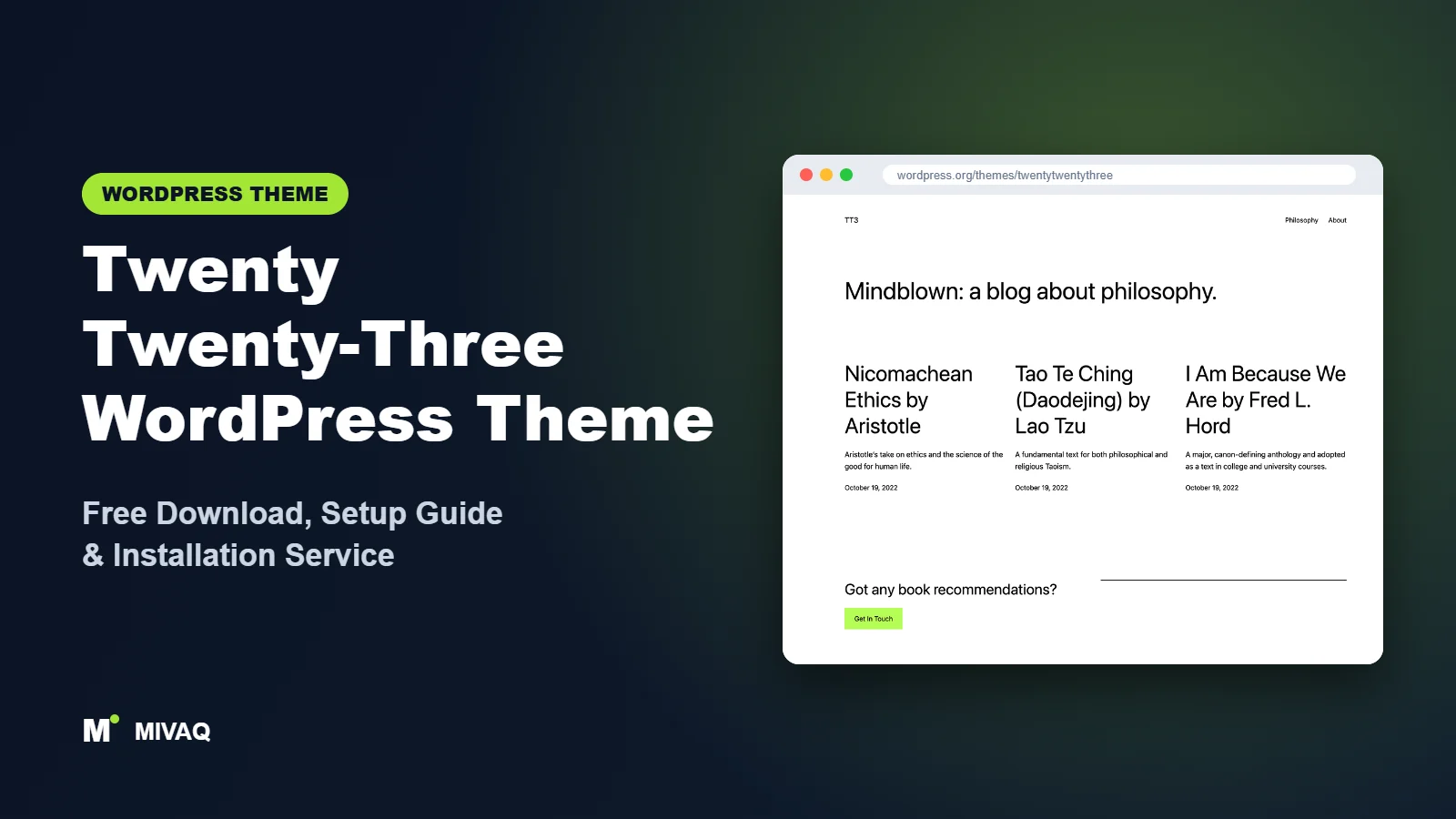
Some themes try to give you everything. Twenty Twenty-Three does the opposite. It starts almost empty, with a single clean layout, and then hands you ten very different style variations designed by members of the WordPress community. If you are hunting for a Twenty Twenty-Three WordPress theme free download, you can get it 100% free and legally from WordPress.org, and in many cases it is already sitting in your Themes screen.
This article is part of our complete guide: How to Build a WordPress Website for Your Business (2026 Guide).
That minimalism divides opinion. Some people love the blank canvas; others activate it, see a plain page and leave a one-star review. This guide explains what Twenty Twenty-Three is actually good at, who should choose it in 2026, how to download and install it safely, and how to turn the blank canvas into a site that looks finished.
What is the Twenty Twenty-Three WordPress theme?
Twenty Twenty-Three was the default theme for WordPress 6.1 and one of the first default themes built entirely as a block theme. Its purpose was partly to showcase the new design tools of that release, especially style variations, which let a single theme switch its entire look in one click. Under the hood it is very simple: a handful of templates, a few patterns, and a theme.json file that defines colours, spacing and typography.
| Detail | Twenty Twenty-Three |
|---|---|
| Developer | WordPress.org (core team and community) |
| Latest version | 1.7 |
| Active installs | 300,000+ |
| Rating | 3.4/5 (61 reviews) |
| Requires WordPress | 6.1 or higher |
| Requires PHP | 5.6 or higher |
| Last updated | 19 August 2026 |
| Theme type | Block theme (Full Site Editing) |
| Price | Free (no Pro version) |
The 3.4 rating is the lowest among recent default themes. Reading the reviews, the main complaints are about the lack of patterns and the change from the Customizer to the Site Editor, not about bugs or speed. Keep that in mind: it is a tool for a particular kind of user.
Key features of Twenty Twenty-Three
- Ten style variations: community-designed looks ranging from soft pastels to bold, dark, high-contrast designs.
- Minimal templates: a clean blog index, single post, page, archive, search and 404 template with nothing extra to remove.
- theme.json driven design: all colours, font sizes and spacing come from one file, which makes the theme ideal for learning how block themes work.
- Fluid typography: headings scale smoothly across screen sizes.
- Very low PHP requirement: it runs on PHP 5.6 and up, although you should use a modern PHP version for security.
- Accessibility ready: contrast and focus states were reviewed by the accessibility team.
- RTL and translation ready: suitable for any language.
The ten style variations
The variations are called Aubergine, Block out, Canary, Electric, Grapes, Marigold, Pilgrimage, Pitch, Sherbet and Whisper. Each changes background, text and accent colours, and several also change fonts and spacing. Pitch, for example, is dark and dramatic, while Whisper is soft and airy. Because the layout stays the same, these variations show clearly how much of a site’s personality comes from colour and typography alone.
A true blank canvas
There are no sliders, sample sections or demo widgets to delete. You add exactly the blocks you need. For a writer who wants nothing but words on a page, or a developer who wants to build a custom design on a clean base, that is a real advantage.
An excellent learning theme
If you want to understand block themes, open the Twenty Twenty-Three folder and read its theme.json and templates. They are short and readable, and many child themes and custom themes have started from exactly this code.
Is Twenty Twenty-Three completely free?
Yes. It is a GPL-licensed default WordPress theme with no Pro version and no upsells. All ten style variations are included. Support is provided by volunteers in the WordPress.org forums. If you need premium-style features, you add them with block plugins rather than buying an upgrade.
Who should use Twenty Twenty-Three?
- Minimalist bloggers and essayists who want a distraction-free reading experience.
- Developers and designers who want a clean base for a custom child theme or to study theme.json.
- Personal and CV sites that need one or two pages with a strong colour identity.
- Sites on older servers where a low PHP requirement matters during a transition period.
Twenty Twenty-Three is not the right choice if you want ready-made business sections, a portfolio grid without design work, or a WooCommerce store that looks finished on day one. Beginners who want guidance will usually be happier with Twenty Twenty-Four or Twenty Twenty-Five, which come with many more patterns.
Twenty Twenty-Three WordPress theme free download (official and safe)
- Official theme page: wordpress.org/themes/twentytwentythree
- Direct ZIP file: downloads.wordpress.org/theme/twentytwentythree.zip
Download only from WordPress.org. Theme mirror sites sometimes repackage free themes with extra files, tracking scripts or hidden links, and “nulled” downloads of premium add-ons are a leading cause of hacked WordPress sites. They also never receive security updates. If you have already used files like that, see our step-by-step guide to WordPress malware removal. MIVAQ does not distribute theme files.
How to install Twenty Twenty-Three in WordPress (step by step)
Method 1: install from the dashboard
- Open Appearance › Themes.
- Click Add New Theme.
- Search for “Twenty Twenty-Three”.
- Click Install, then Activate.
Method 2: upload the ZIP file
- Download twentytwentythree.zip from WordPress.org.
- Go to Appearance › Themes › Add New Theme › Upload Theme.
- Choose the file, click Install Now and Activate.
Child theme tip: Twenty Twenty-Three is a popular parent for child themes because it is so small. If you plan to change theme.json values in code or add custom templates, create a child theme first so updates never overwrite your work. For purely visual changes made in the Site Editor, a child theme is not required.
How to set up Twenty Twenty-Three after installation
Because the theme is minimal, setup is about adding the right pieces rather than removing clutter. Work in Appearance › Editor:
- Choose a variation: open Styles and click through the ten variations. Pick one that suits your tone, then adjust the accent colour to match your brand.
- Set global typography: in Styles › Typography, set heading and body fonts and line height. Keep it to two fonts.
- Build the header: the default header holds the site title and navigation. Add a Site Logo block and arrange your menu in the Navigation block.
- Create a home page: the default home shows recent posts. For a business-style front page, create a page with Cover, Columns and Buttons blocks, then set it as the homepage in Settings › Reading.
- Add patterns from the directory: insert patterns from the WordPress pattern directory through the block inserter to get sections the theme does not include.
- Refine the single post template: add author bio, post navigation or a related posts query if you run a blog.
- Finish the footer: replace the default credit with your contact details and links.
WooCommerce can be used with block-based shop templates, but expect to spend extra time styling product pages because the theme provides very little shop design of its own.
Which style variation suits which site?
Choosing a variation is the biggest design decision you will make with this theme, so it is worth matching it to your content rather than picking the prettiest thumbnail. A few practical pairings we use with clients:
- Whisper or Sherbet: soft, friendly tones that suit wellness coaches, bakers, craft makers and lifestyle bloggers.
- Pitch or Electric: dark, high-energy looks that work for music, events, gaming and creative studios.
- Pilgrimage or Marigold: warm, editorial feels for travel writers, food blogs and long-form essays.
- Canary, Block out or Grapes: bold, poster-like colour for personal brands that want to stand out.
- Aubergine: rich and confident, a good base for portfolios and consultants.
Whichever you choose, test it with a real long post and a real photo before committing. Dark variations in particular can make some images look heavy, and pale accents may need a darker shade to keep button text readable. Adjust the accent in Styles › Colors and recheck contrast so the theme keeps its accessibility benefits.
Twenty Twenty-Three speed and SEO checklist
- The theme is already tiny, so focus on hosting and caching. On LiteSpeed servers, follow our LiteSpeed speed guide.
- Pick one SEO plugin and configure it; our Rank Math vs Yoast comparison will help.
- Minimal designs rely on strong headlines. Write descriptive H1s and SEO titles using our title tag guide.
- Run PHP 8.x even though the theme supports older versions; it is faster and more secure.
- Back up before switching variations or editing templates, following our WordPress backup strategy.
Common mistakes when setting up Twenty Twenty-Three
- Judging it by the first screen: the default view is deliberately plain. Try the variations before deciding.
- Expecting starter content: there is no demo import. Plan your sections before you start.
- Over-styling individual blocks: set colours and fonts globally in Styles so the site stays consistent.
- Forgetting the posts page: when you set a static homepage, also choose a page for your blog.
- Staying on old PHP: low requirements are not a reason to run an unsupported PHP version.
Twenty Twenty-Three vs similar free WordPress themes
Twenty Twenty-Four adds full-page designs for businesses, writers and portfolios. Choose it if you want to start from finished layouts.
Extendable also focuses on style variations but adds more expressive patterns and works with Extendify’s design library. Choose it for a bolder small business site.
Ollie offers dozens of polished marketing patterns. Choose it if you want a landing page or SaaS-style site without designing sections yourself. Choose Twenty Twenty-Three when you value simplicity above all.
Twenty Twenty-Three pros and cons
What we like
- Extremely lightweight and fast
- Ten genuinely different style variations
- Clean code that is perfect for learning or child themes
- Free, accessible and translation ready
What to consider
- Very few built-in patterns
- Plain out of the box; needs design work
- Lowest rating of the recent default themes
- Minimal WooCommerce styling
Our verdict: Twenty Twenty-Three is a great choice for minimalist blogs, personal sites and developers who want a clean base. If you want a business website ready in an afternoon, choose one of its pattern-rich siblings instead.
Website design with Twenty Twenty-Three: our design service
Twenty Twenty-Three is a clean foundation, but a clean foundation is not yet a finished website. MIVAQ designs complete websites on Twenty Twenty-Three as part of our website design service: we plan the pages, create a colour and typography system that matches your brand, build custom patterns and templates in the WordPress editor, and hand over a site you can update without a page builder.
What our Twenty Twenty-Three website design package includes:
- Custom style variation: colours, typography and spacing set in Global Styles
- Page templates and reusable patterns for home, services, blog and contact pages
- Navigation, header and footer designed in the Site Editor
- Contact forms, newsletter sign-up and essential plugins only
- On-page SEO, image optimisation and analytics at launch
You can see examples in our recent work and case studies, and read more about our WordPress development and SEO services. Every project starts with a free consultation and a fixed price, so you know exactly what you get before we begin.
Want a website designed with Twenty Twenty-Three? Contact MIVAQ: WhatsApp +880 1723-189847, email hello@mivaq.com or use our contact form. We usually reply the same day.
Twenty Twenty-Three installation and setup service
Like the clean look but not the blank page? MIVAQ installs and customises Twenty Twenty-Three for you: installation from WordPress.org, a child theme for custom code, a chosen and branded style variation, custom header and footer, designed home and inner pages, menus, forms, WooCommerce if needed, and speed and SEO basics, all for a fixed quote. Learn more about our WordPress services or contact us:
- WhatsApp: message us about Twenty Twenty-Three
- Email: hello@mivaq.com
- Form: send your project details
Related WordPress theme guides
- Twenty Twenty-Five WordPress theme guide
- Twenty Twenty-One WordPress theme guide
- Extendable WordPress theme guide
- Raft WordPress theme guide
- 50 best free WordPress themes
Frequently asked questions
Is Twenty Twenty-Three free?
Yes. It is a default WordPress theme, free under the GPL, with no paid version.
Is Twenty Twenty-Three good for SEO?
Yes. Its minimal code loads quickly and uses a sensible heading structure. Results depend on your content, titles and an SEO plugin.
Does Twenty Twenty-Three work with Elementor?
It can host Elementor pages, but as a block theme it is designed for the Site Editor. Elementor users usually prefer a theme built for page builders.
Can I use Twenty Twenty-Three for WooCommerce?
Technically yes, but the shop pages need extra styling. For a store, a shop-ready block theme such as Raft is a quicker start.
Can MIVAQ install Twenty Twenty-Three for me?
Yes. We install, style and build your pages on Twenty Twenty-Three for a fixed price. Message us on WhatsApp or use our contact form.


