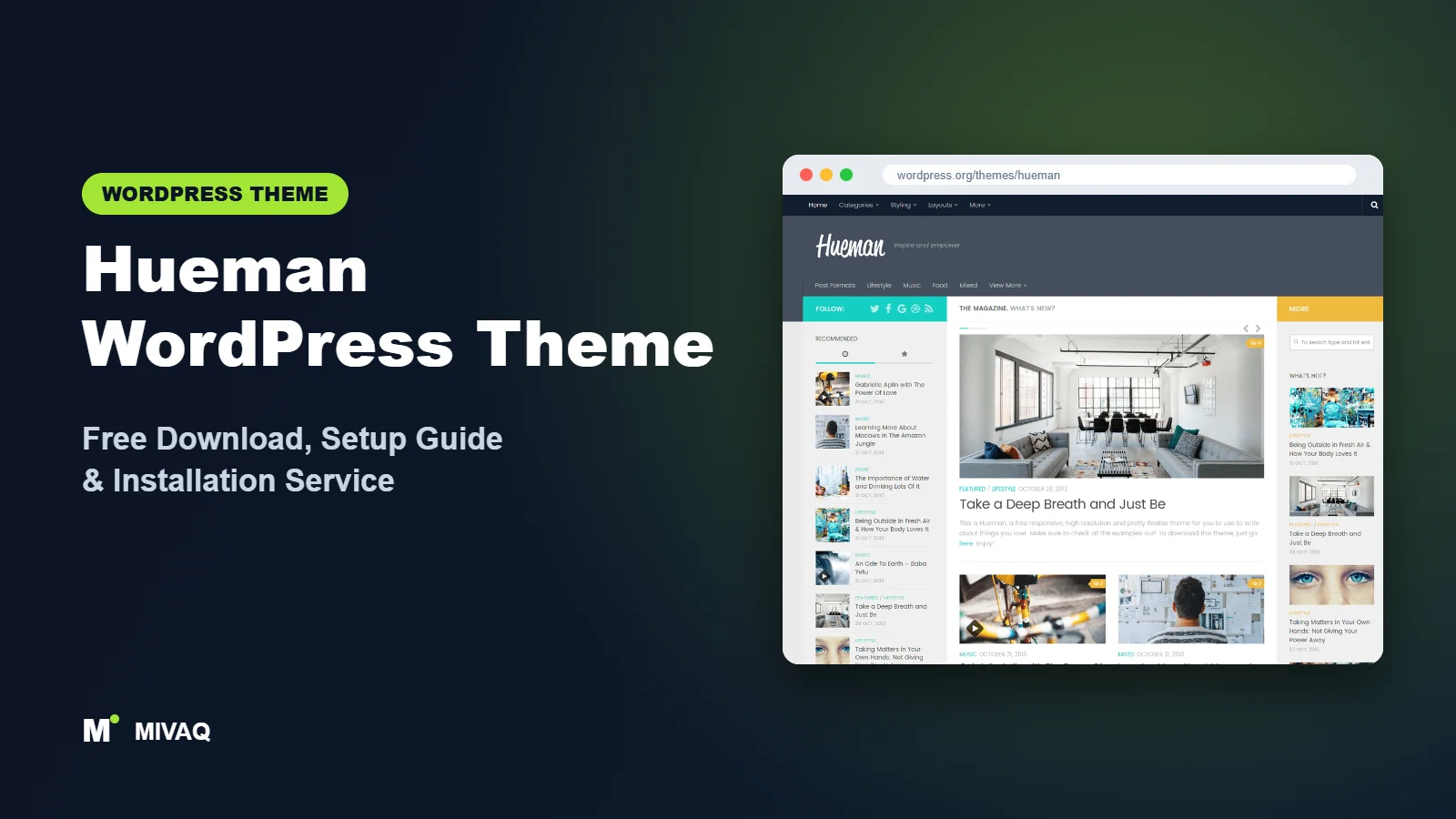
Hueman is one of those themes that many long-time WordPress users recognise instantly: a dark header, a crisp content column flanked by one or two sidebars, and a dense, magazine-like homepage that fits a lot of content on screen without feeling messy. It has been a favourite for blogs and magazines for many years. If you are looking for the Hueman WordPress theme free download, this guide shows where to get it safely, what you need to know about its current update status, and how to set it up well in 2026.
This article is part of our complete guide: How to Build a WordPress Website for Your Business (2026 Guide).
Hueman is 100% free and legal on the official WordPress.org theme directory. It is maintained by Press Customizr, who also develop Customizr, and it has a 4.9/5 rating from more than 680 reviews and 20,000+ active installs.
Important before you start: according to WordPress.org, Hueman was last updated on 10 December 2024. That is a long gap in WordPress terms. The theme still works on many sites, but you should test it on a staging copy with your current WordPress and PHP versions and your plugins before using it on a live site. We explain how below.
What is the Hueman WordPress theme?
Hueman is a classic, Customizer-based theme for blogs and magazines. It was originally created by Alexander Agnarson and later taken over by Press Customizr. Its strength is layout flexibility: you can choose one, two or three columns, set different layouts for the homepage, posts, pages and archives, and create extra sidebar widget zones for specific contexts. The design is compact and information-rich, which is why it remains popular with content-heavy blogs.
| Detail | Hueman |
|---|---|
| Developer | Press Customizr |
| Latest version | 3.7.27 |
| Active installs | 20,000+ |
| Rating | 4.9/5 (684 reviews) |
| Requires WordPress | Not specified on WordPress.org |
| Requires PHP | 5.3 or higher (test with your PHP 8 version) |
| Last updated | 10 December 2024 |
| Theme type | Classic theme (Customizer) |
| Price | Free (Hueman Pro optional) |
Figures are from WordPress.org at the time of writing. The developer’s own description mentions a larger number of websites powered by the theme; the table uses the WordPress.org active-install figure.
Key features of Hueman
- One, two or three column layouts: run a classic blog with one sidebar or a magazine with two sidebars around the content.
- Per-context layouts: set a different layout for the homepage, single posts, pages, archives and search results.
- Dynamic widget zones: create extra sidebars and assign them to specific locations.
- Featured posts on the homepage: highlight selected posts above the main feed.
- Header image and logo options: combine a logo with a header background for a branded look.
- Post formats: styled output for video, audio, gallery, quote and link posts.
- Mobile-friendly design: the developer states that it passes Google’s mobile-friendly checks.
- Social links and translation support: built-in social icons and translation readiness.
The two-sidebar magazine layout
Hueman’s three-column layout is still rare among modern free themes. A narrow left sidebar can hold categories or a newsletter box, the right sidebar can show popular posts and ads, and the content column stays in the middle. On large screens this gives a magazine an “everything at a glance” feel. On phones, the sidebars stack below the content automatically.
Context-specific sidebars
With Hueman’s widget zones you can show a recipe index sidebar only on recipe posts, or a product promotion only in one category. This kind of targeted sidebar usually needs a plugin with other themes.
Hueman free vs Pro: what do you get?
The free version includes the full Hueman design, column layouts, widget zones, featured posts, header options, post formats and social links. Press Customizr also offers a free companion plugin, Hueman Addons, which adds extras such as share buttons and shortcodes.
Hueman Pro is sold by Press Customizr and adds more design options and features on top of the free theme, along with support. Given the time since the last free-version update, check the developer’s site for the current status of Hueman Pro, what it includes and its pricing before purchasing.
For most users, the free version is the right starting point, especially while you test compatibility.
Who should use Hueman?
- Existing Hueman sites that are working well and just need maintenance and optimisation.
- Content-heavy blogs that want to show many posts and widgets on one screen.
- Magazines that like a two-sidebar layout for categories, ads and popular posts.
- Bloggers who prefer the classic Customizer over block-based site editing.
Who should think twice? If you are starting a brand-new site that you want to run for many years, the lack of updates since December 2024 is a real consideration. An actively maintained theme such as ColorMag for magazines or BlogHash for blogs carries less long-term risk. Business sites and online shops should also look elsewhere.
How to check Hueman compatibility safely
- Create a staging copy of your site (many hosts offer one-click staging).
- Make sure staging runs the same WordPress and PHP versions as live.
- Activate Hueman on staging and turn on WordPress debug logging.
- Browse the homepage, posts, archives, search and contact pages, and check for PHP warnings in the log.
- Test your key plugins (SEO, forms, caching, WooCommerce if used) and the block editor.
- Only switch the live site once everything works.
Hueman WordPress theme free download (official and safe)
Download Hueman only from WordPress.org:
- Official theme page: wordpress.org/themes/hueman
- Direct ZIP file: downloads.wordpress.org/theme/hueman.zip
MIVAQ does not distribute theme files; the free download always comes from WordPress.org.
Because Hueman is well known, nulled “Hueman Pro” files circulate widely. They often carry malware, spam links or backdoors and can never be updated safely. If you inherited a site running a cracked copy, our WordPress malware removal guide explains how to clean it up.
How to install Hueman in WordPress (step by step)
Method 1: From the dashboard
- Go to Appearance › Themes and click Add New Theme.
- Search for “Hueman”.
- Click Install on Hueman by Press Customizr.
- Click Activate (ideally on staging first).
Method 2: Upload the ZIP
- Download hueman.zip from the official link.
- Open Appearance › Themes › Add New Theme › Upload Theme.
- Upload the file, click Install Now and then Activate.
Tip: use a child theme for any template or PHP changes. With an older theme this is doubly important: if you need to patch a compatibility issue, the fix belongs in the child theme where an eventual update cannot overwrite it.
How to set up Hueman after installation
Hueman is configured in Appearance › Customize, where its options are grouped into panels. Our recommended order:
- Publish real content first. Hueman shines with many posts. Add at least ten posts with featured images in one consistent ratio.
- Logo and header. Upload your logo, choose whether to show the tagline and add a header image if it suits your brand.
- Global layout. Choose the default column layout, then set specific layouts for the homepage, posts, pages and archives.
- Sidebars and widget zones. Create extra widget zones if needed, assign them to locations and fill them in Appearance › Widgets.
- Featured posts. Enable featured posts on the blog page and choose the category or number of posts.
- Colours and fonts. Set the primary and secondary accent colours and choose a readable font.
- Menus and social links. Assign header and footer menus and add your social profile links.
- Companion plugin. Install Hueman Addons if you want its share buttons and extras.
- Footer. Choose the number of footer widget columns and add About, Contact and legal links.
Hueman speed and SEO checklist
- Measure first. Run PageSpeed Insights on a post and the homepage before changing anything, so you know your baseline.
- Use server caching and image optimisation. Our LiteSpeed speed guide covers this step by step.
- Trim sidebar widgets. Three columns full of widgets add weight. Keep only widgets that earn clicks.
- Use a modern SEO plugin for schema and sitemaps; see Rank Math vs Yoast.
- Keep everything else updated. With an older theme, plugins and core must be current; follow our WordPress security checklist.
- Back up before every update using a tested backup strategy.
Common mistakes when setting up Hueman
- Skipping the compatibility test. Activating an older theme directly on a live site risks errors visitors will see.
- Three columns on every page. Use the three-column layout on the homepage and archives, but give long articles a wider content area.
- Different featured image sizes. Hueman’s thumbnails look broken with mixed ratios.
- Relying on nulled Pro. Old themes are a magnet for cracked copies; only use official files.
- Not planning an exit. Keep notes of your customisations so moving to another theme later is straightforward.
Hueman vs similar free WordPress themes
- Hueman vs Customizr: both come from Press Customizr and were last updated in December 2024. Hueman is for blogs and magazines; Customizr is more of a general-purpose business and blog theme.
- Hueman vs ColorMag: ColorMag is actively maintained, has starter demos and is better for a new magazine. Hueman offers the distinctive two-sidebar layout.
- Hueman vs BlogHash: BlogHash is a modern, actively updated blog theme. Choose it over Hueman for a new blog unless you specifically want Hueman’s dense layout.
Hueman pros and cons
What we like
- Excellent reputation with hundreds of positive reviews.
- Rare one-, two- and three-column flexibility with context-specific layouts.
- Compact, content-rich design ideal for busy blogs.
- Straightforward Customizer settings.
What to consider
- No WordPress.org update since 10 December 2024; test compatibility carefully.
- The design looks more traditional than newer themes.
- No modern starter demo library or header builder.
Our verdict: Hueman is still a capable, well-designed blog and magazine theme, and existing Hueman sites can keep running it with care. For a brand-new long-term project, we recommend testing it on staging first and comparing it with an actively maintained alternative before you commit.
Website design with Hueman: our design service
A blog or news site lives or dies by readability, structure and speed. With our website design service, MIVAQ builds your publication on Hueman: a homepage that surfaces the right stories, clear category structure, author pages, newsletter sign-up areas and ad placements that do not ruin the reading experience.
What our Hueman website design package includes:
- Magazine or blog homepage with featured, latest and category sections
- Category, tag and author structure planned for readers and search engines
- Readable typography, dark-mode friendly colours and fast-loading layouts
- Newsletter sign-up, social sharing and tasteful ad placements
- Article SEO templates, schema basics and Search Console setup
You can see examples in our recent work and case studies, and read more about our WordPress development and SEO services. Every project starts with a free consultation and a fixed price, so you know exactly what you get before we begin.
Want a website designed with Hueman? Contact MIVAQ: WhatsApp +880 1723-189847, email hello@mivaq.com or use our contact form. We usually reply the same day.
Hueman installation and setup service
Whether you are launching on Hueman or maintaining an existing Hueman site, MIVAQ Creative Solutions can help. Our service includes:
- Staging setup and a full compatibility test with your WordPress, PHP and plugins
- Installation from WordPress.org with a child theme
- Layout, sidebars, featured posts, branding and menus
- Speed and SEO basics: caching, image optimisation and Rank Math
- Migration to an actively maintained theme if the test shows problems
We give a fixed quote up front. See our WordPress services or contact us:
- WhatsApp: message us about Hueman
- Email: hello@mivaq.com
- Form: send your project details
Related WordPress theme guides
- Customizr WordPress theme: free download and setup guide
- ColorMag WordPress theme: free download and setup guide
- BlogHash WordPress theme: free download and setup guide
- Ashe WordPress theme: free download and setup guide
- 50 best free WordPress themes
Frequently asked questions
Is Hueman free?
Yes. Hueman is free on WordPress.org under the GPL and can be used on unlimited sites. Hueman Pro is an optional paid version.
Is Hueman still updated?
According to WordPress.org, the last update was on 10 December 2024. Test it on staging with your current WordPress and PHP versions before using it on a live site.
Is Hueman good for SEO?
Hueman uses standard WordPress markup and works with major SEO plugins. Speed, content and an up-to-date SEO plugin matter more than the theme itself.
Does Hueman work with Elementor?
You can use Elementor on individual pages, but Hueman is designed around its own layouts and widgets. Test the combination on staging first.
Can MIVAQ install Hueman for me?
Yes. We can test, install and configure Hueman for a fixed price, or help you move to a newer theme if that is the safer option.


