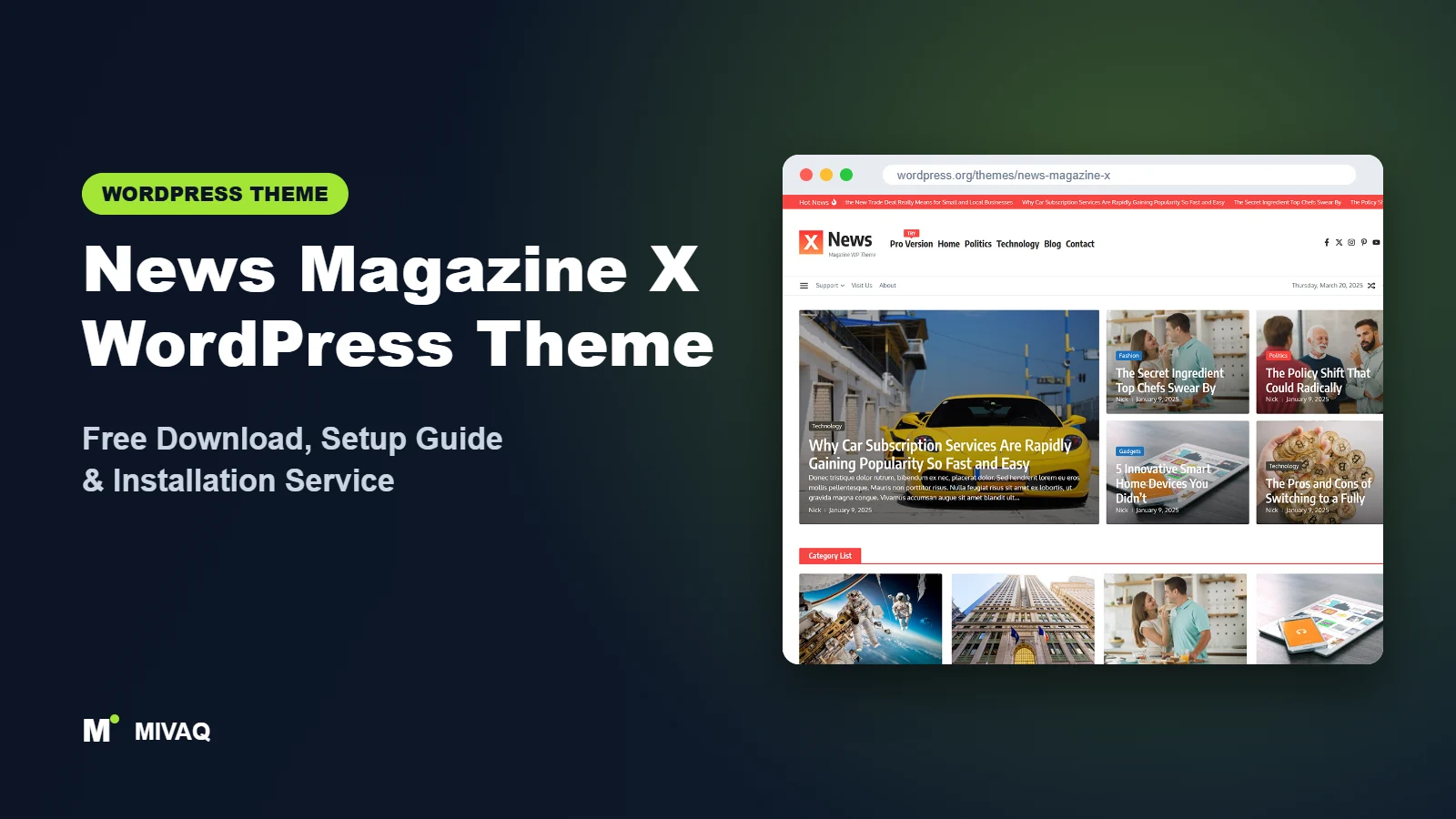
Ask a new magazine owner what they want and the list is usually the same: a header with a news ticker and a dark mode switch, homepage grids of the latest stories, room for ads everywhere, and a newsletter box. Normally that list means a premium theme or a stack of plugins. News Magazine X, from WP Royal, puts most of it into a free theme. This guide covers the official News Magazine X WordPress theme free download, what is free and what is Pro, and how to set it up without getting lost in its many widgets.
This article is part of our complete guide: How to Build a WordPress Website for Your Business (2026 Guide).
News Magazine X is 100% free and legal from the WordPress.org theme directory. It is younger and smaller than some rivals, with 8,000+ active installs, but it holds a perfect 5/5 rating from its reviewers and is updated very frequently. The latest version at the time of writing was released on 6 October 2026.
What is the News Magazine X WordPress theme?
News Magazine X is a classic, Customizer-based blog and magazine theme for bloggers, journalists, online magazines and news sites. It is built around a set of purpose-made widgets (Magazine Grid, Classic Post Grid, Featured Tabs, Featured Post, Subscription, Category List and more) and a Header Footer builder that uses its own widgets such as Logo, Menu, News Ticker, Social Icons, Search, Dark Mode Switcher, Random Post and Offcanvas side menu. It comes from WP Royal, the same developer as the popular Ashe blog theme and Royal Elementor Addons.
| Detail | News Magazine X |
|---|---|
| Developer | WP Royal |
| Latest version | 1.2.59 |
| Active installs | 8,000+ |
| Rating | 5/5 (29 reviews) |
| Requires WordPress | 4.7 or higher |
| Requires PHP | 7.4 or higher |
| Last updated | 6 October 2026 |
| Theme type | Classic theme (Customizer and widgets) |
| Price | Free (News Magazine X Pro optional) |
Figures are from WordPress.org at the time of writing. The rating is based on a relatively small number of reviews, so treat it as a positive signal rather than proof.
Key features of News Magazine X
- Header and footer builder: drag widgets such as logo, menu, ticker, search, social icons and dark mode switch into header and footer rows.
- Dark mode switcher: let readers flip the whole site to a dark theme, a popular feature for evening readers and tech audiences.
- Magazine Grid and Featured Tabs widgets: build homepage sections with large grids or tabbed “Latest / Popular” lists.
- Ads anywhere: place ad code in the header, footer, homepage sections and inner pages.
- News ticker: a scrolling headline bar as a header widget.
- Subscription widget: a newsletter sign-up box to grow your email list.
- Offcanvas side menu: a slide-in panel for extra navigation or widgets, useful on mobile.
- Grid layouts, RTL and translation support: flexible archive layouts and support for right-to-left languages.
A header builder in a free theme
Header builders are usually a premium feature. In News Magazine X you can, for example, put a ticker and date in the top row, the logo and a 728×90 ad in the middle row, and the menu, search and dark mode switch in the bottom row, all without code. This alone is a reason to consider the theme for a magazine.
Built-in monetisation
The theme treats advertising as a first-class feature rather than an afterthought. You can drop AdSense or sponsor banners into multiple locations and keep the layout tidy. Combined with the Subscription widget, you have the two main revenue tools of a small publisher ready from day one.
Dark mode done properly
Many sites add dark mode with a plugin that simply inverts colours, which often ruins logos and images. News Magazine X includes its own switcher widget designed for the theme’s colour scheme, so dark mode looks deliberate. Test your logo against the dark background and upload a light version if needed.
News Magazine X free vs Pro: what do you get?
The free version is generous: the header and footer builder, dark mode switcher, magazine widgets, ad placements, ticker, subscription widget and offcanvas menu are all included.
News Magazine X Pro adds extra widgets and options. The developer’s own description lists a Weather widget as a Pro feature, and Pro versions typically add more layouts, more colour and typography control and premium support. For the current list of Pro features and up-to-date pricing, check WP Royal’s site.
Our suggestion is to build your full site on the free version. Only upgrade if you find a specific Pro widget or setting you genuinely need.
Who should use News Magazine X?
- Independent journalists and small newsrooms who want a full magazine look without paying for a premium theme.
- Ad-funded blogs that need many ad locations.
- Tech, gaming and entertainment magazines where a dark mode switch is appreciated.
- Multi-author blogs with several categories and regular publishing.
- Users who like visual header building but do not want Elementor.
It is less suitable for single-author personal diaries (WP Royal’s own Ashe is a better fit), for company websites, or for very large news operations that need a theme with a long track record and huge community.
News Magazine X WordPress theme free download (official and safe)
Download only from the official WordPress.org sources:
- Official theme page: wordpress.org/themes/news-magazine-x
- Direct ZIP file: downloads.wordpress.org/theme/news-magazine-x.zip
MIVAQ does not distribute theme files; the free download always comes from WordPress.org.
Skip any site promising “News Magazine X Pro nulled” or “cracked”. Such files are a known route for malware, hidden admin accounts and SEO spam, and they never receive the frequent updates WP Royal ships. If you suspect your site has been compromised, our WordPress malware removal guide will help.
How to install News Magazine X in WordPress (step by step)
Method 1: From the dashboard
- Go to Appearance › Themes and click Add New Theme.
- Search for “News Magazine X”.
- Click Install on the theme by WP Royal.
- Click Activate.
Method 2: Upload the ZIP
- Download news-magazine-x.zip from the official link.
- Go to Appearance › Themes › Add New Theme › Upload Theme.
- Select the ZIP, click Install Now, then Activate.
Tip: because this theme is updated almost weekly, never edit its files directly. Put custom code in a child theme or a code snippets plugin.
How to set up News Magazine X after installation
News Magazine X has a lot of widgets, so a clear order of work saves time:
- Prepare content. Create your categories and publish at least eight posts with featured images in the same aspect ratio.
- Site identity. In Appearance › Customize, upload your logo (plus a light version for dark mode if your logo is dark) and a site icon.
- Header builder. Open the header builder and arrange rows: ticker and date on top, logo and ad in the middle, menu, search and dark mode switch at the bottom.
- Menus. Create a main category menu and assign it to the Menu widget; add an offcanvas menu for secondary links.
- Homepage widgets. Add a Magazine Grid at the top for featured stories, then Classic Post Grid and Featured Tabs sections for your main categories.
- Sidebar. Add Featured Post, Category List and Subscription widgets.
- Ads. Paste ad code into the header and between homepage sections; keep the count modest at launch.
- Colours and typography. Set a primary accent colour and readable fonts, then check both light and dark modes.
- Footer builder. Add About text, social icons, a footer menu and copyright line.
If you later want custom landing pages, WP Royal’s Royal Elementor Addons plugin pairs naturally with this theme.
News Magazine X speed and SEO checklist
- Cache and optimise. Many widgets and ads mean many requests. Follow our LiteSpeed speed guide to enable caching, lazy loading and WebP images.
- Delay ad scripts where your caching plugin allows it, to protect Core Web Vitals.
- Choose an SEO plugin with news schema support; compare options in Rank Math vs Yoast.
- Write sharp, accurate headlines using our title tag SEO guide.
- Secure logins and updates with our WordPress security checklist.
- Back up before updates using a tested backup strategy, as this theme updates often.
Common mistakes when setting up News Magazine X
- Using every widget at once. The theme offers many widgets, but a homepage with fifteen sections is slow and confusing. Five or six focused sections work better.
- Forgetting dark mode testing. Logos, ad banners and images with transparent backgrounds can disappear in dark mode.
- Ad overload. Too many banners above the fold can hurt rankings and trust.
- A dead subscription box. Connect the Subscription widget to a working email service and test it.
- Ignoring the mobile header. Build and check the mobile header separately so the ticker and switcher do not crowd the logo.
News Magazine X vs similar free WordPress themes
- News Magazine X vs ColorMag: ColorMag has a far larger user base and more starter demos. News Magazine X gives you a header builder and dark mode for free. Pick ColorMag for proven stability, News Magazine X for more header flexibility.
- News Magazine X vs Newsup: both rely on widgets. Newsup is more established; News Magazine X has the more modern builder and switcher.
- News Magazine X vs Newsmatic: Newsmatic is the better pick if you want to design with Elementor. News Magazine X keeps everything inside the Customizer and widgets.
News Magazine X pros and cons
What we like
- Header and footer builder and dark mode switch in the free version.
- Lots of magazine widgets and ad positions.
- Very frequent updates from an experienced developer.
- Perfect rating from its reviewers so far.
What to consider
- Smaller install base and fewer third-party tutorials.
- Many options can overwhelm complete beginners.
- Some widgets, such as Weather, are Pro-only.
Our verdict: News Magazine X is one of the most feature-rich free magazine themes available today. If you want a header builder, dark mode and plenty of ad space without paying for a premium theme, it is an excellent choice, as long as you keep the homepage focused and the site well cached.
Website design with News Magazine X: our design service
A blog or news site lives or dies by readability, structure and speed. With our website design service, MIVAQ builds your publication on News Magazine X: a homepage that surfaces the right stories, clear category structure, author pages, newsletter sign-up areas and ad placements that do not ruin the reading experience.
What our News Magazine X website design package includes:
- Magazine or blog homepage with featured, latest and category sections
- Category, tag and author structure planned for readers and search engines
- Readable typography, dark-mode friendly colours and fast-loading layouts
- Newsletter sign-up, social sharing and tasteful ad placements
- Article SEO templates, schema basics and Search Console setup
You can see examples in our recent work and case studies, and read more about our WordPress development and SEO services. Every project starts with a free consultation and a fixed price, so you know exactly what you get before we begin.
Want a website designed with News Magazine X? Contact MIVAQ: WhatsApp +880 1723-189847, email hello@mivaq.com or use our contact form. We usually reply the same day.
News Magazine X installation and setup service
MIVAQ Creative Solutions can install and customise News Magazine X so your magazine launches looking professional. Our service includes:
- Installation from WordPress.org and child theme setup
- Header and footer builder layout with ticker and dark mode
- Branding: logo variants, colours, fonts and menus
- Homepage widget sections, ad placements and newsletter connection
- About, Contact, Advertise and legal pages, plus WooCommerce if needed
- Speed and SEO basics: caching, image optimisation and Rank Math
Every job is priced with a fixed quote. View our WordPress services or contact us:
- WhatsApp: message us about News Magazine X
- Email: hello@mivaq.com
- Form: send your project details
Related WordPress theme guides
- Ashe WordPress theme: free download and setup guide
- ColorMag WordPress theme: free download and setup guide
- Newsup WordPress theme: free download and setup guide
- Newsmatic WordPress theme: free download and setup guide
- 50 best free WordPress themes
Frequently asked questions
Is News Magazine X free?
Yes. The theme is free on WordPress.org and can be used on unlimited sites. A Pro version with extra widgets is optional.
Is News Magazine X good for SEO?
It uses clean, standard WordPress markup and works with all major SEO plugins. Keep ads and widgets under control so page speed stays strong.
Does News Magazine X work with Elementor?
Yes. You can design pages with Elementor, and WP Royal’s free Royal Elementor Addons plugin adds matching widgets and templates.
Can I use News Magazine X for WooCommerce?
Yes, it supports WooCommerce for a small shop, such as merchandise or digital products, alongside your magazine.
Can MIVAQ install News Magazine X for me?
Yes. We install the theme, design the header and homepage, set up ads and newsletter and handle speed and SEO basics for a fixed price.


