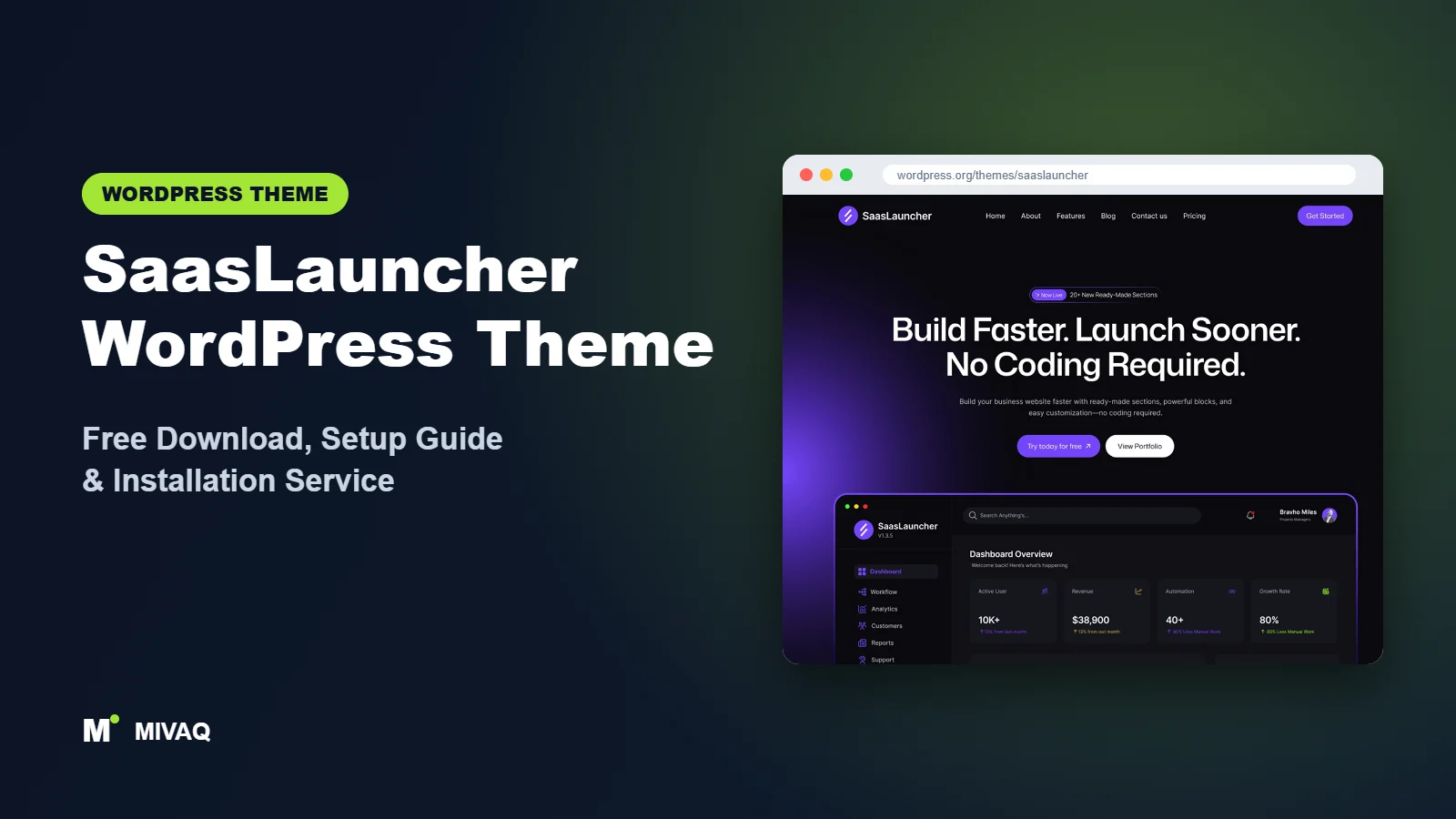
Launching a software product means juggling a hundred things, and the website is often built in a rush the week before launch. SaasLauncher is designed for exactly that moment. It is a full site editing (FSE) block theme by CozyThemes with sections for hero banners, features, pricing tables, testimonials and FAQs, all editable in the WordPress Site Editor without code. If you are searching for the SaasLauncher WordPress theme free download, it is 100% free and legal on WordPress.org.
This article is part of our complete guide: How to Build a WordPress Website for Your Business (2026 Guide).
In this guide we approach SaasLauncher like a product team would: what pages a SaaS site needs, how the theme’s patterns map to them, how to set it up in the Site Editor, and what to watch out for so your launch page is fast, credible and easy to update as the product changes.
What is the SaasLauncher WordPress theme?
SaasLauncher is a modern block theme for SaaS businesses, startups, software companies, digital agencies, technology firms and consultants. CozyThemes says it includes 70+ ready-to-use website sections and 50+ starter templates for homepages, landing pages, product showcases, service pages, pricing sections, testimonials and team pages. Here are the facts from WordPress.org:
| Detail | SaasLauncher |
|---|---|
| Developer | CozyThemes |
| Latest version | 2.0.21 |
| Active installs | 4,000+ |
| Rating | 5/5 from 12 reviews |
| Requires WordPress | 6.0 or higher |
| Requires PHP | 7.4 or higher |
| Last updated | 28 September 2026 |
| Theme type | Block theme (full site editing) |
| Price | Free (premium version available from CozyThemes) |
SaasLauncher is the smallest theme in this group by installs, but it has a perfect score from its reviewers so far and is actively maintained, with an update at the end of September 2026.
Key features of SaasLauncher
- Full site editing: headers, footers, page templates and global styles are all edited visually in Appearance › Editor.
- 70+ block patterns: ready sections for heroes, feature grids, pricing, testimonials, FAQs, logos, team and calls to action.
- 50+ starter templates: complete page layouts for homepages, landing pages and service pages.
- Style variations: switch the whole colour and typography scheme in one click from the Styles panel.
- Native blocks: built with Gutenberg blocks, so no page builder plugin is required for the core design.
- Block editor styles and wide blocks: what you see in the editor matches the front end.
- Blog and portfolio ready: templates for posts and archives to support content marketing and case studies.
- RTL and translation ready.
Patterns that match how SaaS sites are structured
Almost every successful software website follows a similar story: a clear promise, proof that the product works, an explanation of features, pricing, answers to objections and a final call to action. SaasLauncher’s patterns map directly to those blocks, so you are assembling a proven structure rather than designing from scratch.
Style variations for quick branding
In the Site Editor, open Styles and try the included variations. Each one changes colours and fonts across the whole site. Pick the closest to your brand, then fine-tune the palette with your exact brand colours.
No page builder lock-in
Because everything is made from native blocks, your content remains portable. If you switch theme in a few years, your pages are still standard WordPress blocks rather than builder shortcodes.
The pages every SaaS site needs
Before you start clicking, write down the pages your buyers expect. For most software products that means a home page, a features page (or one page per major feature), a pricing page, an about page, a contact or demo request page, legal pages and a blog or changelog. Some products also benefit from “alternatives” or comparison pages and an integrations page. SaasLauncher’s starter templates cover most of these, so you can create each page from a template and only adjust the copy, which keeps the whole site visually consistent from the first day.
SaasLauncher free vs Pro: what do you get?
The free theme includes the full site editing templates, the patterns and the style variations, which is enough to launch a complete SaaS website. CozyThemes also offers a premium version with additional patterns, templates and features, plus support. Pro features and prices change, so check the developer’s site for current Pro pricing and details.
| Area | SaasLauncher Free | Premium version |
|---|---|---|
| Full site editing templates | Yes | Yes |
| Patterns and starter templates | 70+ sections, 50+ templates | Additional designs |
| Style variations | Included | Included |
| Support | WordPress.org forum | Premium support |
Most early-stage startups can launch on the free version and revisit the question once they have paying customers.
Who should use SaasLauncher?
- SaaS founders launching a web app, browser extension or AI tool.
- Startups that need a credible marketing site quickly and want the team to edit it without a developer.
- Digital agencies and consultants presenting services, pricing and case studies.
- Product teams creating separate landing pages for features or campaigns.
Who should not: if you rely on Elementor and do not want to learn the Site Editor, choose a builder-friendly theme like Page Builder Framework or Futurio. If you are opening an online store with many physical products, a WooCommerce theme such as Botiga is a better fit.
SaasLauncher WordPress theme free download (official and safe)
- Official theme page: wordpress.org/themes/saaslauncher
- Direct ZIP file: downloads.wordpress.org/theme/saaslauncher.zip
Avoid “SaasLauncher Pro nulled” downloads from unofficial sites. Tampered themes can include backdoors that steal sign-up data or inject spam, which is the last thing a new startup needs. If your site shows signs of infection, our WordPress malware removal service can help. MIVAQ does not distribute theme files; WordPress.org is the official free source.
How to install SaasLauncher in WordPress (step by step)
Method 1: from the dashboard
- Go to Appearance › Themes › Add New Theme.
- Search for “SaasLauncher”.
- Click Install, then Activate.
Method 2: upload the ZIP
- Download saaslauncher.zip from WordPress.org.
- Open Appearance › Themes › Add New Theme › Upload Theme.
- Choose the file, click Install Now, then Activate.
SaasLauncher needs WordPress 6.0 and PHP 7.4 or newer. Use the latest WordPress version for the best Site Editor experience.
Child theme tip: with block themes, changes made in the Site Editor are stored in the database, not in theme files, so updates will not overwrite them. You only need a child theme if you want to edit theme.json or template files directly, for example to lock brand colours for a whole team.
How to set up SaasLauncher after installation
Block themes are configured in the Site Editor rather than the Customizer. Open Appearance › Editor and follow this order:
- Choose a style variation under Styles, then set your exact brand colours and fonts.
- Edit the header template part: add your logo, navigation and a “Start free trial” or “Book a demo” button.
- Edit the footer: product links, company links, legal pages and social icons.
- Build the home page from patterns: hero, logos of real customers (only if you have permission), features, how it works, pricing, testimonials, FAQ and final call to action.
- Create key pages: Pricing, Features, About, Contact, Privacy and Terms, using the starter templates.
- Set up the blog for content marketing and product updates.
- Connect your app: link sign-up and login buttons to your application, and add your analytics and cookie consent tools.
- Install a companion plugin only if needed: if the theme recommends a CozyThemes block plugin for certain patterns, install it from WordPress.org.
Example: launching an AI writing tool
Picture a two-person startup launching an AI tool that writes product descriptions for online shops. Their home page hero says exactly that in one sentence, with “Try it free” and “See examples” buttons. A three-column features pattern covers bulk generation, brand voice and Shopify or WooCommerce export. A “how it works” section shows three steps with screenshots. The pricing pattern presents three plans with a highlighted middle tier. The FAQ answers data privacy and cancellation questions, and the final call to action repeats the free trial offer. Everything is built from SaasLauncher patterns in a day, and the founders can update pricing in the editor whenever they experiment, without waiting on a developer.
SaasLauncher speed and SEO checklist
- Block themes are naturally lean; keep them that way by avoiding heavy sliders and multiple block libraries. Our LiteSpeed guide helps with caching.
- Export screenshots as WebP and size them to the space they occupy.
- Write unique titles for Pricing, Features and comparison pages using our title tag guide.
- Choose an SEO plugin using our Rank Math vs Yoast comparison and add FAQ schema where appropriate.
- Describe product screenshots with alt text, following our alt text guide.
- Protect sign-up forms with our WordPress security checklist.
Common mistakes when setting up SaasLauncher
- Looking for settings in the Customizer: SaasLauncher is a block theme, so most design settings live in Appearance › Editor.
- Using fake testimonials or logos: placeholder social proof destroys trust. Remove sections until you have real ones.
- Too many patterns on one page: pick the sections that answer your buyer’s questions and drop the rest.
- Editing templates and forgetting which page uses which: name custom templates clearly.
- No backups: Site Editor changes are stored in the database, so follow our backup strategy.
SaasLauncher vs similar free WordPress themes
SaasLauncher vs Kubio: Kubio adds its own page builder blocks and detailed styling controls; SaasLauncher uses core blocks with ready SaaS patterns. Pick SaasLauncher for speed of launch, Kubio for maximum design control.
SaasLauncher vs Page Builder Framework: Page Builder Framework is a classic theme for Elementor and similar builders. Choose it if your team already designs in a builder; choose SaasLauncher if you want a block-only workflow.
SaasLauncher vs Solace: Solace is for blogs and reading; SaasLauncher is for product marketing. Startups that publish a lot can still run their blog on SaasLauncher rather than switching themes.
From another group, Ollie is another popular block theme with strong patterns, more general-purpose than SaasLauncher.
SaasLauncher pros and cons
What we like
- Patterns and templates designed specifically for SaaS and startup sites.
- Full site editing with native blocks, no builder lock-in.
- Style variations for fast branding.
- Perfect 5/5 rating so far and active development.
What to consider
- Smaller user base (4,000+ installs) and only 12 reviews.
- Requires comfort with the Site Editor.
- Not intended for large WooCommerce stores.
Our verdict: SaasLauncher is one of the quickest free ways to launch a professional SaaS or startup website on WordPress. If you are happy working with blocks, it gives you a proven page structure out of the box.
Website design with SaasLauncher: our design service
Whether you want an online shop, a portfolio or a product landing page, SaasLauncher can carry it, but the results depend on design decisions. MIVAQ offers a full website design service on SaasLauncher: we design your homepage, product or project pages and checkout journey, prepare images that keep the site fast, and set up the details that help visitors buy or enquire.
What our SaasLauncher website design package includes:
- Store, portfolio or landing page design tailored to your products or projects
- Product, category and checkout pages set up for easy buying (WooCommerce where needed)
- Image preparation and layout that keep pages fast on mobile
- Payment, shipping and email setup for shops; galleries and enquiry forms for portfolios
- Product and page SEO, analytics and Search Console at launch
You can see examples in our recent work and case studies, and read more about our WordPress development and SEO services. Every project starts with a free consultation and a fixed price, so you know exactly what you get before we begin.
Want a website designed with SaasLauncher? Contact MIVAQ: WhatsApp +880 1723-189847, email hello@mivaq.com or use our contact form. We usually reply the same day.
SaasLauncher installation and setup service
Launching soon? MIVAQ can set up SaasLauncher for you: installation, child theme if needed, style and brand setup, header and footer, home, pricing and feature pages from patterns, sign-up integration, analytics, and speed and SEO basics, all for a fixed quote. See our WordPress services or contact us:
- WhatsApp: message us about SaasLauncher
- Email: hello@mivaq.com
- Form: send your project details
Related WordPress theme guides
- Kubio WordPress theme free download and setup
- Page Builder Framework free download and setup
- Solace WordPress theme free download and setup
- Ollie WordPress theme free download and setup
- 50 best free WordPress themes
Frequently asked questions
Is SaasLauncher free?
Yes. SaasLauncher is free on WordPress.org. CozyThemes also offers an optional premium version.
Is SaasLauncher a block theme?
Yes. It is a full site editing block theme, so you design headers, footers and templates in Appearance › Editor.
Does SaasLauncher work with Elementor?
It is built for the block editor. You can use Elementor on individual pages, but you would lose the benefit of its block patterns.
Is SaasLauncher good for SEO?
Block themes are lightweight and SaasLauncher uses native blocks, which helps performance. Pair it with an SEO plugin and strong content.
Can MIVAQ install SaasLauncher for me?
Yes. We set up and brand SaasLauncher sites for a fixed price. WhatsApp us or email hello@mivaq.com.


