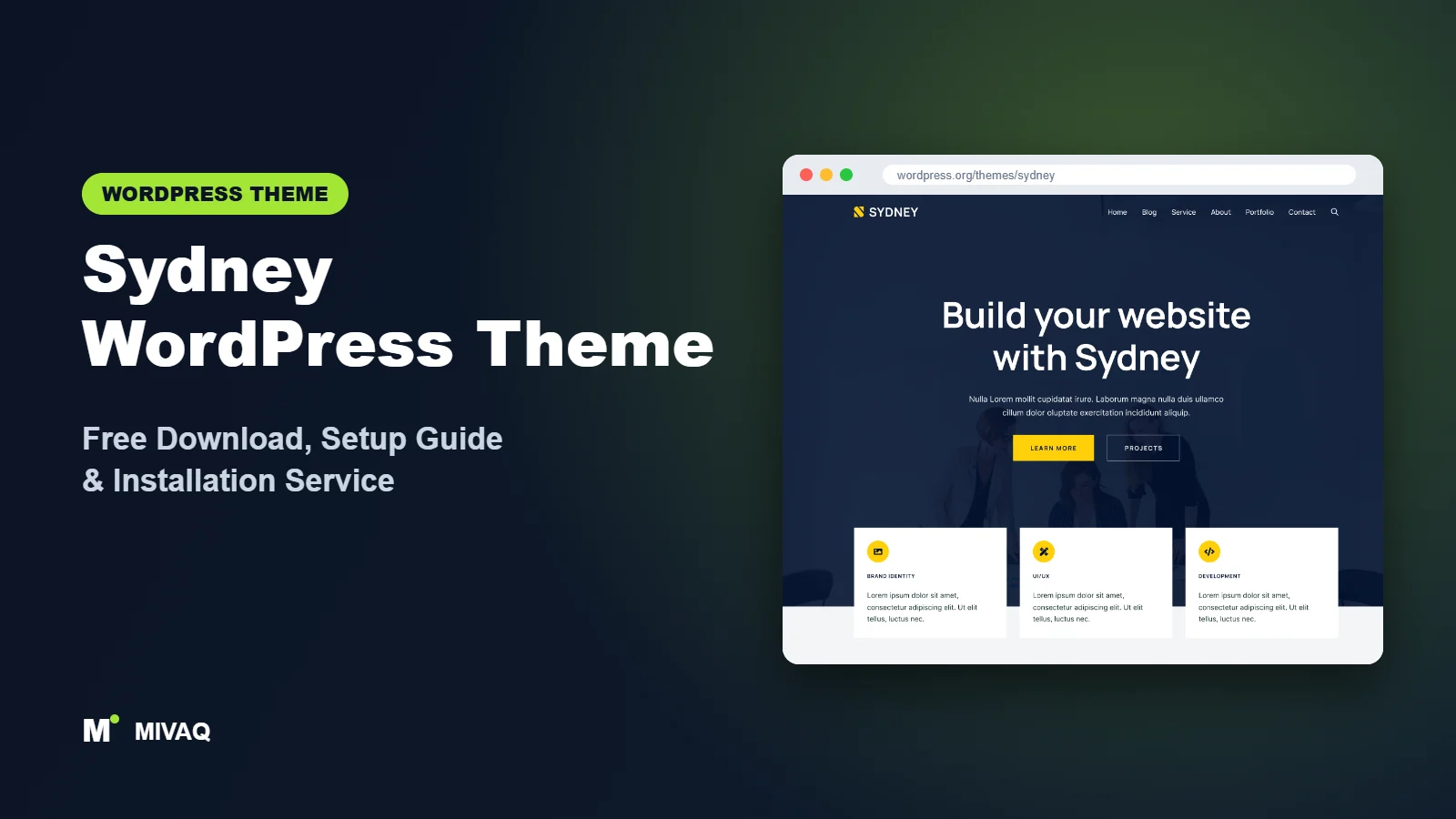
Sydney has been a go-to business theme for years, mainly because it gets one thing right straight away: a big, confident first impression. A full-screen hero slider or header image, a sticky menu and clean business sections make it easy to look established even if you launched last week. If you are looking for the Sydney WordPress theme free download, this guide covers the official source, installation, and a setup approach that keeps Sydney’s striking look without sacrificing speed.
This article is part of our complete guide: How to Build a WordPress Website for Your Business (2026 Guide).
Sydney is 100% free and legal to download from WordPress.org. Its developer, aThemes, offers an optional Sydney Pro upgrade, but the free theme is a fully working business theme that you can use on unlimited sites.
At MIVAQ we often recommend Sydney to service businesses, such as consultants, agencies, construction firms and clinics, that want a professional homepage with a strong visual opening. Here is how we approach it.
What is the Sydney WordPress theme?
Sydney is a classic, Customizer-based business theme by aThemes. According to its WordPress.org description, it is fast and highly customisable, aimed at businesses, freelancers and creative portfolios, and it works with both Elementor and the block editor, including a library of block patterns. It offers full control over Google Fonts, colours and layout, a full-screen slider, header images and sticky navigation, and it is responsive, translation ready and WooCommerce compatible.
| Detail | Sydney |
|---|---|
| Developer | aThemes |
| Latest version | 2.71 |
| Active installs | 80,000+ |
| Rating | 4.9/5 from 794 reviews |
| Requires WordPress | Not specified on WordPress.org (works with current versions) |
| Requires PHP | 7.2 or higher |
| Last updated | 26 August 2026 |
| Theme type | Classic theme (Customizer based) |
| Price | Free (Sydney Pro optional) |
Details are taken from the official WordPress.org listing at the time of writing and change with updates.
Key features of Sydney
- Full-screen hero slider or header image: make an immediate visual statement on the homepage.
- Sticky navigation: the menu stays visible as visitors scroll, keeping key pages one click away.
- Header and footer builder: arrange header and footer elements visually in the Customizer.
- Starter sites: ready-made business designs imported through aThemes’ free starter sites plugin.
- Elementor and block editor support: design pages with either, plus block patterns for quick sections.
- Typography and colour control: full Google Fonts library and global colour settings.
- WooCommerce compatible: styled shop pages for selling products or services.
- Translation and RTL friendly for multilingual businesses.
The hero section that sells your service
Sydney’s hero area is its signature. You can show a slider with several images and headline texts, a single static header image, or turn it off on inner pages. Used well, a single strong image with a clear headline and one button converts better than a five-slide carousel; we generally recommend one slide, a short value statement and a direct call to action.
Block patterns for quick page building
Newer versions of Sydney include block patterns: pre-designed sections like service grids, testimonials, call-to-action banners and team sections that you insert into any page in the block editor. They are a fast way to build inner pages without installing a page builder.
Starter sites for common business types
Through the starter sites plugin, Sydney offers complete designs for niches such as business consulting, digital agencies, photography and more. Each import brings pages, menus and Customizer settings so you can focus on replacing content.
Sydney free vs Pro: what do you get?
The free version gives you the hero slider and header image, sticky navigation, header and footer builder, colours and typography, block patterns, a selection of starter sites and WooCommerce compatibility. Sydney Pro adds more of everything: additional starter sites, extra header layouts and elements, more Elementor widgets, advanced WooCommerce options, extra page and post layouts, and further styling controls, plus premium support.
Feature lists and pricing are updated regularly, so check the developer’s site for current Pro pricing. For a typical service business with five to ten pages, the free version is usually plenty; agencies and larger stores benefit more from Pro.
Who should use Sydney?
- Service businesses that want a bold homepage with a clear call to action.
- Agencies and freelancers showcasing services and portfolio work.
- Local companies such as builders, cleaners, clinics and law firms.
- Elementor users who want a business-focused base with ready-made sections.
- Startups needing a credible site quickly from a starter design.
Sydney is less suitable for content-heavy blogs or magazines, where a reading-focused theme like GeneratePress serves better. Large WooCommerce stores may also prefer a shop-first theme such as Storefront, Blocksy or OceanWP.
Is Sydney right for your project? A quick test
Before installing, ask yourself three questions. First, is your homepage the main sales page? If most visitors land on the homepage and you want them to call, book or request a quote, Sydney’s hero-led layout is a natural fit. Second, will you publish many articles? If the blog is the heart of the site, a reading-first theme will serve you better. Third, who will maintain the site? Sydney works well with block patterns, so a non-technical owner can update text and images without touching a page builder, while agencies can still use Elementor where they need more design control. If your answers point to a visual, service-led homepage with occasional news posts, Sydney is very likely a good match.
Sydney WordPress theme free download (official and safe)
Download Sydney only from WordPress.org:
- Official page: Sydney on WordPress.org
- Direct ZIP file: downloads.wordpress.org/theme/sydney.zip
Avoid “Sydney Pro nulled” files from download sites. Pirated themes commonly hide malicious code that redirects visitors, adds spam pages or opens a backdoor for attackers, and they never get security updates. If your site is already showing warning signs, see our WordPress malware removal guide. MIVAQ does not distribute theme files; the free theme always comes from WordPress.org.
How to install Sydney in WordPress (step by step)
Method 1: from the dashboard
- Go to Appearance › Themes › Add New Theme.
- Search for “Sydney”.
- Click Install on the Sydney card by aThemes, then Activate.
- Open the theme dashboard to install recommended plugins and starter sites if you want them.
Method 2: upload the ZIP
- Download sydney.zip from the official link.
- Go to Appearance › Themes › Add New Theme › Upload Theme.
- Select the file, click Install Now, then Activate.
Child theme tip: aThemes provides a Sydney child theme you can download from its site. Use it for any PHP or template changes, so your work is not overwritten when Sydney updates.
How to set up Sydney after installation
Sydney combines a theme dashboard (Appearance › Theme Dashboard) with the Customizer. A clear setup path:
- Decide on a starter site. Browse starter sites in the theme dashboard, choose Elementor or block editor versions, and import on a fresh installation.
- Configure the hero. In Customize, open the hero area settings and choose slider, image or none. Upload a high-quality, compressed image, write a short headline and add one button.
- Header. Use the header builder to place the logo, menu and a call-to-action button, enable sticky navigation and check the mobile menu.
- Colours and typography. Set your brand colours and choose one heading and one body font from Google Fonts.
- Footer. Add widget columns for contact details, services and opening hours, plus a copyright line.
- Build inner pages. Use Sydney’s block patterns or Elementor to create Services, About, Portfolio and Contact pages.
- Blog layout. Choose archive and single-post layouts and sidebar settings.
- Homepage and menus. Set a static front page in Settings › Reading and assign your menus.
Example: a Sydney homepage for a local service business
For a home renovation company, our Sydney homepage typically starts with a single hero image of a finished project, the headline “Kitchen and bathroom renovations in [city]” and a “Get a free quote” button. Below that come three service blocks with icons, a short “why choose us” section with years of experience and guarantees the client can genuinely back up, a gallery of recent projects, two or three real testimonials, and a final call-to-action strip with the phone number. The sticky header keeps the quote button visible throughout. Each section is built with Sydney’s block patterns, so the page stays light and the owner can edit text without learning a page builder.
Sydney speed and SEO checklist
- Use one hero image instead of a multi-image slider; it loads faster and converts better.
- Compress hero and gallery images and serve WebP files.
- Limit Google Fonts to two families with only the weights you use.
- Set up caching and optimisation with our LiteSpeed speed guide.
- Choose an SEO plugin using our Rank Math vs Yoast guide, and write strong titles with our title tag SEO guide.
- Describe project photos with useful alt text; see our image alt text guide.
- Secure the site using our WordPress security checklist.
Common mistakes when setting up Sydney
- Overloading the slider. Several huge slides slow the page and distract visitors.
- Unreadable hero text. Light text on a busy image is hard to read; add an overlay or choose a calmer photo.
- Keeping demo text and stock photos. Generic content weakens trust and SEO.
- Mixing Elementor and block-pattern pages randomly. Choose one approach for consistency.
- Not checking the sticky header on mobile. It should not cover too much of a small screen.
Sydney vs similar free WordPress themes
| Theme | Best for | Key difference |
|---|---|---|
| Sydney | Service businesses with a bold homepage | Hero slider, sticky menu and business patterns |
| Hestia | One-page business sites | Material design with frontpage sections |
| Astra | Template-led multipurpose sites | Larger template library |
| Neve | Lightweight business sites | Mobile-first with minimal code |
Choose Sydney if your homepage needs a striking visual opening and business sections. Choose Hestia for a single scrolling homepage, Astra for maximum template variety, or Neve for the lightest base.
Sydney pros and cons
What we like
- Strong, business-ready design out of the box.
- Hero slider, sticky menu and header builder in the free version.
- Works with Elementor and the block editor.
- High user rating and regular updates.
What to consider
- Large hero images can hurt speed if not optimised.
- Less suited to blogs and magazines.
- Several advanced features require Pro.
Our verdict: Sydney is a reliable free theme for service businesses that want to look established quickly. Keep the hero simple and the images optimised, and it delivers both style and speed.
Website design with Sydney: our design service
Installing Sydney takes minutes; turning it into a website that wins customers takes design, copy and strategy. MIVAQ offers a complete website design service built on Sydney: we plan your pages, design a layout that matches your brand and set up everything so you can edit it yourself afterwards. Sydney gives us a fast, flexible base, and we add the structure, content and conversion details that turn visitors into enquiries.
What our Sydney website design package includes:
- Brand-matched design: logo, colours, fonts and a consistent style across every page
- Homepage, about, services, blog and contact pages written and laid out for conversions
- Header, footer and mobile menu built with the theme settings, no bloated extras
- Contact forms, WhatsApp button, Google Maps and booking or quote forms
- On-page SEO, speed optimisation and Google Search Console setup at launch
You can see examples in our recent work and case studies, and read more about our WordPress development and SEO services. Every project starts with a free consultation and a fixed price, so you know exactly what you get before we begin.
Want a website designed with Sydney? Contact MIVAQ: WhatsApp +880 1723-189847, email hello@mivaq.com or use our contact form. We usually reply the same day.
Sydney installation and setup service
Want a professional Sydney site without the setup work? MIVAQ handles everything: installing Sydney from WordPress.org, creating a child theme, importing and cleaning a starter site, branding, hero design, service pages, WooCommerce if needed, and speed and SEO basics, all for a fixed quote. See our WordPress services or contact us:
- WhatsApp: message us about Sydney
- Email: hello@mivaq.com
- Form: send your project details
Related WordPress theme guides
- Hestia WordPress theme free download and setup
- Neve WordPress theme free download and setup
- Astra WordPress theme free download and setup
- Hello Elementor WordPress theme free download and setup
- 50 best free WordPress themes
Frequently asked questions
Is Sydney free?
Yes. Sydney is free on WordPress.org under the GPL and can be used on unlimited sites. Sydney Pro is an optional upgrade.
Is Sydney good for SEO?
Sydney provides clean code and responsive design, which support SEO. Optimise hero images, write helpful service content and use an SEO plugin for the best results.
Does Sydney work with Elementor?
Yes. Sydney is designed to work with Elementor, and many of its starter sites are built with it. It also supports the block editor.
Can I use Sydney for WooCommerce?
Yes. Sydney is WooCommerce compatible and styles shop pages; Pro adds more store options.
Can MIVAQ install Sydney for me?
Yes. We install, design and optimise Sydney websites for businesses. WhatsApp us or email hello@mivaq.com for a fixed quote.


