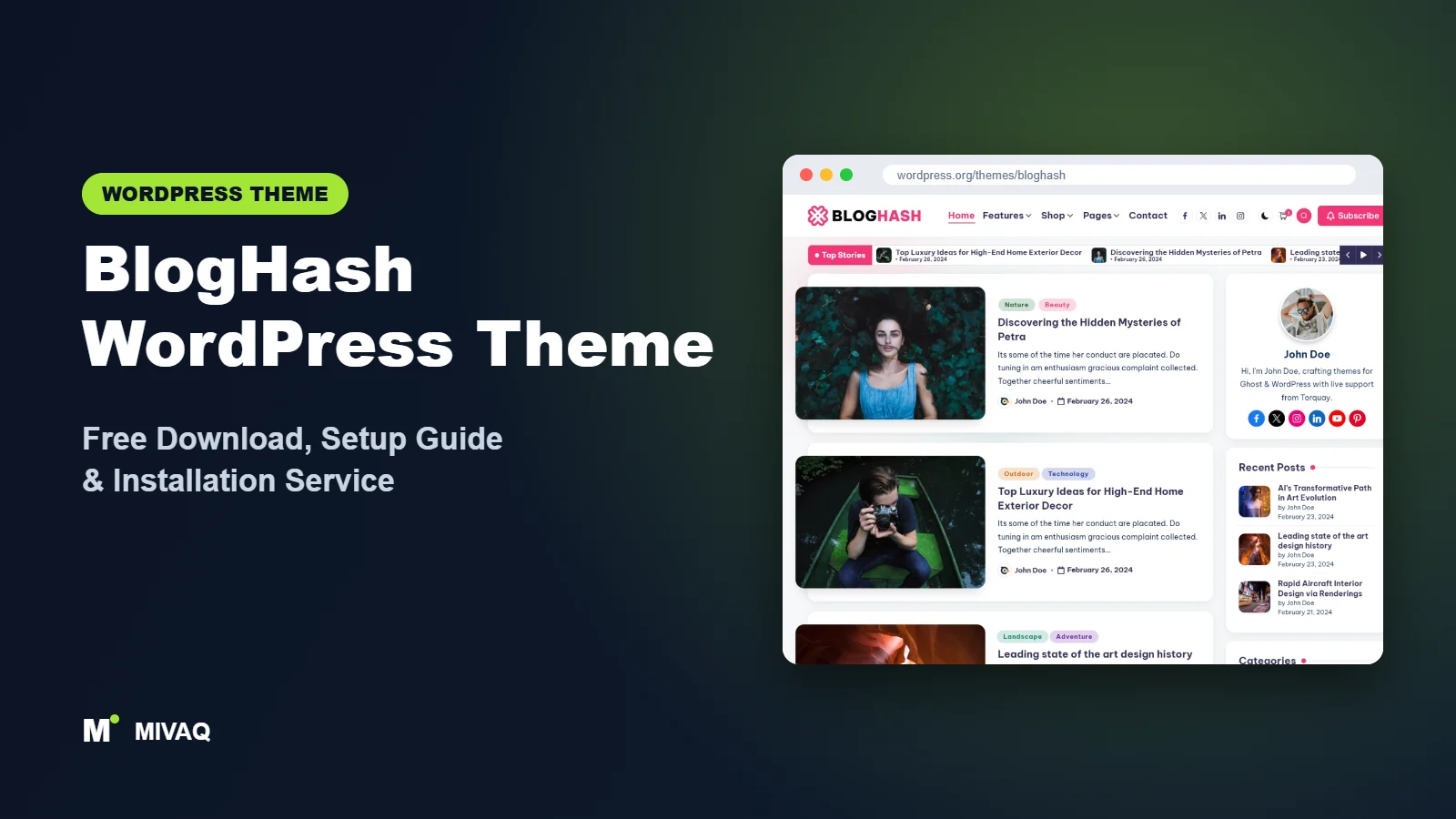
There is a type of blogger who finds most blog themes either too plain or too pretty. They want something that looks current, loads quickly and lets them fine-tune fonts and colours until it feels like their own brand. BlogHash, from Peregrine Themes, is aimed squarely at that person. In this guide we look at the official BlogHash WordPress theme free download, the features that matter, how to install it and how to set it up for a content blog that is built to grow.
This article is part of our complete guide: How to Build a WordPress Website for Your Business (2026 Guide).
BlogHash is 100% free and legal on the WordPress.org theme directory. It is a relatively young theme with 10,000+ active installs and a 4.7/5 rating, and it is actively maintained: the latest version was released on 5 October 2026. It is compatible with Gutenberg, Elementor, WooCommerce and WPML.
What is the BlogHash WordPress theme?
BlogHash is a classic, Customizer-based blog theme designed to be lightweight and highly customisable. Its default style is clean and modern, with rounded cards, strong typography and generous spacing. It supports post formats, sticky posts, wide blocks and BuddyPress, so it works for personal blogs, niche content sites, small online magazines and community blogs.
| Detail | BlogHash |
|---|---|
| Developer | Peregrine Themes |
| Latest version | 1.0.31 |
| Active installs | 10,000+ |
| Rating | 4.7/5 (13 reviews) |
| Requires WordPress | 5.4 or higher |
| Requires PHP | 5.6 or higher (PHP 8.x recommended) |
| Last updated | 5 October 2026 |
| Theme type | Classic theme (Customizer) |
| Price | Free (BlogHash Pro optional) |
All data comes from the official WordPress.org listing at the time of writing. The rating is based on a small number of reviews, so judge the theme on a test install as well.
Key features of BlogHash
- Lightweight code: a lean base that gives you a good starting point for Core Web Vitals.
- Extensive colour and typography options: adjust fonts, sizes and colours for headings, body text, buttons and accents.
- Multiple blog layouts: choose list or grid style feeds and left, right or no sidebar.
- Hero and featured areas: highlight selected posts at the top of the homepage instead of a plain list.
- Starter demos: Peregrine Themes offers demo layouts you can preview and import.
- Elementor and Gutenberg compatible: design pages with blocks or with Elementor.
- WooCommerce and WPML ready: sell products and translate your blog.
- RTL and translation ready, BuddyPress support: useful for community or multilingual blogs.
Typography that sets the tone
Blogs are mostly text, so typography matters more than any slider. BlogHash lets you set heading and body fonts, sizes and weights separately. A good starting combination is a strong sans-serif for headings and a comfortable 18px body size for long reads. Small changes here make a free theme look custom.
A homepage that sells your best content
Instead of a chronological list only, BlogHash can show a featured area at the top of the homepage. Use it to surface cornerstone guides that bring in search traffic, so new visitors land on your best work instead of your most recent short post.
Ready for multilingual blogs
WPML compatibility and RTL support mean BlogHash suits bloggers who publish in more than one language, for example English and Bengali, or English and Arabic, without fighting the theme.
BlogHash free vs Pro: what do you get?
The free version includes the core look, layout options, colour and typography controls, sidebar settings, featured areas, Elementor and WooCommerce compatibility and demo import. For most personal and niche blogs this is plenty.
BlogHash Pro, sold by Peregrine Themes, generally adds more layout variations, extra homepage sections and design options, additional demos and priority support. Because feature lists and pricing change, check the developer’s site for current Pro pricing and the exact comparison.
A sensible plan is to launch on the free version and upgrade only when you hit a specific limit you care about.
Who should use BlogHash?
- Niche content bloggers (tech tutorials, personal finance education, travel guides) who want a modern, fast layout.
- Bloggers who care about branding and want detailed font and colour control.
- Multilingual bloggers using WPML or RTL languages.
- Community blogs using BuddyPress.
- Elementor users who want a blog-first theme that still works with their page builder.
BlogHash is not built for heavy news portals with dozens of daily stories; a dedicated news theme such as ColorMag fits that better. It is also not the best base for a corporate website with many service pages. And if you prefer a soft, classic lifestyle look, Ashe may feel more natural.
BlogHash WordPress theme free download (official and safe)
Use the official WordPress.org links:
- Official theme page: wordpress.org/themes/bloghash
- Direct ZIP file: downloads.wordpress.org/theme/bloghash.zip
MIVAQ does not distribute theme files; the free download always comes from WordPress.org.
Avoid “BlogHash Pro free” or nulled downloads from third-party sites. Nulled themes are a common source of malware, spam redirects and hidden backdoors, and they cannot be updated safely. If your blog shows strange redirects or unknown admin users, read our WordPress malware removal guide.
How to install BlogHash in WordPress (step by step)
Method 1: From the dashboard
- Open Appearance › Themes and click Add New Theme.
- Search for “BlogHash”.
- Click Install on BlogHash by Peregrine Themes.
- Click Activate.
Method 2: Upload the ZIP
- Download bloghash.zip from the official link.
- Go to Appearance › Themes › Add New Theme › Upload Theme.
- Choose the ZIP file, click Install Now and then Activate.
Tip: if you want to add custom functions or override templates, create a child theme first. Customizer settings are safe during updates; edited theme files are not.
How to set up BlogHash after installation
BlogHash is configured in Appearance › Customize. Here is the order we recommend:
- Publish starter content. Add at least six posts with featured images and excerpts, so you can judge the layouts with real content.
- Import a demo (optional). Preview the demos on the developer’s site, then import the one closest to your plan using the import option offered after activation. Do this on a fresh site.
- Site identity. Upload your logo and site icon, and decide whether to show the tagline.
- Typography. Set heading and body fonts and sizes. Keep body text at 17 to 18px for readability.
- Colours. Choose an accent colour for links and buttons that has strong contrast against white.
- Blog layout. Choose grid or list feed, excerpt length and sidebar position.
- Homepage featured area. Enable the featured or hero area and point it at your cornerstone posts or a “Featured” category.
- Single post settings. Turn on author box, related posts and reading-friendly widths.
- Menus and footer. Create a short main menu and add About, Contact and Privacy links in the footer.
If you sell e-books or merchandise, install WooCommerce at the end and check the shop pages against your colours.
Example: setting up BlogHash for a tutorial blog
Imagine a blog that teaches beginners how to use Canva, Excel and WordPress. We would use a list-style feed rather than a grid, because tutorial titles are long and need room to breathe. The featured area at the top would hold three “start here” guides, one for each topic. Each topic becomes a category with its own menu item, and a short category description explains what readers will learn there. In single posts we would enable the author box (trust matters for tutorials), related posts from the same category and a wider content area for screenshots. The sidebar stays short: search, a newsletter form and a list of the five most useful guides. That structure helps readers move from one tutorial to the next, which increases page views and gives Google clear topical signals.
BlogHash speed and SEO checklist
- Keep plugins lean. BlogHash is light; do not undo that with ten social and slider plugins. Pair it with server caching from our LiteSpeed speed guide.
- Choose one SEO plugin after reading Rank Math vs Yoast, and set Article schema for posts.
- Write strong titles with our title tag SEO guide.
- Add meaningful alt text to every image using our image alt text guide.
- Protect your work with a WordPress backup strategy and the steps in our security checklist.
Common mistakes when setting up BlogHash
- Too many fonts. Using three or four Google Fonts slows pages and looks messy. Two is enough.
- Low-contrast accent colours. Pale links on white fail accessibility checks and are hard to read.
- Importing a demo onto an existing blog. Sample posts and menus mix with your content. Use a staging site.
- Missing excerpts. Grid layouts look uneven when some posts have long automatic excerpts. Write short manual excerpts.
- Ignoring the featured area. Leaving it on default recent posts wastes your best homepage space.
BlogHash vs similar free WordPress themes
- BlogHash vs Ashe: Ashe is classic and photo-led with a large slider; BlogHash is more modern with deeper typography control. Lifestyle bloggers often prefer Ashe, content and tutorial bloggers BlogHash.
- BlogHash vs Hueman: Hueman packs content into a dense, multi-column layout and has a long history, but has not been updated since December 2024. BlogHash is actively maintained.
- BlogHash vs Variations: Variations is a block theme edited in the Site Editor. Choose BlogHash if you prefer the Customizer, Variations if you want full site editing.
BlogHash pros and cons
What we like
- Modern, clean blog design that does not look generic.
- Detailed colour and typography settings in the free version.
- Lightweight and actively updated.
- Works with Elementor, WooCommerce, WPML and BuddyPress.
What to consider
- Small number of reviews so far, so less community feedback.
- Fewer tutorials available than for older themes.
- Some layouts and demos require Pro.
Our verdict: BlogHash is a strong, modern free theme for bloggers who want speed and control over their brand. It is especially good for content-led niche blogs where readability and search traffic matter more than flashy sliders.
Website design with BlogHash: our design service
A blog or news site lives or dies by readability, structure and speed. With our website design service, MIVAQ builds your publication on BlogHash: a homepage that surfaces the right stories, clear category structure, author pages, newsletter sign-up areas and ad placements that do not ruin the reading experience.
What our BlogHash website design package includes:
- Magazine or blog homepage with featured, latest and category sections
- Category, tag and author structure planned for readers and search engines
- Readable typography, dark-mode friendly colours and fast-loading layouts
- Newsletter sign-up, social sharing and tasteful ad placements
- Article SEO templates, schema basics and Search Console setup
You can see examples in our recent work and case studies, and read more about our WordPress development and SEO services. Every project starts with a free consultation and a fixed price, so you know exactly what you get before we begin.
Want a website designed with BlogHash? Contact MIVAQ: WhatsApp +880 1723-189847, email hello@mivaq.com or use our contact form. We usually reply the same day.
BlogHash installation and setup service
MIVAQ Creative Solutions installs and customises BlogHash for bloggers, creators and small brands. Our service includes:
- Installation from WordPress.org and a child theme
- Demo import and cleanup
- Branding: logo, fonts, colours, homepage featured area and menus
- Essential pages, newsletter form and WooCommerce if you sell
- Speed and SEO basics: caching, image optimisation, Rank Math
You get a fixed quote before we start. Explore our WordPress services or contact us:
- WhatsApp: message us about BlogHash
- Email: hello@mivaq.com
- Form: send your project details
Related WordPress theme guides
- Ashe WordPress theme: free download and setup guide
- Hueman WordPress theme: free download and setup guide
- Variations WordPress theme: free download and setup guide
- Lightning WordPress theme: free download and setup guide
- 50 best free WordPress themes
Frequently asked questions
Is BlogHash free?
Yes. BlogHash is free on WordPress.org and can be used on unlimited sites. BlogHash Pro is an optional upgrade from Peregrine Themes.
Is BlogHash good for SEO?
Yes. The developer describes it as SEO friendly, and its lightweight code helps page speed. Content quality, internal links and an SEO plugin will do the rest.
Does BlogHash work with Elementor?
Yes. BlogHash is fully compatible with Elementor, so you can build custom pages such as a landing page or a start-here page.
Can I use BlogHash for WooCommerce?
Yes. BlogHash supports WooCommerce, which is ideal for selling e-books, courses or merchandise next to your blog.
Can MIVAQ install BlogHash for me?
Yes. We install BlogHash, import a demo, apply your branding and set up SEO and speed basics for a fixed price.


