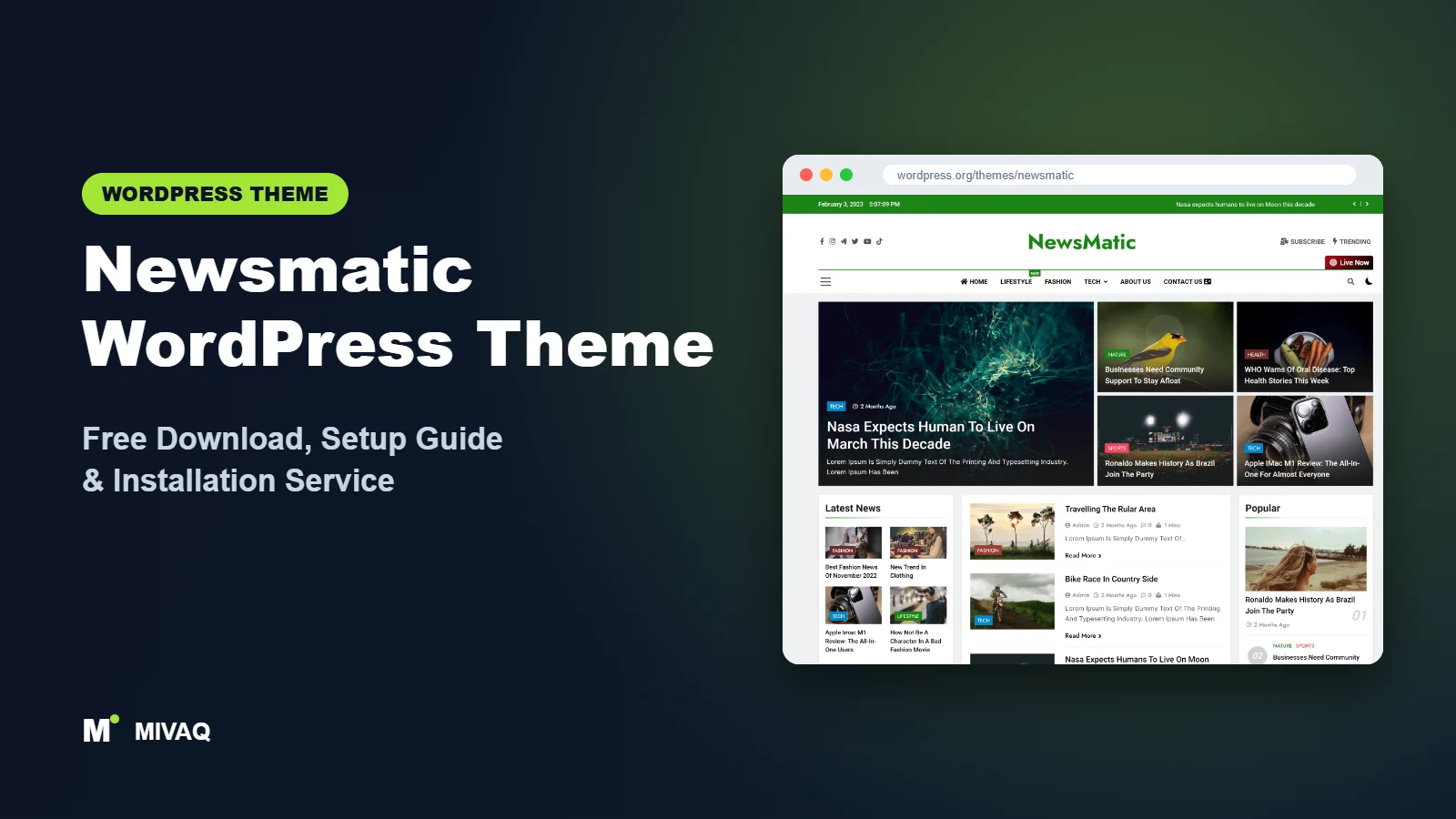
Most news themes force a choice: either you accept the theme’s fixed homepage, or you rebuild everything in a page builder and lose the theme’s news features. Newsmatic tries to give you both. Out of the box it is a Customizer-driven news theme, and with BlazeThemes’ free News Kit Elementor Addons plugin you can redesign almost any part of it in Elementor. In this guide you will find the official Newsmatic WordPress theme free download, an honest look at the free version, and a setup walkthrough for both the Customizer and the Elementor route.
This article is part of our complete guide: How to Build a WordPress Website for Your Business (2026 Guide).
Newsmatic is 100% free and legal on the WordPress.org theme directory. It is developed by BlazeThemes, has 10,000+ active installs and a 4.8/5 rating, and a Pro edition is available for publishers who want more.
What is the Newsmatic WordPress theme?
Newsmatic is a classic, Customizer-based news and magazine theme with a strong focus on flexibility. It ships with advanced Customizer controls (searchable select fields, a modern colour picker, an image selector and typography fields) so you can shape the front page section by section. It is schema ready, multilingual compatible, works with Gutenberg and Elementor, and the developer states that it does not collect personal data covered by GDPR.
| Detail | Newsmatic |
|---|---|
| Developer | BlazeThemes |
| Latest version | 1.5.0 |
| Active installs | 10,000+ |
| Rating | 4.8/5 (87 reviews) |
| Requires WordPress | Not specified on WordPress.org (use a current release) |
| Requires PHP | 5.6 or higher (PHP 8.x recommended) |
| Last updated | 15 July 2026 |
| Theme type | Classic theme (Customizer) |
| Price | Free (Newsmatic Pro optional) |
These facts come from the official WordPress.org listing at the time of writing. Always run the latest WordPress and a supported PHP version, regardless of the theme’s minimum.
Key features of Newsmatic
- Customizer-built homepage sections: add banner, grid, list and carousel sections from the Customizer and reorder them.
- Elementor compatibility via News Kit: the free News Kit Elementor Addons plugin adds news widgets and lets you design headers, footers and pages in Elementor.
- Main banner with slider and trending posts: a strong first screen combining a slider, side posts and popular items.
- Ticker news: a headline ticker for breaking or latest stories.
- Modern controls: typography, colour and image selectors inside the Customizer make design changes quick.
- Schema-ready markup: structured data that helps search engines understand articles.
- Multilingual and RTL support: works with translation plugins and right-to-left languages.
- Newsletter and form plugin friendly: integrates neatly with popular subscription and form plugins.
Two ways to build: Customizer or Elementor
This is Newsmatic’s main selling point. Editors who prefer simple settings can stay in the Customizer and toggle sections on and off. Designers who want pixel control can install News Kit Elementor Addons and build the homepage, single post templates or the header in Elementor, using news widgets such as post grids, lists, tickers and tabs that pull your real posts.
Ready-made demos
BlazeThemes publishes pre-built demos for Newsmatic that you can preview on their website and import into a fresh install. They give you a working news layout in minutes, which you can then adjust to your brand.
Which build route should you choose?
A simple rule we use with clients: if the people who will maintain the site are writers and editors, stay with the Customizer. Sections are switched on with a toggle, each one is tied to a category, and nobody can accidentally break a layout while publishing a story. If you have a designer on the team, or you need a homepage that looks very different from the demos, the Elementor route with News Kit is worth the extra weight. You can also start with the Customizer and move to Elementor later, because your posts and categories stay exactly the same either way; only the homepage presentation changes.
Newsmatic free vs Pro: what do you get?
The free edition already gives you a functional, attractive news site: the homepage section builder, banner and ticker, typography and colour controls, sidebar layouts, schema markup and Elementor support through News Kit.
Newsmatic Pro extends this with more layouts and controls. Commonly listed Pro additions include more homepage section layouts, additional header and footer styles, more post and archive layouts, extra colour and typography options, more demos and priority support. Exact features and licence prices can change, so check BlazeThemes’ site for current Pro pricing and a full comparison before buying.
If you plan to use Elementor heavily, test whether the free News Kit widgets already cover your needs before considering Pro.
Who should use Newsmatic?
- News sites that want Elementor flexibility without giving up a proper news theme.
- Agencies and freelancers building news sites for clients who may later want design changes.
- Multilingual news portals using translation plugins.
- Bloggers moving into magazine-style publishing who like visual controls.
- Publishers who care about structured data and want schema built in.
Who should skip it? If you dislike page builders and want the leanest possible site, a simpler theme such as ColorMag with Magazine Blocks may suit you better. Newsmatic is also not intended for business brochure sites or online shops.
Newsmatic WordPress theme free download (official and safe)
Use only the official sources:
- Official theme page: wordpress.org/themes/newsmatic
- Direct ZIP file: downloads.wordpress.org/theme/newsmatic.zip
MIVAQ does not distribute theme files; the free download always comes from WordPress.org.
Do not download “Newsmatic Pro nulled” from file-sharing or theme-dump sites. Nulled themes frequently include obfuscated code that injects spam, redirects mobile visitors or steals data, and you will never receive security updates. If your site already shows these symptoms, start with our WordPress malware removal guide.
How to install Newsmatic in WordPress (step by step)
Method 1: Install from the dashboard
- Go to Appearance › Themes in your WordPress admin.
- Click Add New Theme and search for “Newsmatic”.
- Click Install on Newsmatic by BlazeThemes.
- Click Activate.
Method 2: Upload the ZIP
- Download newsmatic.zip from WordPress.org.
- Go to Appearance › Themes › Add New Theme › Upload Theme.
- Upload the file, click Install Now, then Activate.
Tip: use a child theme for any PHP or template changes. Design changes made in the Customizer or Elementor are stored in the database and are safe during updates, but edited theme files are not.
How to set up Newsmatic after installation
Decide first whether you will build with the Customizer only or with Elementor. Then follow these steps:
- Create categories and test posts. Every section pulls posts by category, so add five to ten posts with featured images across your main sections.
- Import a demo (optional). Follow the welcome notice to the demo import option and import the layout closest to your idea on a fresh site.
- Global colours and typography. In Appearance › Customize, set your theme colour, heading and body fonts. Newsmatic’s typography fields make this quick.
- Header. Upload your logo, enable the top bar if you want date and social icons, and switch on the ticker.
- Main banner. Choose the categories for the slider and side posts in the banner settings.
- Homepage sections. Add and order grid, list and carousel sections, each linked to a category.
- Elementor route (optional). Install Elementor and News Kit Elementor Addons, create a page, design it with News Kit widgets and set it as your static homepage in Settings › Reading.
- Single post layout. Configure related posts, author box and social share options for articles.
- Footer and legal pages. Add About, Contact, Privacy Policy and Advertise links.
Pick one route for the homepage. Mixing Customizer sections and an Elementor homepage leads to confusion about where to edit things.
Newsmatic speed and SEO checklist
- Be careful with Elementor weight. If you build with Elementor, disable unused widgets and enable its performance features. Combine with server caching from our LiteSpeed speed guide.
- Use one SEO plugin and avoid duplicate schema, since Newsmatic already outputs some structured data. Our Rank Math vs Yoast guide helps you choose.
- Craft click-worthy titles using our title tag SEO guide.
- Describe images properly with our image alt text guide.
- Keep backups before major Elementor or theme updates with a solid backup strategy.
Common mistakes when setting up Newsmatic
- Building the homepage twice. Enabling Customizer sections and also setting an Elementor page as the front page creates conflicts. Choose one.
- Installing every Elementor addon. News Kit covers news widgets; stacking several addon packs slows the site.
- Duplicate schema. Check your article markup with Google’s Rich Results Test after adding an SEO plugin.
- Too many carousels. Moving sliders on every section distract readers and add JavaScript. Use static grids for most sections.
- Skipping mobile checks. Sections that look good on desktop can stack awkwardly on phones; preview every section on mobile.
Newsmatic vs similar free WordPress themes
- Newsmatic vs ColorMag: ColorMag is more established with a far bigger review base and builds homepages with blocks. Newsmatic is the better fit if Elementor is your tool of choice.
- Newsmatic vs Newsup: Newsup uses widgets for its homepage; Newsmatic uses Customizer sections plus Elementor. Choose Newsup for simplicity, Newsmatic for more design freedom.
- Newsmatic vs News Magazine X: News Magazine X offers a header and footer builder and dark mode in the free version. Newsmatic’s Elementor integration goes further for page design.
Newsmatic pros and cons
What we like
- Flexible: Customizer for quick setups, Elementor for full design control.
- Modern Customizer controls that are pleasant to use.
- Schema-ready and multilingual friendly.
- Clean, modern news design with demos.
What to consider
- The Elementor route adds page weight if not optimised.
- Smaller user base than ColorMag or Newsup, so fewer tutorials online.
- Some layouts and demos are reserved for Pro.
Our verdict: Newsmatic is a smart choice for publishers and agencies who want a real news theme but also the freedom of Elementor. If you keep the build disciplined and cache the site properly, it delivers a modern, flexible news portal for free.
Website design with Newsmatic: our design service
A blog or news site lives or dies by readability, structure and speed. With our website design service, MIVAQ builds your publication on Newsmatic: a homepage that surfaces the right stories, clear category structure, author pages, newsletter sign-up areas and ad placements that do not ruin the reading experience.
What our Newsmatic website design package includes:
- Magazine or blog homepage with featured, latest and category sections
- Category, tag and author structure planned for readers and search engines
- Readable typography, dark-mode friendly colours and fast-loading layouts
- Newsletter sign-up, social sharing and tasteful ad placements
- Article SEO templates, schema basics and Search Console setup
You can see examples in our recent work and case studies, and read more about our WordPress development and SEO services. Every project starts with a free consultation and a fixed price, so you know exactly what you get before we begin.
Want a website designed with Newsmatic? Contact MIVAQ: WhatsApp +880 1723-189847, email hello@mivaq.com or use our contact form. We usually reply the same day.
Newsmatic installation and setup service
MIVAQ Creative Solutions sets up Newsmatic for news sites, blogs and agencies, with either a Customizer or an Elementor workflow. We cover:
- Installation from WordPress.org and a child theme
- Demo import, cleanup and category structure
- Branding: logo, colours, typography, header and ticker
- Homepage built with Customizer sections or News Kit Elementor widgets
- Article layout, ad positions and WooCommerce if you need a shop
- Speed and SEO basics including caching and Rank Math
You receive a fixed quote before work begins. Browse our WordPress services or contact us:
- WhatsApp: message us about Newsmatic
- Email: hello@mivaq.com
- Form: send your project details
Related WordPress theme guides
- ColorMag WordPress theme: free download and setup guide
- Newsup WordPress theme: free download and setup guide
- News Magazine X WordPress theme: free download and setup guide
- BlogHash WordPress theme: free download and setup guide
- 50 best free WordPress themes
Frequently asked questions
Is Newsmatic free?
Yes. Newsmatic is free on WordPress.org for unlimited sites. Newsmatic Pro is an optional paid upgrade from BlazeThemes.
Is Newsmatic good for SEO?
Yes. It is schema ready and uses clean markup. Add an SEO plugin, fast hosting and strong headlines, and make sure you do not output duplicate schema.
Does Newsmatic work with Elementor?
Yes, and very well. Install the free News Kit Elementor Addons plugin from the same developer to get news widgets and design pages, headers and footers in Elementor.
Can I use Newsmatic for WooCommerce?
You can add a small WooCommerce shop, but Newsmatic is built for news content, not for running a full online store.
Can MIVAQ install Newsmatic for me?
Yes. We install Newsmatic, import a demo, build your homepage in the Customizer or Elementor and set up speed and SEO basics for a fixed price.


